
aqwolds - Minecraft Skins & Skin History
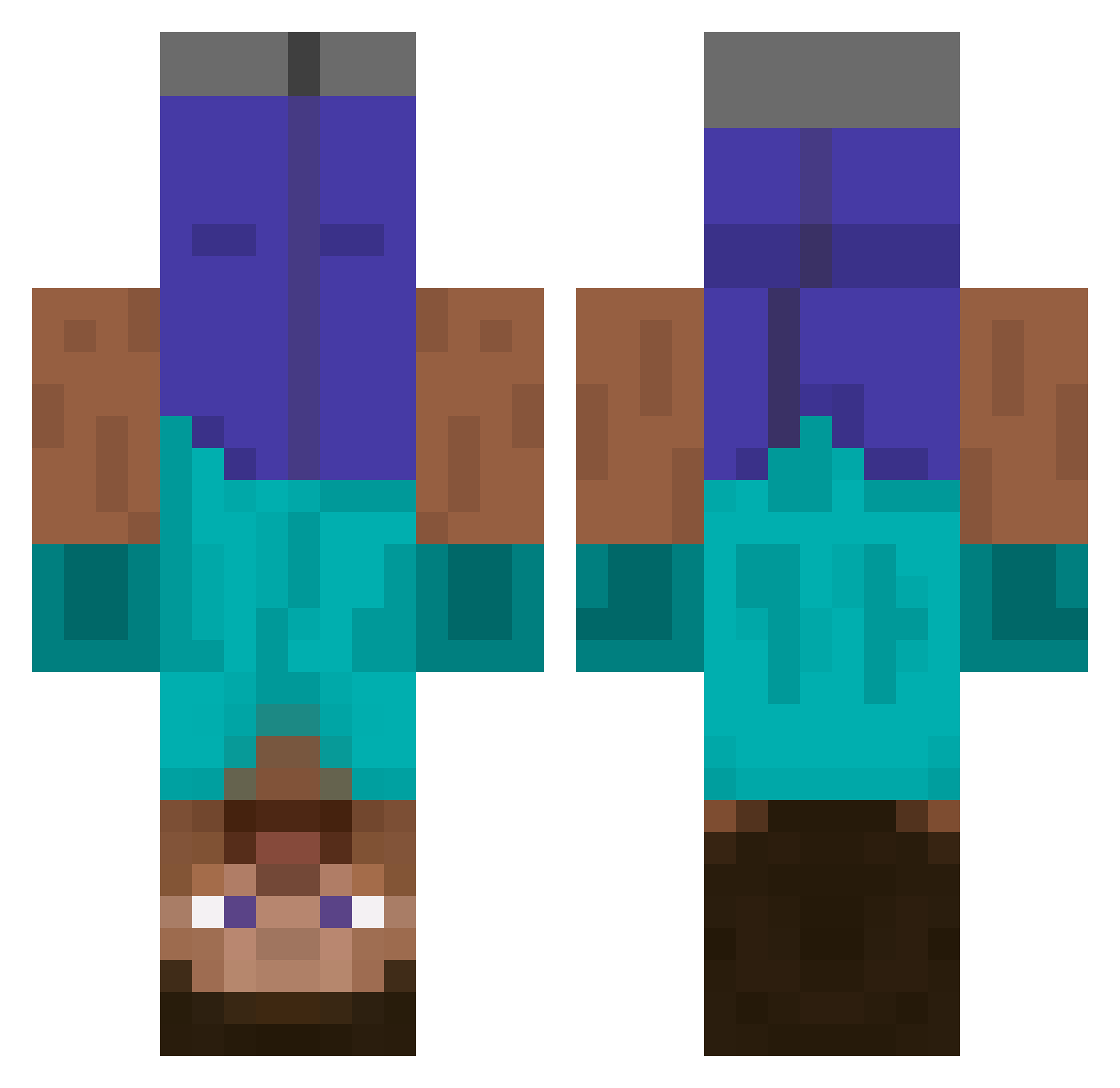
Current Minecraft skin of the player aqwolds, loaded from the official Mojang API. Rotate the 3D model with your mouse or finger, then download the skin as a PNG file and use it in Minecraft: Bedrock Edition or Java Edition for free. When aqwolds changes their skin, this page updates automatically and the old skin stays in the history below.
Other players with this skin (440)
aqwolds was the 318th player we have seen with this skin, first spotted on 01.10.2026. The same skin was seen on these players. Open a nickname to see their current skin and skin history.
 MommyHelp memestorm PootyFoo AnProCanWin drQuirky fsandesuyo lugi007 S3BAGA JoeCrabs Predator425 ChickenBalls42 GrimReaqer876 GenerocUsername ILikeUrIp Torvamessor the_gr8tst Norse_warrior Omeleet faggotstheelf AndeManden321 Wellocket Arkstep R0quef0rt Jakotsuu V1ruzzeh fargo1946 PhysicallyHurt ErKapi MATT_DAYMON EXTR3MiTY MikeHornbeck nemesisnc szebr NitroIV JordFoster D3fence Corneleus greenismeen Retired_PvPer lucy_taylor DrewPeacock muttiman91 kusagwa brandon16 peej557 Chitownfan24 Joelisamazing Squigglet123 Buhzrk lumpygleason AlexBuilder97 Yuni_desu BOOKKEDZ VaskoM NoSatisfaction minecrafter_2556 skylarfloyd Cowbane chrismarcs coccy50
More Dinnerbone Minecraft skins
How to install the aqwolds skin
- Press the Download button above to save the skin as a PNG file.
- Minecraft: Bedrock Edition (PE): open the Dressing Room from the main menu (or tap your character → Edit Character), go to Classic Skins → Owned, press the + (new skin) button, choose the downloaded PNG and pick the Classic (Steve) model. Works on PC and mobile; consoles cannot import custom skins.
- Minecraft: Java Edition: open the Minecraft Launcher, go to the Skins tab, click New Skin, load the PNG, pick the Classic (Steve) model and press Save & Use. You can also upload it at minecraft.net → Profile → Change Skin.
The skin does not show up after import - what should I do?
Restart Minecraft and open the Dressing Room again - imported skins sometimes appear only after a restart. Also make sure you selected the imported skin and picked the Classic (Steve) model.
Which model should I choose, Classic or Slim?
This skin is designed for the Classic (Steve) model. If you pick the wrong model, the arms of the skin will look stretched or squeezed.
Is the skin of aqwolds free to download?
Yes. Press Download, save the PNG file and use it in Minecraft: Bedrock Edition or Java Edition - no payment or registration needed. The skin also works on multiplayer servers and Realms.
More skins
Looking for more? Go back to all Minecraft skins and check the top skins of the week, month and all time, or find any player's skin by nickname.