
appleaday2 - Minecraft Skins & Skin History
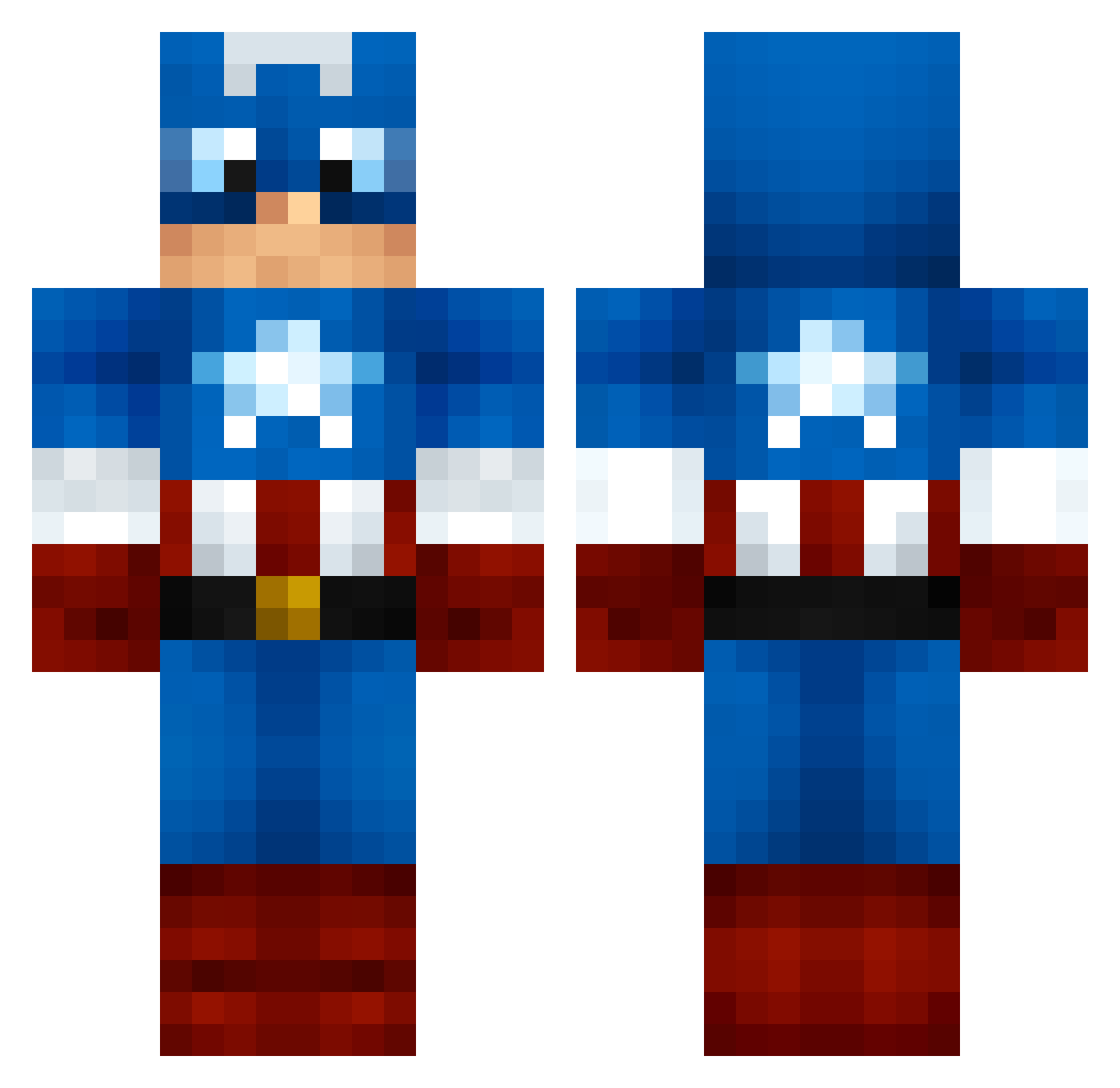
Current Minecraft skin of the player appleaday2, loaded from the official Mojang API. Rotate the 3D model with your mouse or finger, then download the skin as a PNG file and use it in Minecraft: Bedrock Edition or Java Edition for free. When appleaday2 changes their skin, this page updates automatically and the old skin stays in the history below.
Other players with this skin (1000)
appleaday2 was the 476th player we have seen with this skin, first spotted on 05.09.2026. The same skin was seen on these players. Open a nickname to see their current skin and skin history.
 ASurtees Pakert stony29 Mr_Pug_101 brayzee GFranc09 andypipkin19 Eshanir AJRamirez2002 steverodgers1 protomonkey808 HiBenny katmemow Paper9oll hungryhippo84 naro02 1TOTY1 maximan874 ORION__15 thomasdyball Karackol Bacon19283 Farmerthos Bpatino pedes27 CommonOoze431 heatfan1313 ThomasTheTank96 Poseidon39 patator63 Kentornado7 SoySubFielDeAlex katrinemus123 machinators GoldChameleon7 Nialljhoran13 MannyMcQueen chaX2 ChaTza00 Colrock SweetTangie Azael_purify Collingwood23 Wofly129 AvengerKPW lm0898 Bradley_Kidd Duhfaq21 VA1EN0 Jhadious Airplanedoc616 tweyrich Goldentaboo jordanbud95 ShyGuy_01 parkgunho Sokovia clay924 Sharks_r_cool RickyTorres01
More Captain America Minecraft skins
See all 148 Captain America skins
How to install the appleaday2 skin
- Press the Download button above to save the skin as a PNG file.
- Minecraft: Bedrock Edition (PE): open the Dressing Room from the main menu (or tap your character → Edit Character), go to Classic Skins → Owned, press the + (new skin) button, choose the downloaded PNG and pick the Classic (Steve) model. Works on PC and mobile; consoles cannot import custom skins.
- Minecraft: Java Edition: open the Minecraft Launcher, go to the Skins tab, click New Skin, load the PNG, pick the Classic (Steve) model and press Save & Use. You can also upload it at minecraft.net → Profile → Change Skin.
The skin does not show up after import - what should I do?
Restart Minecraft and open the Dressing Room again - imported skins sometimes appear only after a restart. Also make sure you selected the imported skin and picked the Classic (Steve) model.
Which model should I choose, Classic or Slim?
This skin is designed for the Classic (Steve) model. If you pick the wrong model, the arms of the skin will look stretched or squeezed.
Is the skin of appleaday2 free to download?
Yes. Press Download, save the PNG file and use it in Minecraft: Bedrock Edition or Java Edition - no payment or registration needed. The skin also works on multiplayer servers and Realms.
More skins
Looking for more? Go back to all Minecraft skins and check the top skins of the week, month and all time, or find any player's skin by nickname.