
apotatosalad97 - Minecraft Skins & Skin History
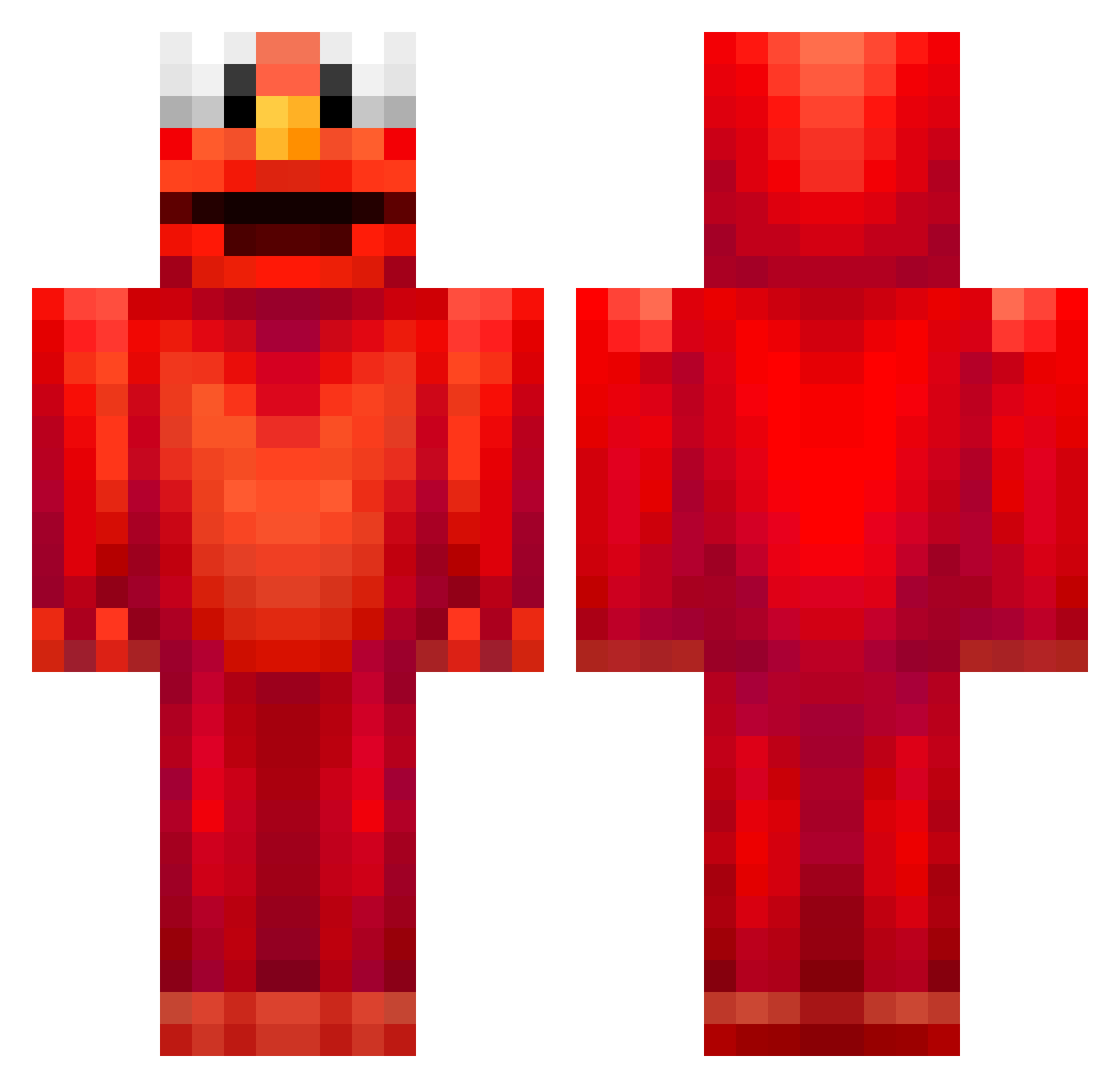
Current Minecraft skin of the player apotatosalad97, loaded from the official Mojang API. Rotate the 3D model with your mouse or finger, then download the skin as a PNG file and use it in Minecraft: Bedrock Edition or Java Edition for free. When apotatosalad97 changes their skin, this page updates automatically and the old skin stays in the history below.
Other players with this skin (678)
apotatosalad97 was the 150th player we have seen with this skin, first spotted on 17.08.2026. The same skin was seen on these players. Open a nickname to see their current skin and skin history.
 Dumby1234 MeinKopfistl33r snygging23 eggtakpasongsong AtomicClaw69283 ouwesnoeperd6969 1akb stdata_04 Elsa_Cacorchos OhneeJarnoo ranith ch0jja cri190705 HardcoreGamer13 ktmnini Amplifon5677 PsychoPandal tob_vegas Smeby__ PetrusESP TaintedMom coatmon1 cris1611 pablojeg sickoceecay Puffthedragon14 NLJJ011111011111 ewdc JonnyNapkin mikey_0_ MrSwitsers LarsVP07 lottop PiggyJiggy101 Dizzydwarf25 randoveRr NUGSTHEWHALE BoeseN_22 Huspoel Junghwan95 Sencraft Defuser517 Viktor_otte_2006 Mosh06141 MoonLiluh Woolred Hateful2368 MoeJoeJoe_ EthanItz BlubberousFool danieldiazz Kocubey jannis1304 aarizwho Bungh01e CEOOFSIMP xX_deaqpro_Xx elsobri mmmacius TBB202020
More Elmo Minecraft skins
How to install the apotatosalad97 skin
- Press the Download button above to save the skin as a PNG file.
- Minecraft: Bedrock Edition (PE): open the Dressing Room from the main menu (or tap your character → Edit Character), go to Classic Skins → Owned, press the + (new skin) button, choose the downloaded PNG and pick the Classic (Steve) model. Works on PC and mobile; consoles cannot import custom skins.
- Minecraft: Java Edition: open the Minecraft Launcher, go to the Skins tab, click New Skin, load the PNG, pick the Classic (Steve) model and press Save & Use. You can also upload it at minecraft.net → Profile → Change Skin.
The skin does not show up after import - what should I do?
Restart Minecraft and open the Dressing Room again - imported skins sometimes appear only after a restart. Also make sure you selected the imported skin and picked the Classic (Steve) model.
Which model should I choose, Classic or Slim?
This skin is designed for the Classic (Steve) model. If you pick the wrong model, the arms of the skin will look stretched or squeezed.
Is the skin of apotatosalad97 free to download?
Yes. Press Download, save the PNG file and use it in Minecraft: Bedrock Edition or Java Edition - no payment or registration needed. The skin also works on multiplayer servers and Realms.
More skins
Looking for more? Go back to all Minecraft skins and check the top skins of the week, month and all time, or find any player's skin by nickname.