
angrybananapeel - Minecraft Skins & Skin History
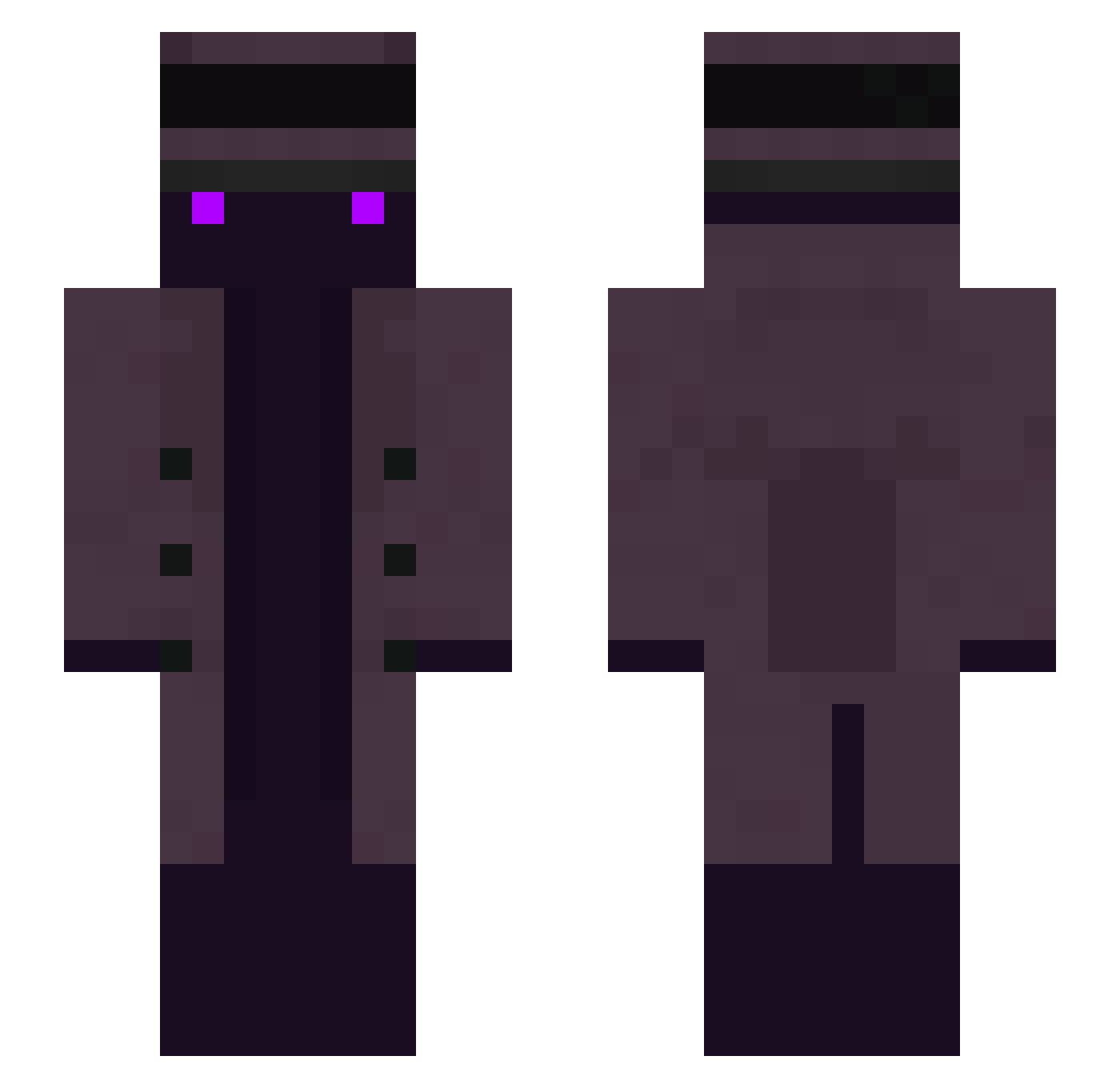
Current Minecraft skin of the player angrybananapeel, loaded from the official Mojang API. Rotate the 3D model with your mouse or finger, then download the skin as a PNG file and use it in Minecraft: Bedrock Edition or Java Edition for free. When angrybananapeel changes their skin, this page updates automatically and the old skin stays in the history below.
Other players with this skin (258)
angrybananapeel was the 235th player we have seen with this skin, first spotted on 23.10.2026. The same skin was seen on these players. Open a nickname to see their current skin and skin history.
 Smokzzz Mythic_FIsher3 Nick8903456 Rvchan CrosVolee deejayax44 Buschboy123 l_BigTree_l eu_bilu WaLdoP1 xkurama_n00b NicolasAmaya MrPlutonn M1tzz Mjherubin yigithasan0742 SrNeeww CEO_of_no_no wiredpixel aboode9999 coffeedose Nike1911 GoogleSock dotnroll KaranDaLegend thaGuzGod saulown corwinetvales Michaeldabest29 Das_Fladenbrot chunche_0711 SappyStorm78612 fechner th3juice mdond Subcay Lopezerg Toxic_Metos Danger_Man taejin97 bamboohotel bankomm BravestAsp95041 DrankSoulV1 Bloffu Haschkekse FlbbyJelly newname168643 Muskylon bkarnaval TOTOkill Sk1ll3kk MrdiZzy1_ lictor_629 Hoody_tv teonino3627 xmg0100 grJdh SugarHill qdog831
More Top Hat Minecraft skins
How to install the angrybananapeel skin
- Press the Download button above to save the skin as a PNG file.
- Minecraft: Bedrock Edition (PE): open the Dressing Room from the main menu (or tap your character → Edit Character), go to Classic Skins → Owned, press the + (new skin) button, choose the downloaded PNG and pick the Slim (Alex) model. Works on PC and mobile; consoles cannot import custom skins.
- Minecraft: Java Edition: open the Minecraft Launcher, go to the Skins tab, click New Skin, load the PNG, pick the Slim (Alex) model and press Save & Use. You can also upload it at minecraft.net → Profile → Change Skin.
The skin does not show up after import - what should I do?
Restart Minecraft and open the Dressing Room again - imported skins sometimes appear only after a restart. Also make sure you selected the imported skin and picked the Slim (Alex) model.
Which model should I choose, Classic or Slim?
This skin is designed for the Slim (Alex) model. If you pick the wrong model, the arms of the skin will look stretched or squeezed.
Is the skin of angrybananapeel free to download?
Yes. Press Download, save the PNG file and use it in Minecraft: Bedrock Edition or Java Edition - no payment or registration needed. The skin also works on multiplayer servers and Realms.
More skins
Looking for more? Go back to all Minecraft skins and check the top skins of the week, month and all time, or find any player's skin by nickname.