
andyfang666 - Minecraft Skins & Skin History
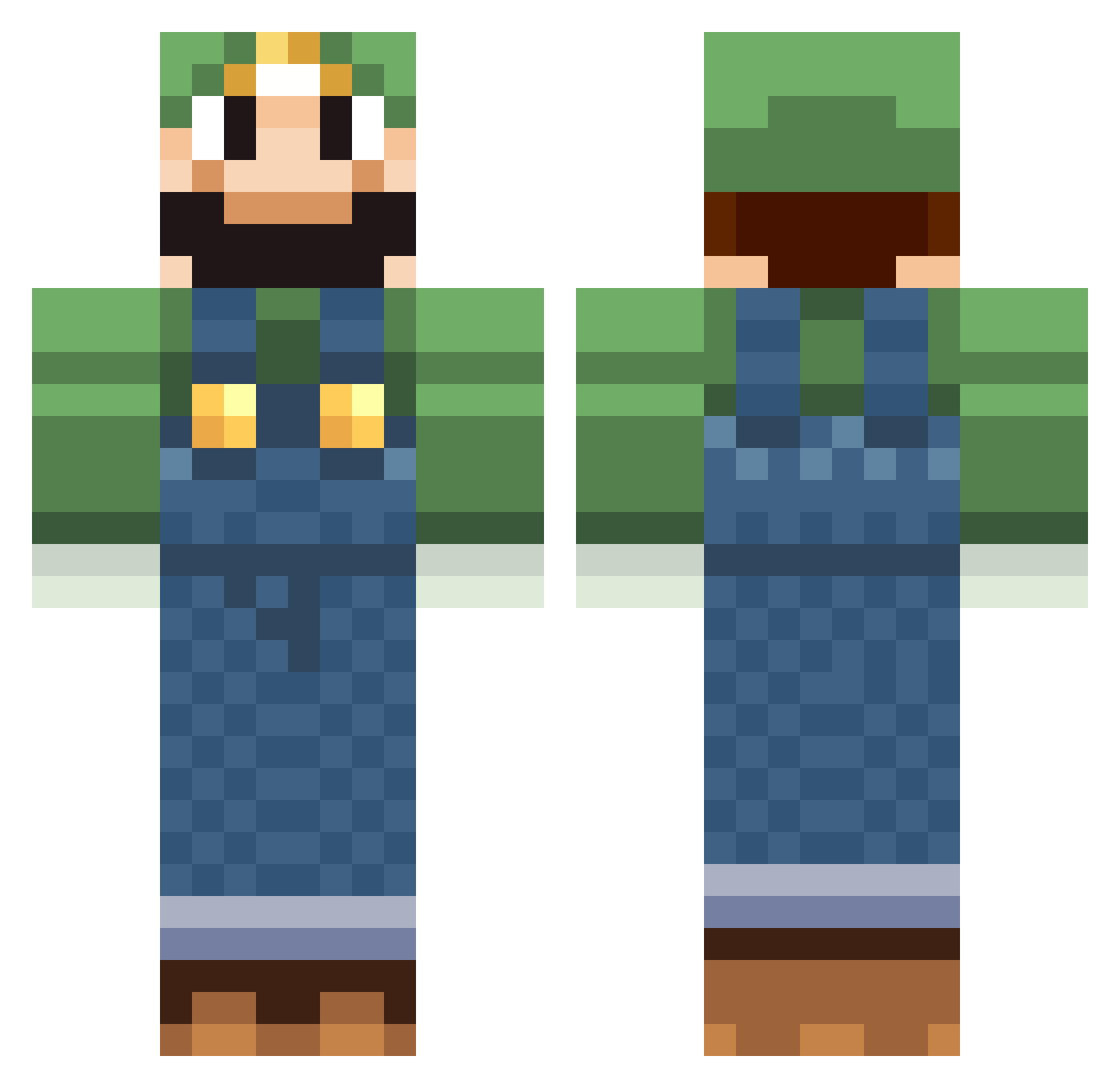
Current Minecraft skin of the player andyfang666, loaded from the official Mojang API. Rotate the 3D model with your mouse or finger, then download the skin as a PNG file and use it in Minecraft: Bedrock Edition or Java Edition for free. When andyfang666 changes their skin, this page updates automatically and the old skin stays in the history below.
Other players with this skin (518)
andyfang666 was the 440th player we have seen with this skin, first spotted on 19.10.2026. The same skin was seen on these players. Open a nickname to see their current skin and skin history.
 MinecraftMikeR bagelboy416 Paradocz Alteur Ohaiguyz ocelottruth MrApelzinka dyfan1234567890 Cruzicus Legator91 Mineworld20 spartanab32 flysxh Pitale aamcatamney Murray_Lad aiden556dude cclegand12 rawwwrpk Bapesup ToadandPie mohammede peepster thesaintcrafter xmaself big_BOZZ2 Sparky4543 Natsux kniwolf soul1000 aaa90702 goergeprof mr_cool_story adventurer_matt loyduss BrandontheWise AlexStach souri2 Neon_Box rookiesniper Flying_Bat Luigy99 JoeyBDL skum64 donS_Carter IsGubben grosff frankiehamster JahooneyA LOLTye mew005 CouchWombat BendyGoose Friedriech jakeypoo43 booster_188 Brunsie Lollflashlight OGLuigi DonLuigi54
More Luigi Minecraft skins
How to install the andyfang666 skin
- Press the Download button above to save the skin as a PNG file.
- Minecraft: Bedrock Edition (PE): open the Dressing Room from the main menu (or tap your character → Edit Character), go to Classic Skins → Owned, press the + (new skin) button, choose the downloaded PNG and pick the Classic (Steve) model. Works on PC and mobile; consoles cannot import custom skins.
- Minecraft: Java Edition: open the Minecraft Launcher, go to the Skins tab, click New Skin, load the PNG, pick the Classic (Steve) model and press Save & Use. You can also upload it at minecraft.net → Profile → Change Skin.
The skin does not show up after import - what should I do?
Restart Minecraft and open the Dressing Room again - imported skins sometimes appear only after a restart. Also make sure you selected the imported skin and picked the Classic (Steve) model.
Which model should I choose, Classic or Slim?
This skin is designed for the Classic (Steve) model. If you pick the wrong model, the arms of the skin will look stretched or squeezed.
Is the skin of andyfang666 free to download?
Yes. Press Download, save the PNG file and use it in Minecraft: Bedrock Edition or Java Edition - no payment or registration needed. The skin also works on multiplayer servers and Realms.
More skins
Looking for more? Go back to all Minecraft skins and check the top skins of the week, month and all time, or find any player's skin by nickname.