
andrejco35 - Minecraft Skins & Skin History
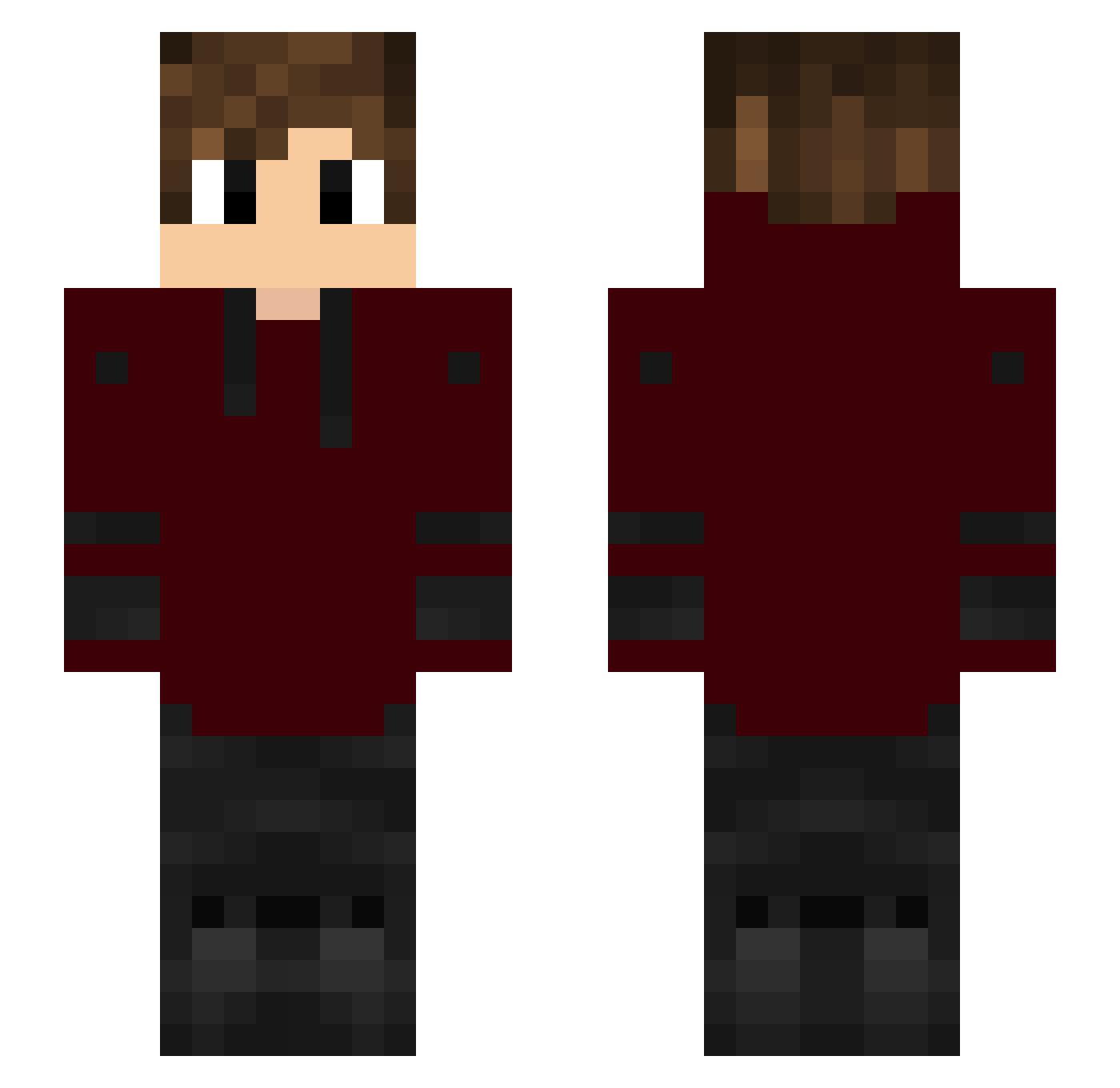
Current Minecraft skin of the player andrejco35, loaded from the official Mojang API. Rotate the 3D model with your mouse or finger, then download the skin as a PNG file and use it in Minecraft: Bedrock Edition or Java Edition for free. When andrejco35 changes their skin, this page updates automatically and the old skin stays in the history below.
Other players with this skin (148)
andrejco35 was the 73rd player we have seen with this skin, first spotted on 16.09.2026. The same skin was seen on these players. Open a nickname to see their current skin and skin history.
 PlutoLikesMilk Sasha2027te Ball_Satch stanley709ml Cat123pro ismailefe0345 Hotaz97 SonOfABurch kyooul beczkabarell s_we Dorukmw iKeve shin_san TankLiquidBOT23 Emesizs HippoAufsBrot yenf quxvoo jakylorhide Sythexs SprkzZzZ Lacckyy PInkPIayz _MI0DY_ co_colibri youas_ msking123 Kaitanno iido7 HoppoHopkins ILoveChaHaeIn Dxji_ MalagaPrank Koover7 CrogTV BSpendlove Totrix PC_E_ sinaarslan Kota1602 minecraftwarrier Henrry1 TSPMOTSPMOTSPMO Keaveneys Jardys_ iamdanyy TomicSNF Bigza44 Nursejoyfanfic azlk323 oResuns iFinest_ LordXtreme Violence__ X_Dean_X ruthwik100 Chellsosse ALBEWAWAGE Purpled100
How to install the andrejco35 skin
- Press the Download button above to save the skin as a PNG file.
- Minecraft: Bedrock Edition (PE): open the Dressing Room from the main menu (or tap your character → Edit Character), go to Classic Skins → Owned, press the + (new skin) button, choose the downloaded PNG and pick the Slim (Alex) model. Works on PC and mobile; consoles cannot import custom skins.
- Minecraft: Java Edition: open the Minecraft Launcher, go to the Skins tab, click New Skin, load the PNG, pick the Slim (Alex) model and press Save & Use. You can also upload it at minecraft.net → Profile → Change Skin.
The skin does not show up after import - what should I do?
Restart Minecraft and open the Dressing Room again - imported skins sometimes appear only after a restart. Also make sure you selected the imported skin and picked the Slim (Alex) model.
Which model should I choose, Classic or Slim?
This skin is designed for the Slim (Alex) model. If you pick the wrong model, the arms of the skin will look stretched or squeezed.
Is the skin of andrejco35 free to download?
Yes. Press Download, save the PNG file and use it in Minecraft: Bedrock Edition or Java Edition - no payment or registration needed. The skin also works on multiplayer servers and Realms.
More skins
Looking for more? Go back to all Minecraft skins and check the top skins of the week, month and all time, or find any player's skin by nickname.