
andiok - Minecraft Skins & Skin History
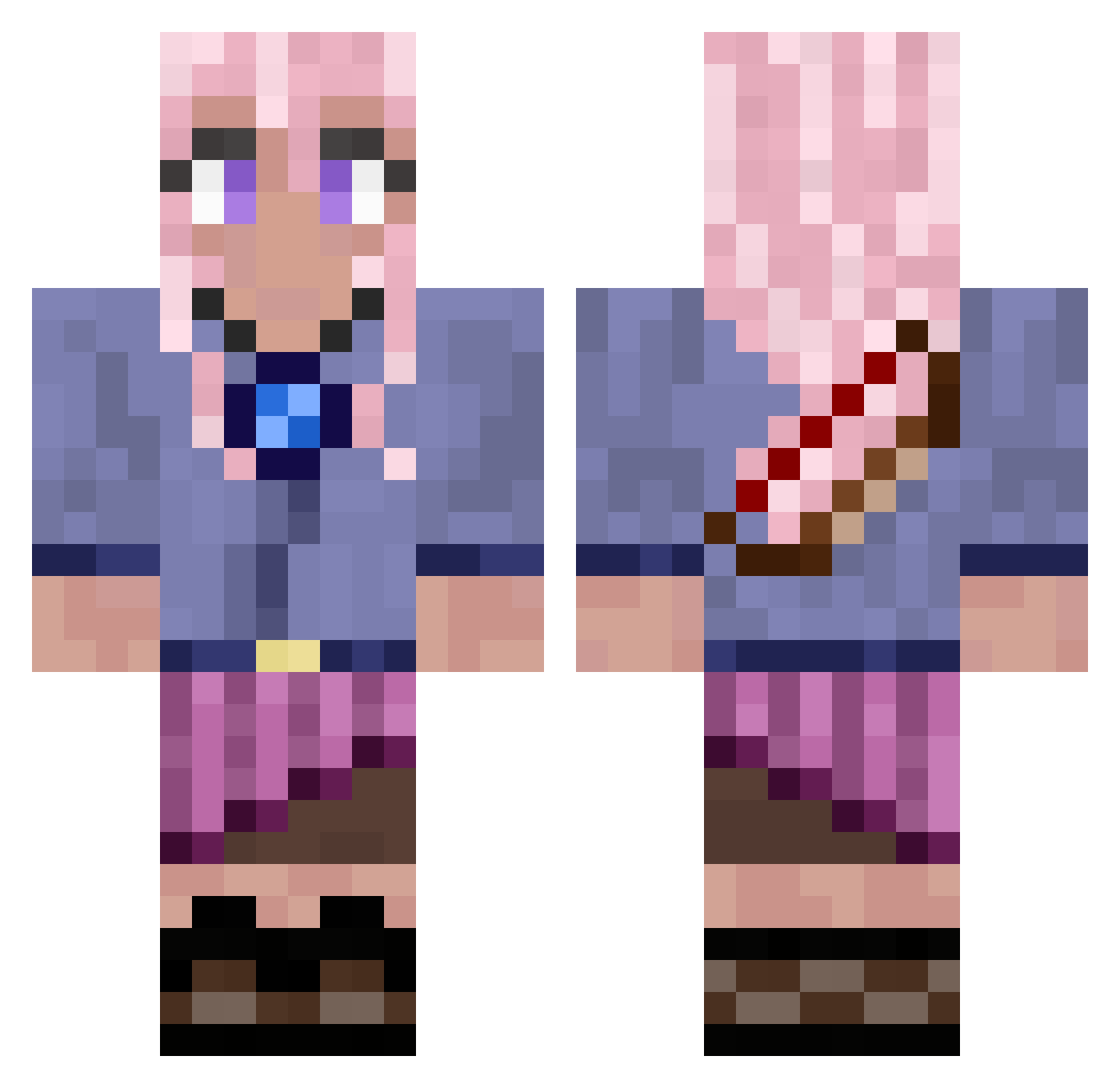
Current Minecraft skin of the player andiok, loaded from the official Mojang API. Rotate the 3D model with your mouse or finger, then download the skin as a PNG file and use it in Minecraft: Bedrock Edition or Java Edition for free. When andiok changes their skin, this page updates automatically and the old skin stays in the history below.
Other players with this skin (778)
andiok was the 420th player we have seen with this skin, first spotted on 21.09.2026. The same skin was seen on these players. Open a nickname to see their current skin and skin history.
 CuteIsopods KatarinaTheGreat zoque22 Jewinator1567 Breaker_mark charfowell0305 CabbageBlue Piano_2007 bambini2013 LoveMyMaddox gkdud123 Littlehellokitty CAROLINA18 poco1119 Bry1144 GrowlingPoet jula00p 2010mk RedHairGirl09 Hideaway16 Lups777 Saturn76 Idontlikeothers sun47 Superkd04 Adri5303 itzlya hudesan Arwin0009 MONDFISCH2 Ossay_ NaraCutiePie lovelymila dekucam 404Haruna CUTIEPETTY wananl20 Gefressen236 sisiyuki avavli MarMaryn Schinken2015 zxq13 kilvirr11 Alejandra914 SabeySabey missycool LERIO9021 SarahB2 redfxrd Bubbythequeen Galactus_666 FDish xViviDE yuniee_ margaux3333 CatGirl112 creage Hamudiii justshru
More Kyoko Kirigiri Minecraft skins
See all 61 Kyoko Kirigiri skins
How to install the andiok skin
- Press the Download button above to save the skin as a PNG file.
- Minecraft: Bedrock Edition (PE): open the Dressing Room from the main menu (or tap your character → Edit Character), go to Classic Skins → Owned, press the + (new skin) button, choose the downloaded PNG and pick the Classic (Steve) model. Works on PC and mobile; consoles cannot import custom skins.
- Minecraft: Java Edition: open the Minecraft Launcher, go to the Skins tab, click New Skin, load the PNG, pick the Classic (Steve) model and press Save & Use. You can also upload it at minecraft.net → Profile → Change Skin.
The skin does not show up after import - what should I do?
Restart Minecraft and open the Dressing Room again - imported skins sometimes appear only after a restart. Also make sure you selected the imported skin and picked the Classic (Steve) model.
Which model should I choose, Classic or Slim?
This skin is designed for the Classic (Steve) model. If you pick the wrong model, the arms of the skin will look stretched or squeezed.
Is the skin of andiok free to download?
Yes. Press Download, save the PNG file and use it in Minecraft: Bedrock Edition or Java Edition - no payment or registration needed. The skin also works on multiplayer servers and Realms.
More skins
Looking for more? Go back to all Minecraft skins and check the top skins of the week, month and all time, or find any player's skin by nickname.