
andersjr - Minecraft Skins & Skin History
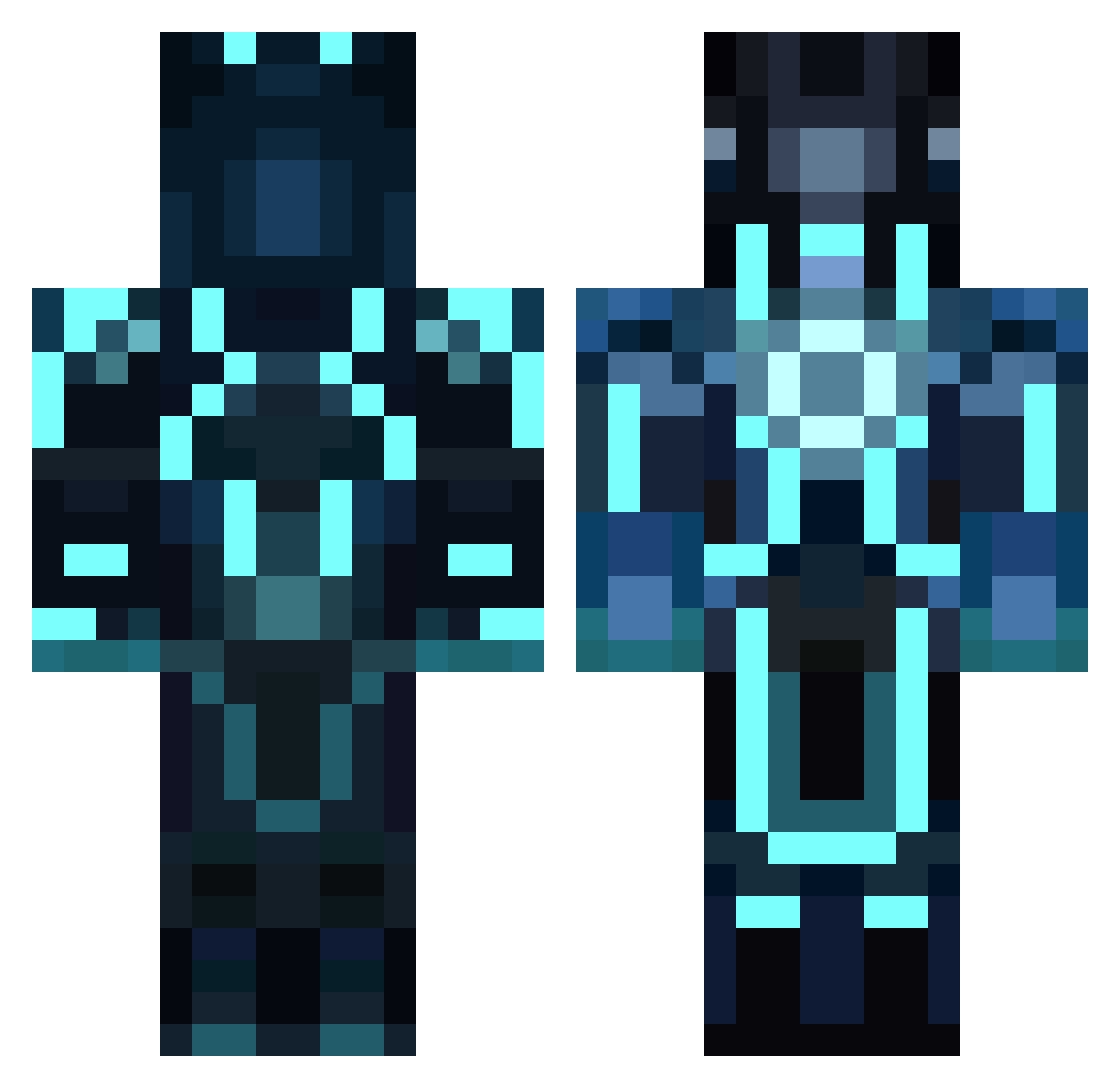
Current Minecraft skin of the player andersjr, loaded from the official Mojang API. Rotate the 3D model with your mouse or finger, then download the skin as a PNG file and use it in Minecraft: Bedrock Edition or Java Edition for free. When andersjr changes their skin, this page updates automatically and the old skin stays in the history below.
Other players with this skin (856)
andersjr was the 164th player we have seen with this skin, first spotted on 15.08.2026. The same skin was seen on these players. Open a nickname to see their current skin and skin history.
 Joel555 Batmandu wrona77 ruledby danboy96 PrankCall nekto119 proreflex2002 B34STForReal_ Garion22 iceman6776 AldoyOnLine willnewbz dynodylan427 Ghost_Soldier baimatt Bab10 justinjedi511 The_Cynic titou219 trustup boaz002 some70sguy Romadbuff sljones777 3uSteR fellefelixfkp McDoom Cold_Field Tuckerman38 BeastyJack10 Blixt2008 geoffrey_glaspie bryanlopez1084 SamHarris98 ArkhiahX neawo jerspa00 sv7 Nadury mark5700 Deadfire1337 ColdShoke Hollywood_23 HelperWu sweetjackjohnny edsr999 JKV4 teexcue TheHardster1 ofrp Emile123777 VincentD4829 stack77 SimplyTheWorst saranwrap007 deanoiscool2 ScaleGames ODSHIFTIES Lord0fTheFries
More Glowing Armor Minecraft skins
See all 60 Glowing Armor skins
How to install the andersjr skin
- Press the Download button above to save the skin as a PNG file.
- Minecraft: Bedrock Edition (PE): open the Dressing Room from the main menu (or tap your character → Edit Character), go to Classic Skins → Owned, press the + (new skin) button, choose the downloaded PNG and pick the Classic (Steve) model. Works on PC and mobile; consoles cannot import custom skins.
- Minecraft: Java Edition: open the Minecraft Launcher, go to the Skins tab, click New Skin, load the PNG, pick the Classic (Steve) model and press Save & Use. You can also upload it at minecraft.net → Profile → Change Skin.
The skin does not show up after import - what should I do?
Restart Minecraft and open the Dressing Room again - imported skins sometimes appear only after a restart. Also make sure you selected the imported skin and picked the Classic (Steve) model.
Which model should I choose, Classic or Slim?
This skin is designed for the Classic (Steve) model. If you pick the wrong model, the arms of the skin will look stretched or squeezed.
Is the skin of andersjr free to download?
Yes. Press Download, save the PNG file and use it in Minecraft: Bedrock Edition or Java Edition - no payment or registration needed. The skin also works on multiplayer servers and Realms.
More skins
Looking for more? Go back to all Minecraft skins and check the top skins of the week, month and all time, or find any player's skin by nickname.