
amerauta - Minecraft Skins & Skin History
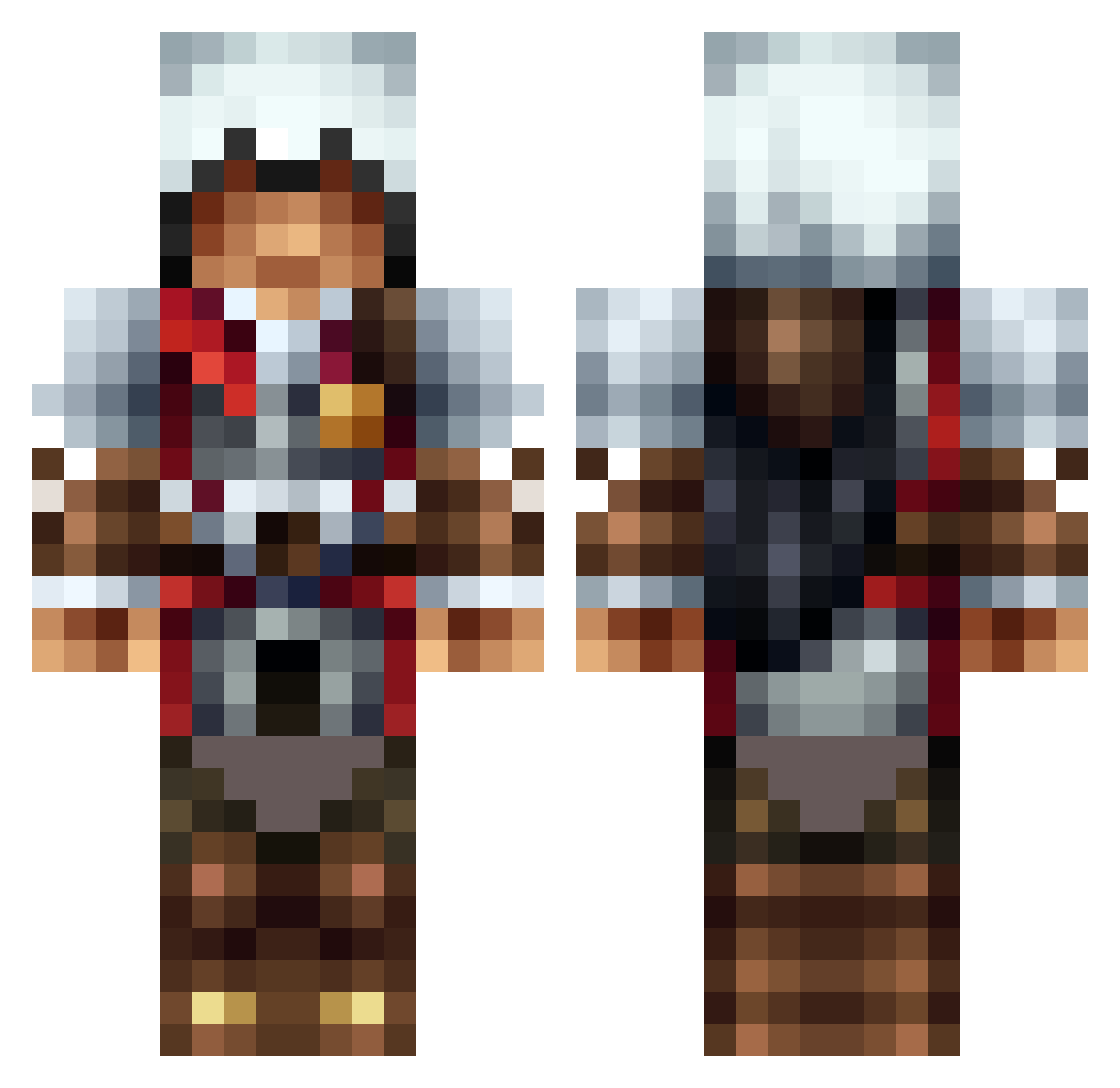
Current Minecraft skin of the player amerauta, loaded from the official Mojang API. Rotate the 3D model with your mouse or finger, then download the skin as a PNG file and use it in Minecraft: Bedrock Edition or Java Edition for free. When amerauta changes their skin, this page updates automatically and the old skin stays in the history below.
Other players with this skin (1313)
amerauta was the 888th player we have seen with this skin, first spotted on 06.10.2026. The same skin was seen on these players. Open a nickname to see their current skin and skin history.
 dominecrafter 1mkrupt TheLoneWolf223 ktrooper grumpynuke nicholassobo terminator2001 olympianmaster6 noahandjosh2000 Ima_Pineapple poseidon_85 zombieassasin49 Milkerpt Gobbogy DevilsAdvocate12 Gdawg11 Mafn_official DarkenRevan RISHIP199 DF86B MITCHYBARNETT Speedybird123 finalone07 BlueFlames00 steves_tac0 Tipunen gangstamidget jp78ta eman14_91 sandernouris Garicula1 hero904 spaceranger786 FakeFest Longboardking85 KooloCraft_YT Filthy_Westy FireAssasin69 Selo361 helmersen02 Mahailo banannerman EsmeeA DICEROLL3x FireBlade400 kilo_scrappy crowcraft TheOverman89 ADangerousNoodle wolf3377 Deathknowz Sophios7 Just_Tango celticwolf16 crasypet MasterRemington assassinbil Vdien xXMajorCamXx ahab5000
More Altair Minecraft skins
How to install the amerauta skin
- Press the Download button above to save the skin as a PNG file.
- Minecraft: Bedrock Edition (PE): open the Dressing Room from the main menu (or tap your character → Edit Character), go to Classic Skins → Owned, press the + (new skin) button, choose the downloaded PNG and pick the Classic (Steve) model. Works on PC and mobile; consoles cannot import custom skins.
- Minecraft: Java Edition: open the Minecraft Launcher, go to the Skins tab, click New Skin, load the PNG, pick the Classic (Steve) model and press Save & Use. You can also upload it at minecraft.net → Profile → Change Skin.
The skin does not show up after import - what should I do?
Restart Minecraft and open the Dressing Room again - imported skins sometimes appear only after a restart. Also make sure you selected the imported skin and picked the Classic (Steve) model.
Which model should I choose, Classic or Slim?
This skin is designed for the Classic (Steve) model. If you pick the wrong model, the arms of the skin will look stretched or squeezed.
Is the skin of amerauta free to download?
Yes. Press Download, save the PNG file and use it in Minecraft: Bedrock Edition or Java Edition - no payment or registration needed. The skin also works on multiplayer servers and Realms.
More skins
Looking for more? Go back to all Minecraft skins and check the top skins of the week, month and all time, or find any player's skin by nickname.