
alwaysZeroHour - Minecraft Skins & Skin History
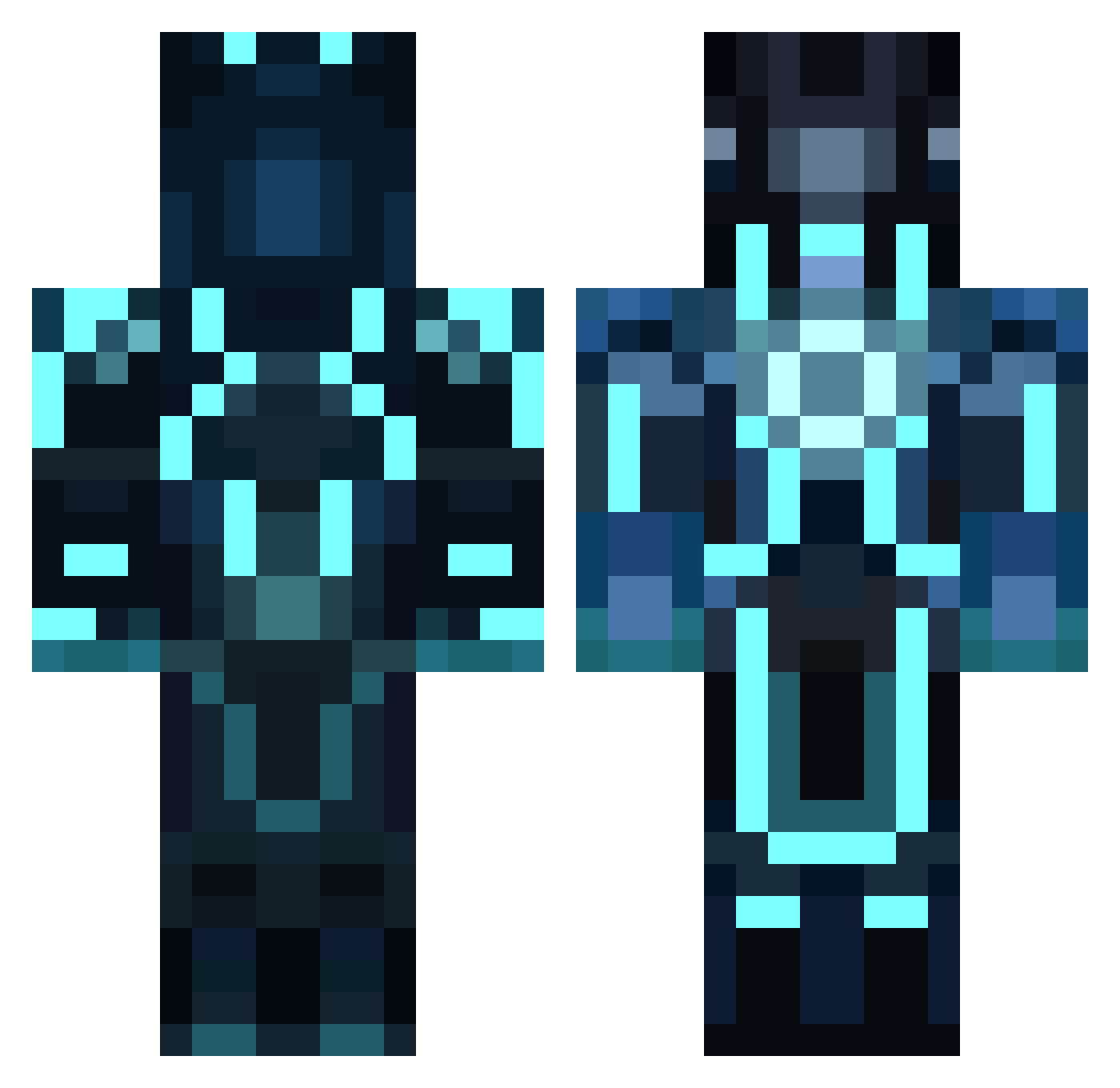
Current Minecraft skin of the player alwaysZeroHour, loaded from the official Mojang API. Rotate the 3D model with your mouse or finger, then download the skin as a PNG file and use it in Minecraft: Bedrock Edition or Java Edition for free. When alwaysZeroHour changes their skin, this page updates automatically and the old skin stays in the history below.
Other players with this skin (1041)
alwaysZeroHour was the 1005th player we have seen with this skin, first spotted on 14.11.2026. The same skin was seen on these players. Open a nickname to see their current skin and skin history.
 Christoffer1235 norf0315 TheUltraB ouwesnoeperd Canzas19 N3475 osco88 KingWongTong ch0co1at3 Xaba19 cHunter BcKing69 MrMcNugg Diamondthegreat MissileMouse29 BUTTERBOY2019 ManicalMouse inktvispis mrshiz37 Thibault3364 kartoffelma miamiheat211 Triltux stat9 LetalisInsania lucasthecat1 AnSpaceship Cadenjo20 HypnoX abelprod lazertor wazupjman WhydogWhy LordWanksaLot WaitedThief garychen13 PRJosue18 hanzee1234 xXBrownie420Xx PenaKids ZercHD Promokiller BetaCakes darkdomo1456 The_F0nz_ kalani2312 venk123 M4DBR0 Pas_ii remixedboss Master_Ninja5 luckylove14 AriM2 jmo322 Saltzmanx3 IzzyBeth ikemaster6106 JMarc_11Six aaronellington tjmoonmadminman
More Glowing Armor Minecraft skins
See all 71 Glowing Armor skins
How to install the alwaysZeroHour skin
- Press the Download button above to save the skin as a PNG file.
- Minecraft: Bedrock Edition (PE): open the Dressing Room from the main menu (or tap your character → Edit Character), go to Classic Skins → Owned, press the + (new skin) button, choose the downloaded PNG and pick the Classic (Steve) model. Works on PC and mobile; consoles cannot import custom skins.
- Minecraft: Java Edition: open the Minecraft Launcher, go to the Skins tab, click New Skin, load the PNG, pick the Classic (Steve) model and press Save & Use. You can also upload it at minecraft.net → Profile → Change Skin.
The skin does not show up after import - what should I do?
Restart Minecraft and open the Dressing Room again - imported skins sometimes appear only after a restart. Also make sure you selected the imported skin and picked the Classic (Steve) model.
Which model should I choose, Classic or Slim?
This skin is designed for the Classic (Steve) model. If you pick the wrong model, the arms of the skin will look stretched or squeezed.
Is the skin of alwaysZeroHour free to download?
Yes. Press Download, save the PNG file and use it in Minecraft: Bedrock Edition or Java Edition - no payment or registration needed. The skin also works on multiplayer servers and Realms.
More skins
Looking for more? Go back to all Minecraft skins and check the top skins of the week, month and all time, or find any player's skin by nickname.