
alteaxalex - Minecraft Skins & Skin History
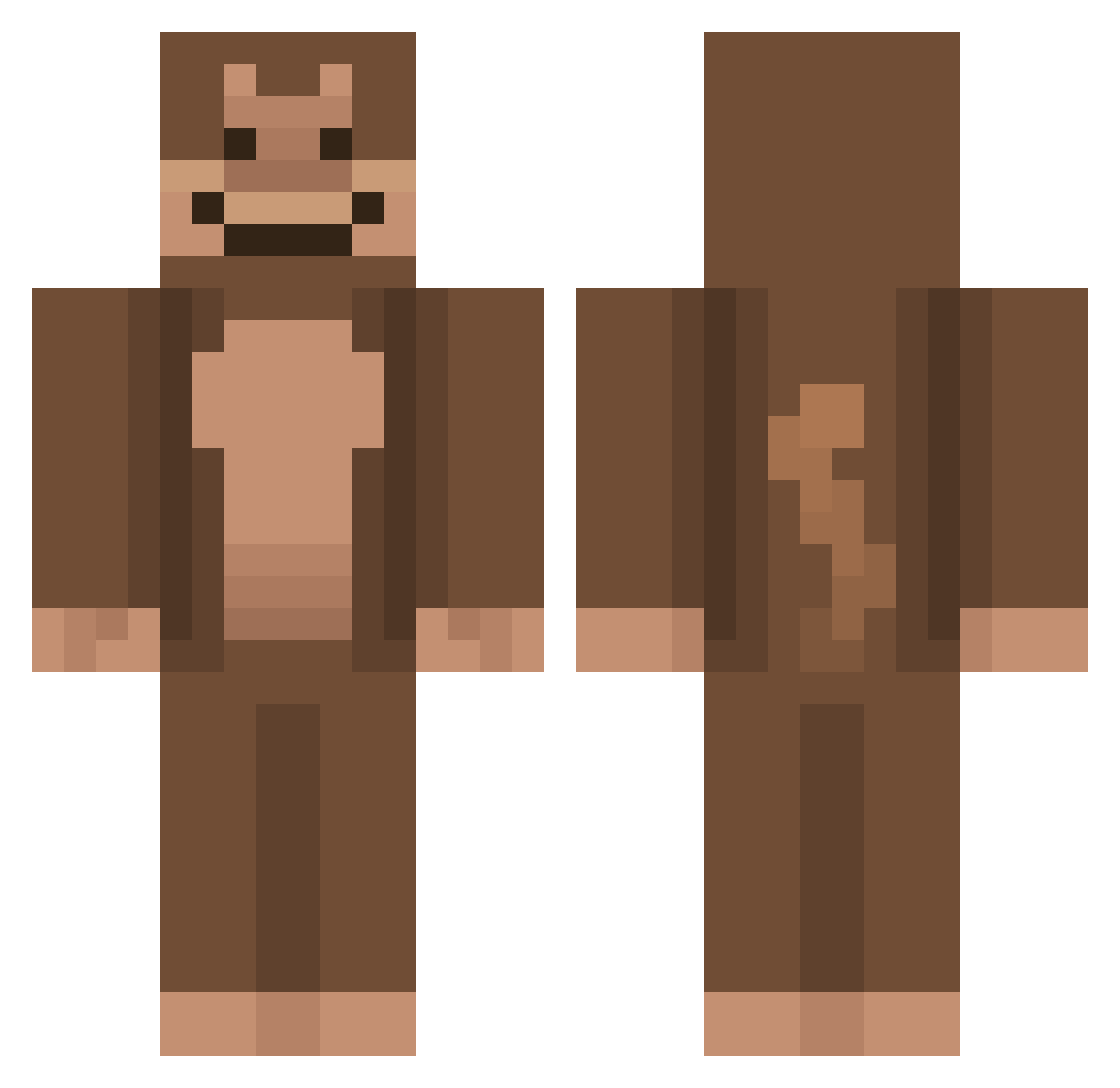
Current Minecraft skin of the player alteaxalex, loaded from the official Mojang API. Rotate the 3D model with your mouse or finger, then download the skin as a PNG file and use it in Minecraft: Bedrock Edition or Java Edition for free. When alteaxalex changes their skin, this page updates automatically and the old skin stays in the history below.
Other players with this skin (926)
alteaxalex was the 878th player we have seen with this skin, first spotted on 14.11.2026. The same skin was seen on these players. Open a nickname to see their current skin and skin history.
 LilithMcMilith EzraRowland MonkeyToeJam ItxMonkey Parchmeed LukeLukas268 webby731 RyanJ765 realswavy Sonicfan237 natthawutss lushbrush69_ bigthings1 Matt_yes129 Touz01 IXizeno Btree_fir3 GeneticDish JuicyDino Zeqlol AgressionYT Oxthon iiivibz Zilothewolf CraftLax JackBrownlow samlocter dumplims YOURLUCIIFER BlindMonky Nosynz diee_e Ruman14 yooo_gurt lexiemoscoso IzDino Elfso1 jaeboom09 5ncoo randomthing24 LordHasse TOZK_HD Ch1mpp_ momewo GigaTrigga420 WizardGuy420 SvenneBatman rubyo3o vinciago Azaran8 e11x Efroggie Dobi030 Lonix7 munckeyman Ferpadas AOCFOOTIEPICS Nettled_ Vast1c Alex_nvss
More Ape Minecraft skins
How to install the alteaxalex skin
- Press the Download button above to save the skin as a PNG file.
- Minecraft: Bedrock Edition (PE): open the Dressing Room from the main menu (or tap your character → Edit Character), go to Classic Skins → Owned, press the + (new skin) button, choose the downloaded PNG and pick the Classic (Steve) model. Works on PC and mobile; consoles cannot import custom skins.
- Minecraft: Java Edition: open the Minecraft Launcher, go to the Skins tab, click New Skin, load the PNG, pick the Classic (Steve) model and press Save & Use. You can also upload it at minecraft.net → Profile → Change Skin.
The skin does not show up after import - what should I do?
Restart Minecraft and open the Dressing Room again - imported skins sometimes appear only after a restart. Also make sure you selected the imported skin and picked the Classic (Steve) model.
Which model should I choose, Classic or Slim?
This skin is designed for the Classic (Steve) model. If you pick the wrong model, the arms of the skin will look stretched or squeezed.
Is the skin of alteaxalex free to download?
Yes. Press Download, save the PNG file and use it in Minecraft: Bedrock Edition or Java Edition - no payment or registration needed. The skin also works on multiplayer servers and Realms.
More skins
Looking for more? Go back to all Minecraft skins and check the top skins of the week, month and all time, or find any player's skin by nickname.