
alphapro15 - Minecraft Skins & Skin History
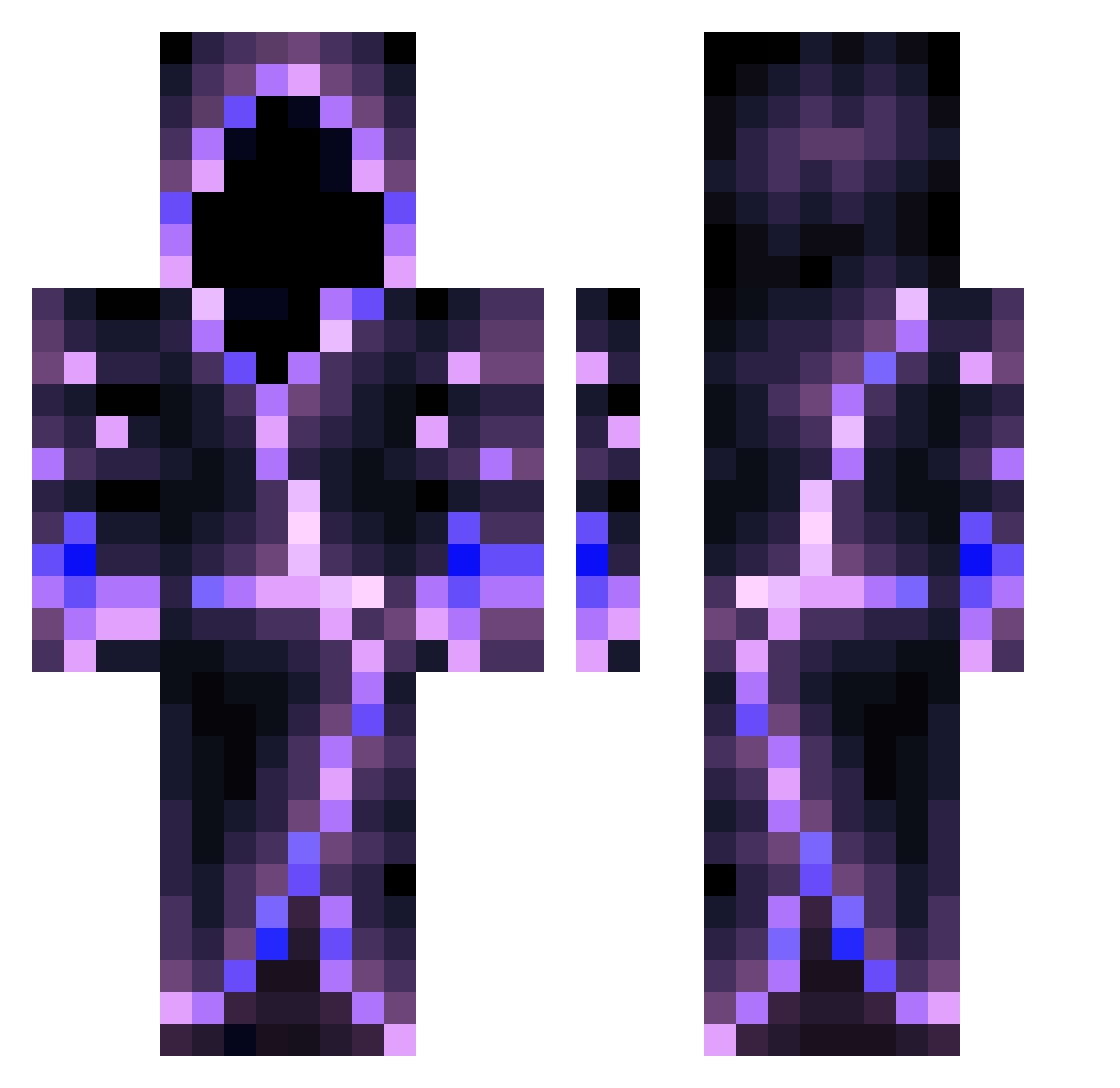
Current Minecraft skin of the player alphapro15, loaded from the official Mojang API. Rotate the 3D model with your mouse or finger, then download the skin as a PNG file and use it in Minecraft: Bedrock Edition or Java Edition for free. When alphapro15 changes their skin, this page updates automatically and the old skin stays in the history below.
Other players with this skin (559)
alphapro15 was the 528th player we have seen with this skin, first spotted on 27.10.2026. The same skin was seen on these players. Open a nickname to see their current skin and skin history.
 Daddelmann TTVDeeTy Assassin664097 Shinin9Wizard Eventfulpig935 Gageistheman4503 J_Br0 Mariannooo mstikan Liaad ironfighter999 Rxgnxr Bajino_ ToxicCosmos6372 Dinitrogen24 mahuboy GoldPvnda_ daisystar657 ZaphTheGodSlayer FourBloodMoons Huai_233 ppballsman BootyCrampz Xavizardo Elin_ That_One_Mage Jacky85 Whith_assassin Squeep__ AleYanc WispishWurm _norfre Its_Holdiniful GORDONIA Viakur Astrology523 Brinyzulu197977 N0vaa_ Yaya_mataya PalfZ jordandiablo145 NewbieGaming123 ImplodingKitten5 razorblade778 Shadowninjaz92 XICyberIX allen980309 84um p1kanat El_cuban0 STK_SIR Drip_GOD_Murata FireKeyboard Dream_gg TheKingNero CravingTrou AdrianMakowski ZhengTao DGJD Fenjir
More Hooded Figure Minecraft skins
See all 1222 Hooded Figure skins
How to install the alphapro15 skin
- Press the Download button above to save the skin as a PNG file.
- Minecraft: Bedrock Edition (PE): open the Dressing Room from the main menu (or tap your character → Edit Character), go to Classic Skins → Owned, press the + (new skin) button, choose the downloaded PNG and pick the Classic (Steve) model. Works on PC and mobile; consoles cannot import custom skins.
- Minecraft: Java Edition: open the Minecraft Launcher, go to the Skins tab, click New Skin, load the PNG, pick the Classic (Steve) model and press Save & Use. You can also upload it at minecraft.net → Profile → Change Skin.
The skin does not show up after import - what should I do?
Restart Minecraft and open the Dressing Room again - imported skins sometimes appear only after a restart. Also make sure you selected the imported skin and picked the Classic (Steve) model.
Which model should I choose, Classic or Slim?
This skin is designed for the Classic (Steve) model. If you pick the wrong model, the arms of the skin will look stretched or squeezed.
Is the skin of alphapro15 free to download?
Yes. Press Download, save the PNG file and use it in Minecraft: Bedrock Edition or Java Edition - no payment or registration needed. The skin also works on multiplayer servers and Realms.
More skins
Looking for more? Go back to all Minecraft skins and check the top skins of the week, month and all time, or find any player's skin by nickname.