
alligtr - Minecraft Skins & Skin History
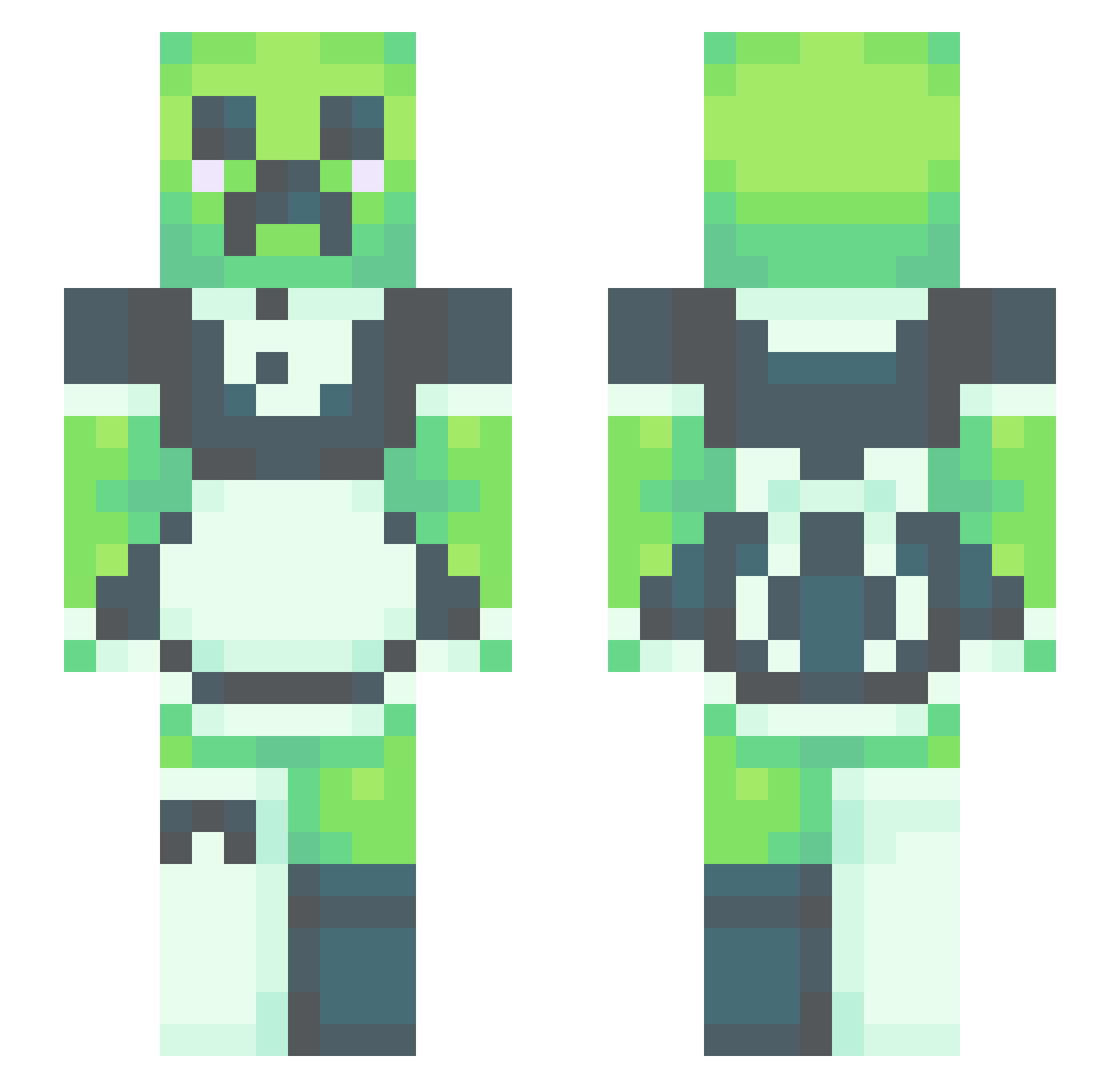
Current Minecraft skin of the player alligtr, loaded from the official Mojang API. Rotate the 3D model with your mouse or finger, then download the skin as a PNG file and use it in Minecraft: Bedrock Edition or Java Edition for free. When alligtr changes their skin, this page updates automatically and the old skin stays in the history below.
Other players with this skin (418)
alligtr was the 377th player we have seen with this skin, first spotted on 12.10.2026. The same skin was seen on these players. Open a nickname to see their current skin and skin history.
 xoXKiaraaXox ABunchOfBees I_AM_JANGJO m1uliq DJW202 thebigmir numetalfan Wrotsek wormyleaf Elomareno Lichen8404 Mxrixglz LilaVictory Ceramiclion Zuse99 Krimans RussiaBozz Knightsy OnePunchMan6666 Infiniterian lElliel halonio25 DocFantasy engbaN lazyfrog612 ToeRings noeman2510 bloodychicken84 katenouchka FuriousOctopus BenganBredberg MattButlah POT_8_0 LeMoneNekin _OsS1s_ Masbini Leggy9518 h4_c Calvito17 LePastel LEJ123AA CanadianCreeper6 3milio29 DantheBanMan WhatIsEvenThat Hipocampus_ Literal_dogwater benny19968 1cat_ridingufo Deman206 fR4n1_oo0_ Willowton11 KeeganP JojoDaBomb EmmaLempi skdz4 Creepycreepx caribean9717 Beeburts LTDansLegs2
More Maid Minecraft skins
How to install the alligtr skin
- Press the Download button above to save the skin as a PNG file.
- Minecraft: Bedrock Edition (PE): open the Dressing Room from the main menu (or tap your character → Edit Character), go to Classic Skins → Owned, press the + (new skin) button, choose the downloaded PNG and pick the Slim (Alex) model. Works on PC and mobile; consoles cannot import custom skins.
- Minecraft: Java Edition: open the Minecraft Launcher, go to the Skins tab, click New Skin, load the PNG, pick the Slim (Alex) model and press Save & Use. You can also upload it at minecraft.net → Profile → Change Skin.
The skin does not show up after import - what should I do?
Restart Minecraft and open the Dressing Room again - imported skins sometimes appear only after a restart. Also make sure you selected the imported skin and picked the Slim (Alex) model.
Which model should I choose, Classic or Slim?
This skin is designed for the Slim (Alex) model. If you pick the wrong model, the arms of the skin will look stretched or squeezed.
Is the skin of alligtr free to download?
Yes. Press Download, save the PNG file and use it in Minecraft: Bedrock Edition or Java Edition - no payment or registration needed. The skin also works on multiplayer servers and Realms.
More skins
Looking for more? Go back to all Minecraft skins and check the top skins of the week, month and all time, or find any player's skin by nickname.