
alexm1ner - Minecraft Skins & Skin History
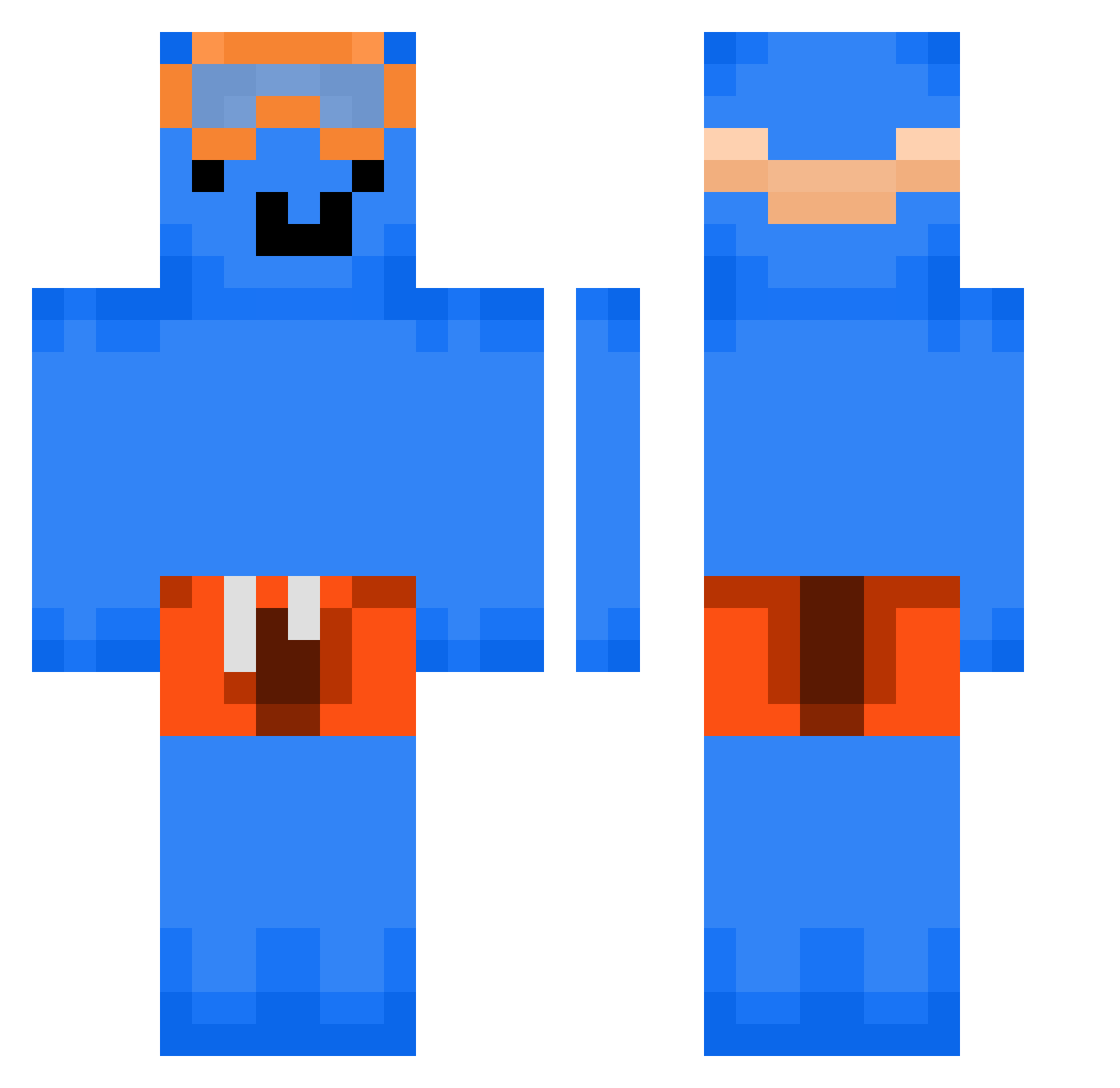
Current Minecraft skin of the player alexm1ner, loaded from the official Mojang API. Rotate the 3D model with your mouse or finger, then download the skin as a PNG file and use it in Minecraft: Bedrock Edition or Java Edition for free. When alexm1ner changes their skin, this page updates automatically and the old skin stays in the history below.
Other players with this skin (294)
alexm1ner was the 256th player we have seen with this skin, first spotted on 22.10.2026. The same skin was seen on these players. Open a nickname to see their current skin and skin history.
 polishHabibi Hengar_ MAITITA k4izen_ kim_taewoo0720 munchingsnow GardSpiller sorwz _Its_Petko_ bobcatnash1 _CaptainJoJo_ Slyrack15 Lil_Nas_ tutinazzurra RylenTodd CherryCola_125 tmfdnrha cyy_777 coco_isme24 Br4ex Croxxinn B1gAleXz TypeOne23 jruejt lmay45 sh021124 endamara slypexsl xemalutionznew Khoqx AndyHQ1923 ftl107 ttrriixxoouu yulianuwucd ecoxi johnycash999 tjanse Sn1p3rZon3 Gent8 mtf_dontkill naif_7k T0rken_Hunter69 CHA1NGE BBOBBIYO Kuozify Goldeez_ bleedingsorrow Alex_MMA gaorage Vaelzira alvinio2002 Kamerravejs PoptartzYT iFrost__229 OfficialLSVR Greg_Paciorek_ Revenand EquantS matsoy KeBOB0928
More Swimmer Minecraft skins
How to install the alexm1ner skin
- Press the Download button above to save the skin as a PNG file.
- Minecraft: Bedrock Edition (PE): open the Dressing Room from the main menu (or tap your character → Edit Character), go to Classic Skins → Owned, press the + (new skin) button, choose the downloaded PNG and pick the Classic (Steve) model. Works on PC and mobile; consoles cannot import custom skins.
- Minecraft: Java Edition: open the Minecraft Launcher, go to the Skins tab, click New Skin, load the PNG, pick the Classic (Steve) model and press Save & Use. You can also upload it at minecraft.net → Profile → Change Skin.
The skin does not show up after import - what should I do?
Restart Minecraft and open the Dressing Room again - imported skins sometimes appear only after a restart. Also make sure you selected the imported skin and picked the Classic (Steve) model.
Which model should I choose, Classic or Slim?
This skin is designed for the Classic (Steve) model. If you pick the wrong model, the arms of the skin will look stretched or squeezed.
Is the skin of alexm1ner free to download?
Yes. Press Download, save the PNG file and use it in Minecraft: Bedrock Edition or Java Edition - no payment or registration needed. The skin also works on multiplayer servers and Realms.
More skins
Looking for more? Go back to all Minecraft skins and check the top skins of the week, month and all time, or find any player's skin by nickname.