
alexh1312 - Minecraft Skins & Skin History
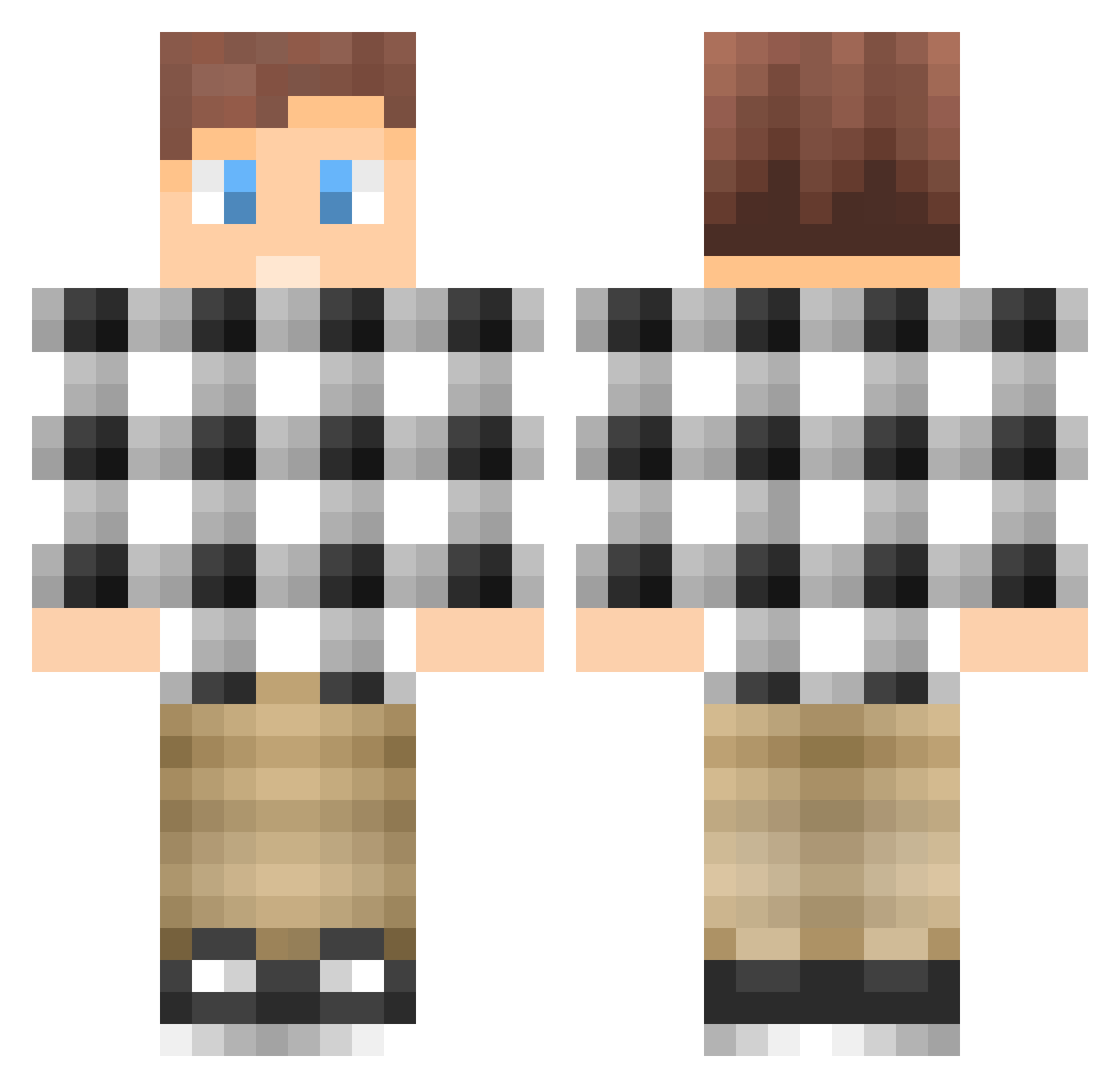
Current Minecraft skin of the player alexh1312, loaded from the official Mojang API. Rotate the 3D model with your mouse or finger, then download the skin as a PNG file and use it in Minecraft: Bedrock Edition or Java Edition for free. When alexh1312 changes their skin, this page updates automatically and the old skin stays in the history below.
Other players with this skin (295)
alexh1312 was the 117th player we have seen with this skin, first spotted on 15.09.2026. The same skin was seen on these players. Open a nickname to see their current skin and skin history.
 Aricar00 jawida Hovercloud1001 jihoon915 emil_04andersson Faalhaasje Sivonet Po426 Yluf lilslicksly kalle333 RF_Stephen De_treville Roqel GrizzlySteel swaQQii DeKlevers xBlueEyedDeviL CoolBuilder1010 niels_hartog WrestleMyVessel _JustDavid_ Squirfu hollarcakes mrcheese7 Cycron123 royco126 Mirage_HD beerywhiskers Franssi06 sindreberg fillesod zhangjiamingsima ThierryBaudet Dion_JWZ davduran NICELP WillyG hugodidde swedishminigamer Mexicanator101 MrMontoya Canadq Whitescar44 JimsHardcore _PVP_GAMER JasonM321 Nye890 kunducool DaddyTheDad SSS_16 DrumAndBassBoy HaggefLP Lo3t_ Lukiofficial Gogogoffi CreatorOfSalt serdar_zockt Bderr_ Rens23
How to install the alexh1312 skin
- Press the Download button above to save the skin as a PNG file.
- Minecraft: Bedrock Edition (PE): open the Dressing Room from the main menu (or tap your character → Edit Character), go to Classic Skins → Owned, press the + (new skin) button, choose the downloaded PNG and pick the Classic (Steve) model. Works on PC and mobile; consoles cannot import custom skins.
- Minecraft: Java Edition: open the Minecraft Launcher, go to the Skins tab, click New Skin, load the PNG, pick the Classic (Steve) model and press Save & Use. You can also upload it at minecraft.net → Profile → Change Skin.
The skin does not show up after import - what should I do?
Restart Minecraft and open the Dressing Room again - imported skins sometimes appear only after a restart. Also make sure you selected the imported skin and picked the Classic (Steve) model.
Which model should I choose, Classic or Slim?
This skin is designed for the Classic (Steve) model. If you pick the wrong model, the arms of the skin will look stretched or squeezed.
Is the skin of alexh1312 free to download?
Yes. Press Download, save the PNG file and use it in Minecraft: Bedrock Edition or Java Edition - no payment or registration needed. The skin also works on multiplayer servers and Realms.
More skins
Looking for more? Go back to all Minecraft skins and check the top skins of the week, month and all time, or find any player's skin by nickname.