
ale51 - Minecraft Skins & Skin History
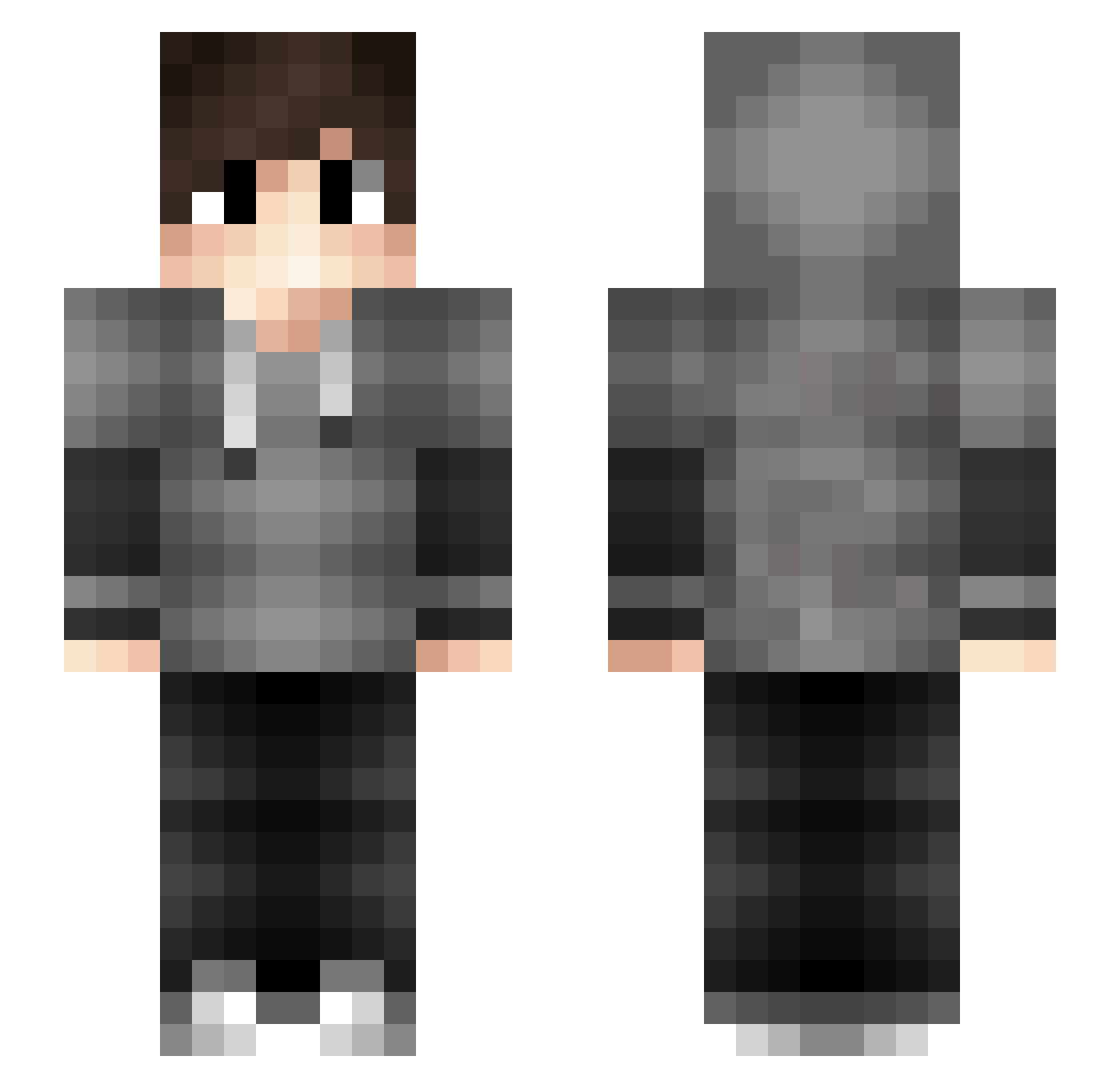
Current Minecraft skin of the player ale51, loaded from the official Mojang API. Rotate the 3D model with your mouse or finger, then download the skin as a PNG file and use it in Minecraft: Bedrock Edition or Java Edition for free. When ale51 changes their skin, this page updates automatically and the old skin stays in the history below.
Other players with this skin (64)
ale51 was the 27th player we have seen with this skin, first spotted on 08.09.2026. The same skin was seen on these players. Open a nickname to see their current skin and skin history.
 Syro_ DaPaKnat SMiLeyKL TUKJULY BasicallyNate AdriVillaB Firelightrigger Felixyraptor Cazuelas_ ImNotBoo Digicrypt Snomes DN_creator Mathy_MCSZ Hyper_Shot vanity894 P3dR1n JamesTemptatIoN Tobinsky911_2 SynthAU Pepijn06 liamPr1234 Ziria JandroMo PIXiFIX Zdechni leader2121 AteszHUN Groml123 XbegsX Dezzzx zidaiokurebito kamikaze6172 iamshafak CuzImRox Mikuson Kherra59 dragonmastar4 zamp1337 Crystal7730 NubScrub13 NovAtion OGustavoElias fl1ame Yender dabpog WateryFungus thewolftobet Kacper1332 CasuallJohn ErvineF2 Arthur344 NINJA1231 SDU_Ivan BatoreQ JohnnyC1021 nox222 jengbos61234 Futural LOOPERSTVL
How to install the ale51 skin
- Press the Download button above to save the skin as a PNG file.
- Minecraft: Bedrock Edition (PE): open the Dressing Room from the main menu (or tap your character → Edit Character), go to Classic Skins → Owned, press the + (new skin) button, choose the downloaded PNG and pick the Slim (Alex) model. Works on PC and mobile; consoles cannot import custom skins.
- Minecraft: Java Edition: open the Minecraft Launcher, go to the Skins tab, click New Skin, load the PNG, pick the Slim (Alex) model and press Save & Use. You can also upload it at minecraft.net → Profile → Change Skin.
The skin does not show up after import - what should I do?
Restart Minecraft and open the Dressing Room again - imported skins sometimes appear only after a restart. Also make sure you selected the imported skin and picked the Slim (Alex) model.
Which model should I choose, Classic or Slim?
This skin is designed for the Slim (Alex) model. If you pick the wrong model, the arms of the skin will look stretched or squeezed.
Is the skin of ale51 free to download?
Yes. Press Download, save the PNG file and use it in Minecraft: Bedrock Edition or Java Edition - no payment or registration needed. The skin also works on multiplayer servers and Realms.
More skins
Looking for more? Go back to all Minecraft skins and check the top skins of the week, month and all time, or find any player's skin by nickname.