
alcminecraft12 - Minecraft Skins & Skin History
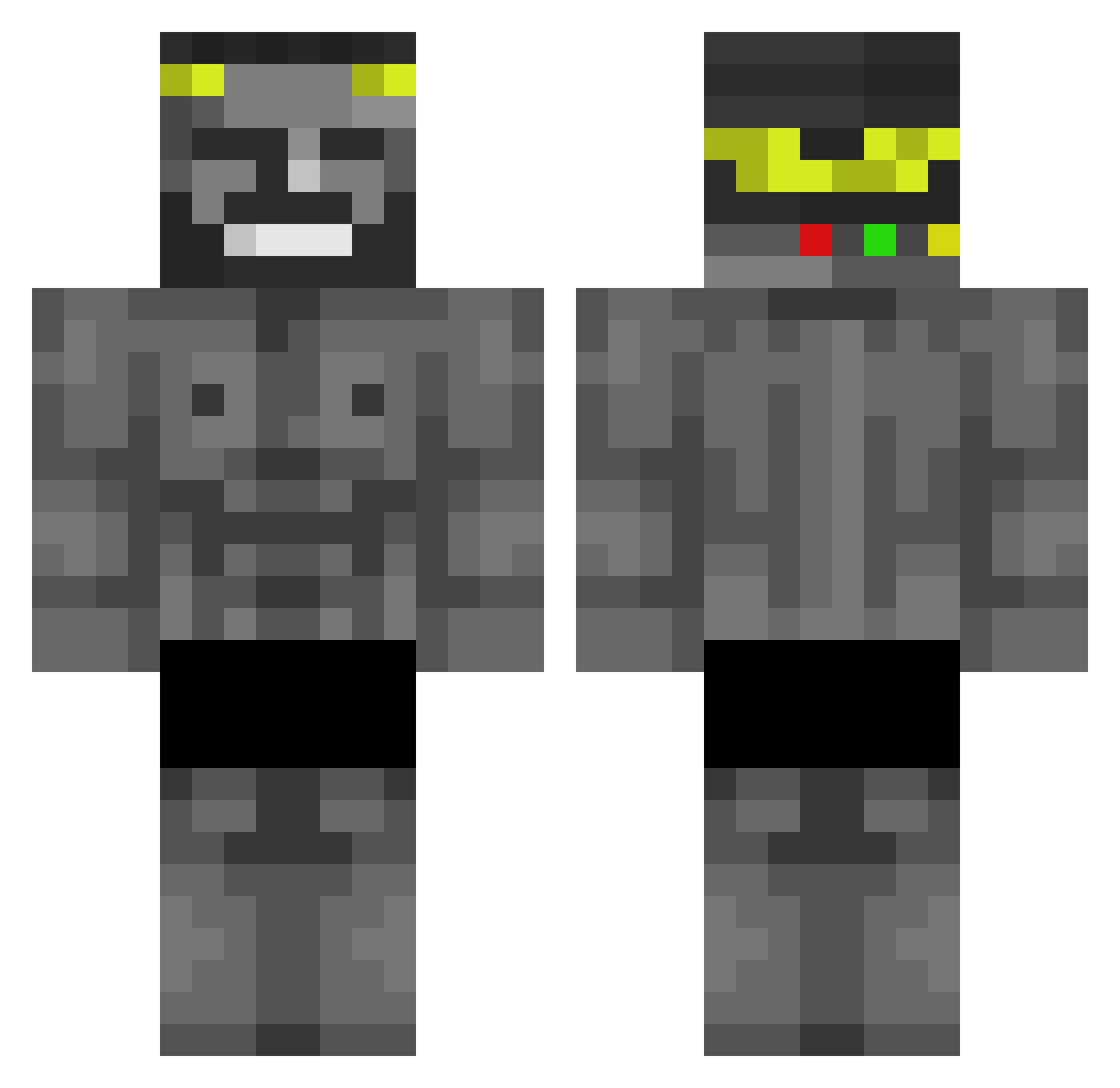
Current Minecraft skin of the player alcminecraft12, loaded from the official Mojang API. Rotate the 3D model with your mouse or finger, then download the skin as a PNG file and use it in Minecraft: Bedrock Edition or Java Edition for free. When alcminecraft12 changes their skin, this page updates automatically and the old skin stays in the history below.
Other players with this skin (437)
alcminecraft12 was the 25th player we have seen with this skin, first spotted on 29.07.2026. The same skin was seen on these players. Open a nickname to see their current skin and skin history.
 TangentAmeoba27 Finnyyy_ siemos Kiolips Nandos_The_Great wojteX2010KOX69 nobodyisokay BertBokSoup Ivaneka MrVoldemort979 emd291 AwakenSweety JustimTyme hOmOmOd_ExE MrTrollaEnka Slippy_Glizzy Kloderbeste JonyTr1ps shutmen Tomii_fs LK_030 Miguelukas borzawa REAHTEN Nisheran Jose_Ignacio1 ROKA_YOUNG WillUchiha27 Flambiex1458 gxescape Inferno707 L4hm4cuns Action2018 Cs__ fliflu VID_Man MoonshineCannon TruthfulKhan180 Unumaster Pezdelmar15 0I31 SkingXD Sotohunter SlyMixLV Yan77390 RymoL9 Furzo Chuanmanuel Chaggins 2003DeStInY MrTurry SimplyJustRoy WATER_CAT_1991 NarbuckIe jonahbrk1 Long_Menn yaboi3001 Spocony_Dzem BRIGHTUMT jastick
More Gigachad Minecraft skins
How to install the alcminecraft12 skin
- Press the Download button above to save the skin as a PNG file.
- Minecraft: Bedrock Edition (PE): open the Dressing Room from the main menu (or tap your character → Edit Character), go to Classic Skins → Owned, press the + (new skin) button, choose the downloaded PNG and pick the Classic (Steve) model. Works on PC and mobile; consoles cannot import custom skins.
- Minecraft: Java Edition: open the Minecraft Launcher, go to the Skins tab, click New Skin, load the PNG, pick the Classic (Steve) model and press Save & Use. You can also upload it at minecraft.net → Profile → Change Skin.
The skin does not show up after import - what should I do?
Restart Minecraft and open the Dressing Room again - imported skins sometimes appear only after a restart. Also make sure you selected the imported skin and picked the Classic (Steve) model.
Which model should I choose, Classic or Slim?
This skin is designed for the Classic (Steve) model. If you pick the wrong model, the arms of the skin will look stretched or squeezed.
Is the skin of alcminecraft12 free to download?
Yes. Press Download, save the PNG file and use it in Minecraft: Bedrock Edition or Java Edition - no payment or registration needed. The skin also works on multiplayer servers and Realms.
More skins
Looking for more? Go back to all Minecraft skins and check the top skins of the week, month and all time, or find any player's skin by nickname.