
akuluvrz - Minecraft Skins & Skin History
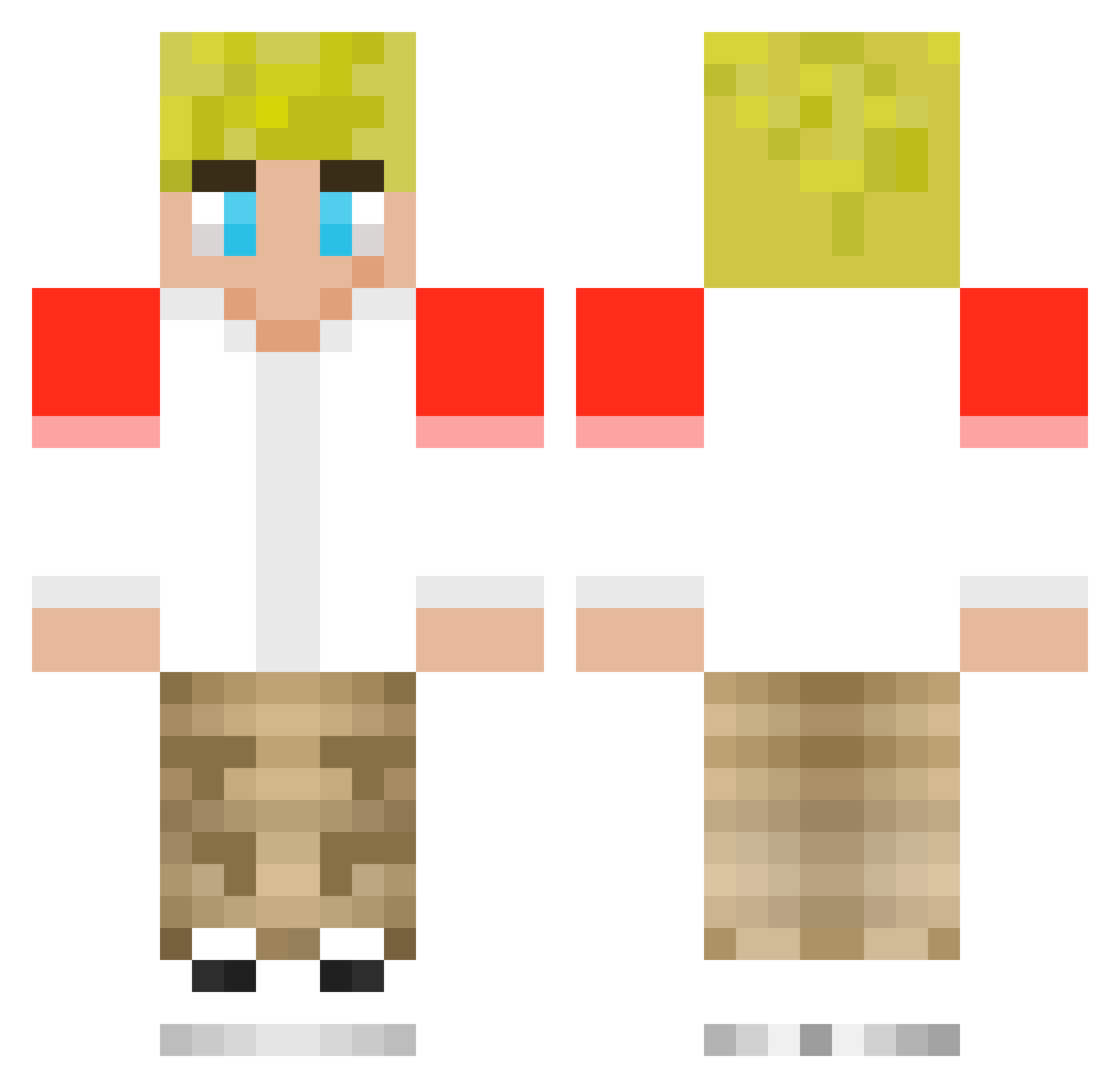
Current Minecraft skin of the player akuluvrz, loaded from the official Mojang API. Rotate the 3D model with your mouse or finger, then download the skin as a PNG file and use it in Minecraft: Bedrock Edition or Java Edition for free. When akuluvrz changes their skin, this page updates automatically and the old skin stays in the history below.
Other players with this skin (202)
akuluvrz was the 165th player we have seen with this skin, first spotted on 16.10.2026. The same skin was seen on these players. Open a nickname to see their current skin and skin history.
 taesaqua Breadsticks81 XxSadePoyrazxX KrispyTye Br49e TechnoBladefan24 MrMiner195 Chiapas2010 Talwrld TechnicGoat219 spacemonk6969 bingbongchops harryWchilli spyhacker12 TrxppyTrippin Zaid2267 robostuv ryanTropooer jadenyt2 ryan_toyreviews KALE_MY_FRIEEEND TOMMYINNT_SON123 HBO_Red20 Pachiis yinnit SlenderDan06 NateTazzPLAYZ nickdan15 jcminecraft80 IdkSaint yaboishottz OsKeyNaTor TxllsMc Amadeus4033 Emmarald67 ThymeforFun lomholt6 zenniezz Bllusss Spektrl25 Brendancop2 xdashton2010 AJ_254GM Falcon7XL Bnunely Tomaspig123 BOBBYWASSAB ChaseTheMARTIAN BigBrainSpirit DanielSwim WormSquirmers raymox 1bedwarsnoob1 MagnusSoPro Bingohope realvicadepro154 NotFlixify sybergod12 shinyhero09 JesseKern
More Tommyinnit Minecraft skins
How to install the akuluvrz skin
- Press the Download button above to save the skin as a PNG file.
- Minecraft: Bedrock Edition (PE): open the Dressing Room from the main menu (or tap your character → Edit Character), go to Classic Skins → Owned, press the + (new skin) button, choose the downloaded PNG and pick the Classic (Steve) model. Works on PC and mobile; consoles cannot import custom skins.
- Minecraft: Java Edition: open the Minecraft Launcher, go to the Skins tab, click New Skin, load the PNG, pick the Classic (Steve) model and press Save & Use. You can also upload it at minecraft.net → Profile → Change Skin.
The skin does not show up after import - what should I do?
Restart Minecraft and open the Dressing Room again - imported skins sometimes appear only after a restart. Also make sure you selected the imported skin and picked the Classic (Steve) model.
Which model should I choose, Classic or Slim?
This skin is designed for the Classic (Steve) model. If you pick the wrong model, the arms of the skin will look stretched or squeezed.
Is the skin of akuluvrz free to download?
Yes. Press Download, save the PNG file and use it in Minecraft: Bedrock Edition or Java Edition - no payment or registration needed. The skin also works on multiplayer servers and Realms.
More skins
Looking for more? Go back to all Minecraft skins and check the top skins of the week, month and all time, or find any player's skin by nickname.