
aidohockey26 - Minecraft Skins & Skin History
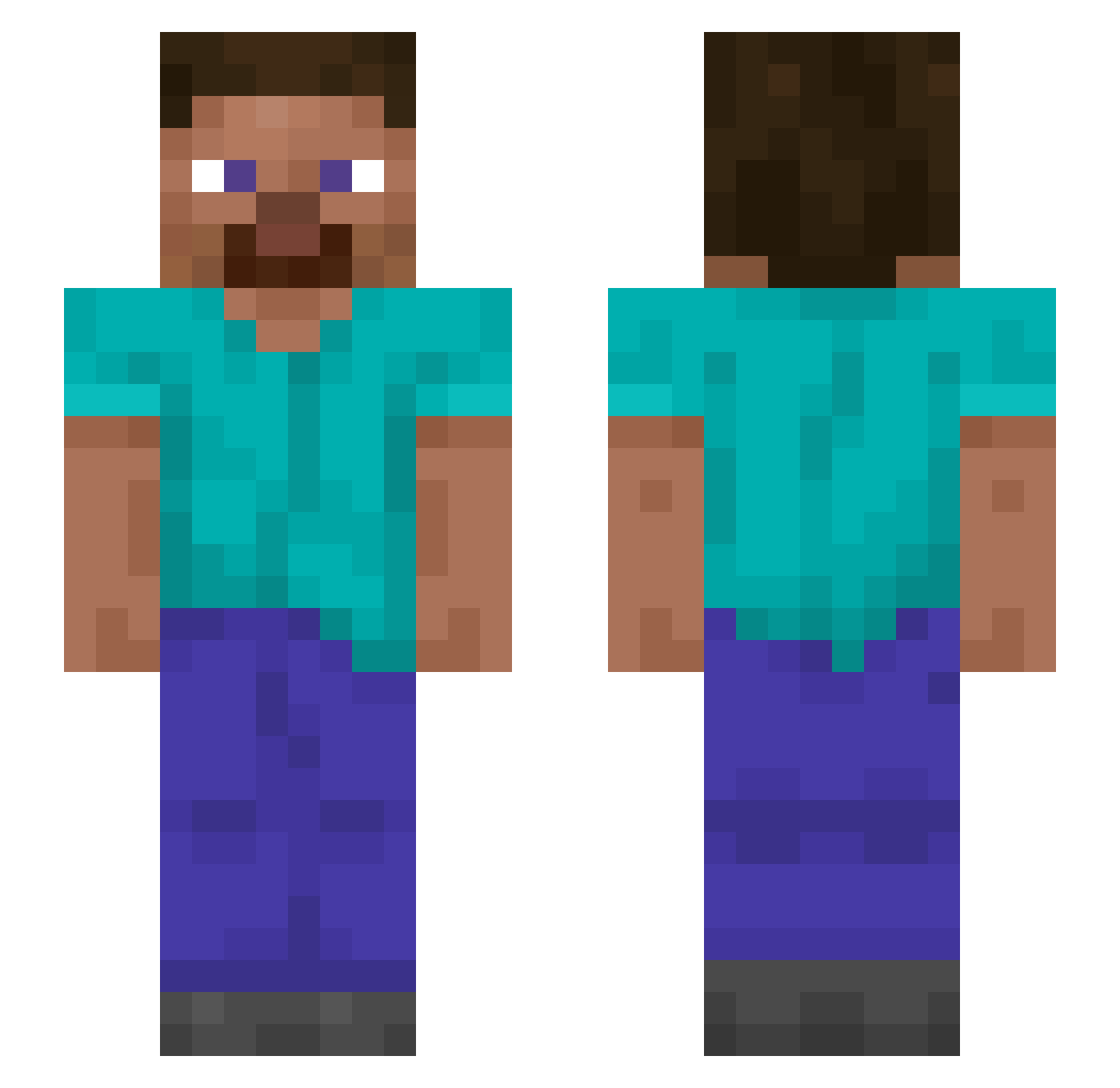
Current Minecraft skin of the player aidohockey26, loaded from the official Mojang API. Rotate the 3D model with your mouse or finger, then download the skin as a PNG file and use it in Minecraft: Bedrock Edition or Java Edition for free. When aidohockey26 changes their skin, this page updates automatically and the old skin stays in the history below.
Other players with this skin (1605)
aidohockey26 was the 1514th player we have seen with this skin, first spotted on 14.11.2026. The same skin was seen on these players. Open a nickname to see their current skin and skin history.
 FeroKitten doenerbro Tipos93 wanderY chendler Unmount ASAPYames suffer122385 Undistilled litzero03 Immanifest wdnmd233123 Muumuus Buzan529 NipsuTheNiksas Billicent Trepidate Yesway1 Biometric ZZang_Doll FabricJason Brainchild Halesia dragonSlayer785 Sys3rr Mammalia its_Elysian asunae je212 mato33 BtecMuslim Shorthanded iiMCraft Pustular Merril bigdwitdabigd Tungos Drearing analyticity FungusBungalus Rotl BangladeshiBoss Kin1o Robbe09 ponti080 AbsolutStage QuishTheFish NALGAS s41a MrBat Lavinia IsraeliOfficer xAmubob rescoring Wildlife skullyau clought Polodelfueguo Bleiziukas zerotwotwenty
How to install the aidohockey26 skin
- Press the Download button above to save the skin as a PNG file.
- Minecraft: Bedrock Edition (PE): open the Dressing Room from the main menu (or tap your character → Edit Character), go to Classic Skins → Owned, press the + (new skin) button, choose the downloaded PNG and pick the Slim (Alex) model. Works on PC and mobile; consoles cannot import custom skins.
- Minecraft: Java Edition: open the Minecraft Launcher, go to the Skins tab, click New Skin, load the PNG, pick the Slim (Alex) model and press Save & Use. You can also upload it at minecraft.net → Profile → Change Skin.
The skin does not show up after import - what should I do?
Restart Minecraft and open the Dressing Room again - imported skins sometimes appear only after a restart. Also make sure you selected the imported skin and picked the Slim (Alex) model.
Which model should I choose, Classic or Slim?
This skin is designed for the Slim (Alex) model. If you pick the wrong model, the arms of the skin will look stretched or squeezed.
Is the skin of aidohockey26 free to download?
Yes. Press Download, save the PNG file and use it in Minecraft: Bedrock Edition or Java Edition - no payment or registration needed. The skin also works on multiplayer servers and Realms.
More skins
Looking for more? Go back to all Minecraft skins and check the top skins of the week, month and all time, or find any player's skin by nickname.