
ahyes_ - Minecraft Skins & Skin History
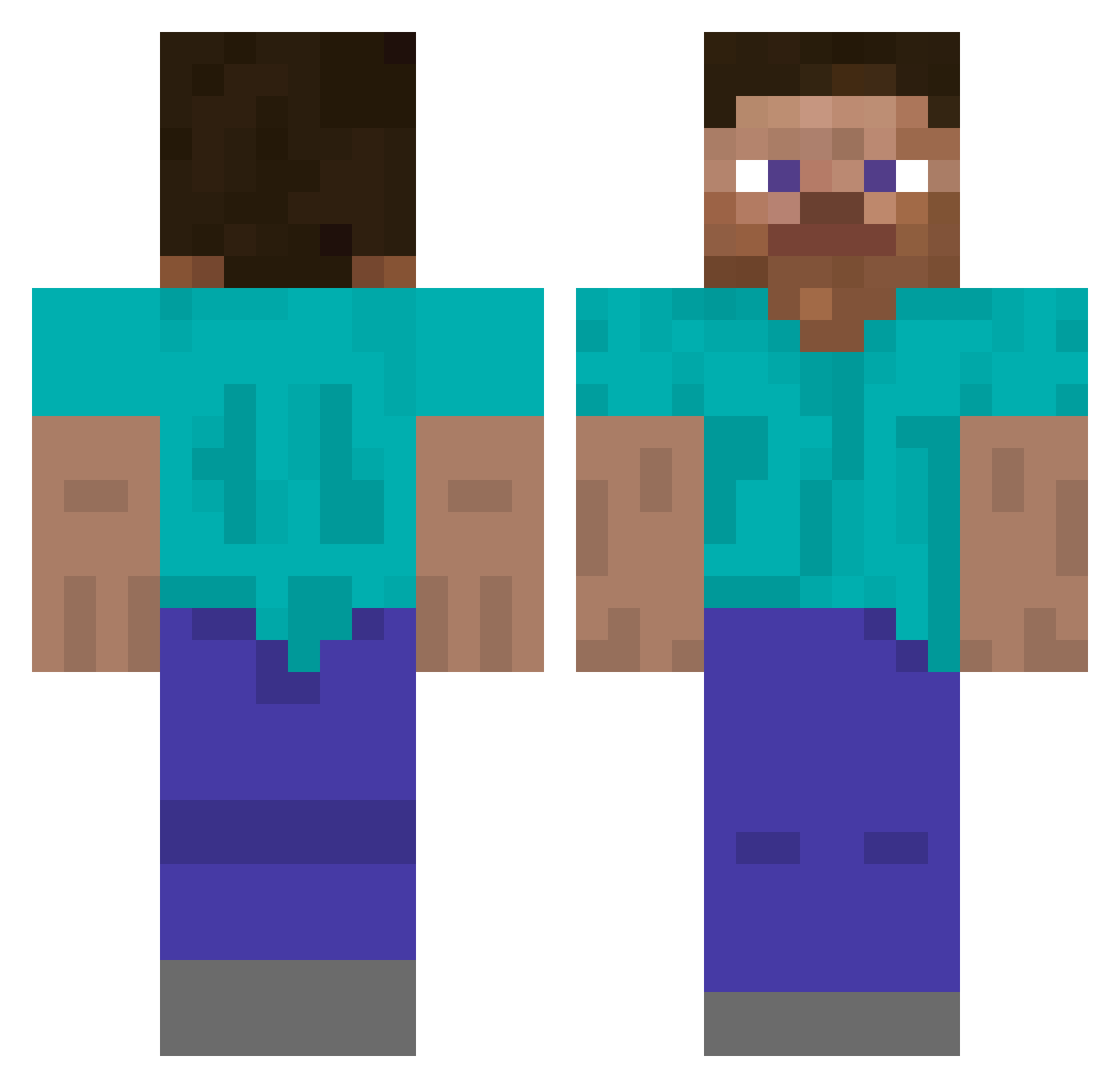
Current Minecraft skin of the player ahyes_, loaded from the official Mojang API. Rotate the 3D model with your mouse or finger, then download the skin as a PNG file and use it in Minecraft: Bedrock Edition or Java Edition for free. When ahyes_ changes their skin, this page updates automatically and the old skin stays in the history below.
Other players with this skin (483)
ahyes_ was the 310th player we have seen with this skin, first spotted on 24.09.2026. The same skin was seen on these players. Open a nickname to see their current skin and skin history.
 MeepMeepFish Eqtmwa Riderx fighterpilot360 J3mi Shazula chaehothankyou halfhell TriTrapTeam LajotaVI AnAznGamer iceman428Z coolsin Nhanle27 GuaghSama __TATZE__ mrsxd12 MO1ON Blondiee_ Owen114514 ShermanBoyd LongSword1010 kimochimaker1972 TheOnlyBoban MrP3w LaKikine Kqijo realkadot hik808 LowQuality4k Sandrao00 7kick_ shayting smiffyisnothere pyyds Limited_Impulse2 Axlr2014 operationTurtle Mix0412 Capinha HibanaRush NotOmxga wakutinta tkdrnqudtls plihilo hippopotachungus leopard0407 Tpycbl_19 zjxx_0on emeezb jacquesmadel GameSmasher14 LaGordaCaguai sanico freethevibe Attackermemes M4tSkU AsherIsGross Xusty124 C95_Ir16_Dia_59
How to install the ahyes_ skin
- Press the Download button above to save the skin as a PNG file.
- Minecraft: Bedrock Edition (PE): open the Dressing Room from the main menu (or tap your character → Edit Character), go to Classic Skins → Owned, press the + (new skin) button, choose the downloaded PNG and pick the Classic (Steve) model. Works on PC and mobile; consoles cannot import custom skins.
- Minecraft: Java Edition: open the Minecraft Launcher, go to the Skins tab, click New Skin, load the PNG, pick the Classic (Steve) model and press Save & Use. You can also upload it at minecraft.net → Profile → Change Skin.
The skin does not show up after import - what should I do?
Restart Minecraft and open the Dressing Room again - imported skins sometimes appear only after a restart. Also make sure you selected the imported skin and picked the Classic (Steve) model.
Which model should I choose, Classic or Slim?
This skin is designed for the Classic (Steve) model. If you pick the wrong model, the arms of the skin will look stretched or squeezed.
Is the skin of ahyes_ free to download?
Yes. Press Download, save the PNG file and use it in Minecraft: Bedrock Edition or Java Edition - no payment or registration needed. The skin also works on multiplayer servers and Realms.
More skins
Looking for more? Go back to all Minecraft skins and check the top skins of the week, month and all time, or find any player's skin by nickname.