
aghxst - Minecraft Skins & Skin History
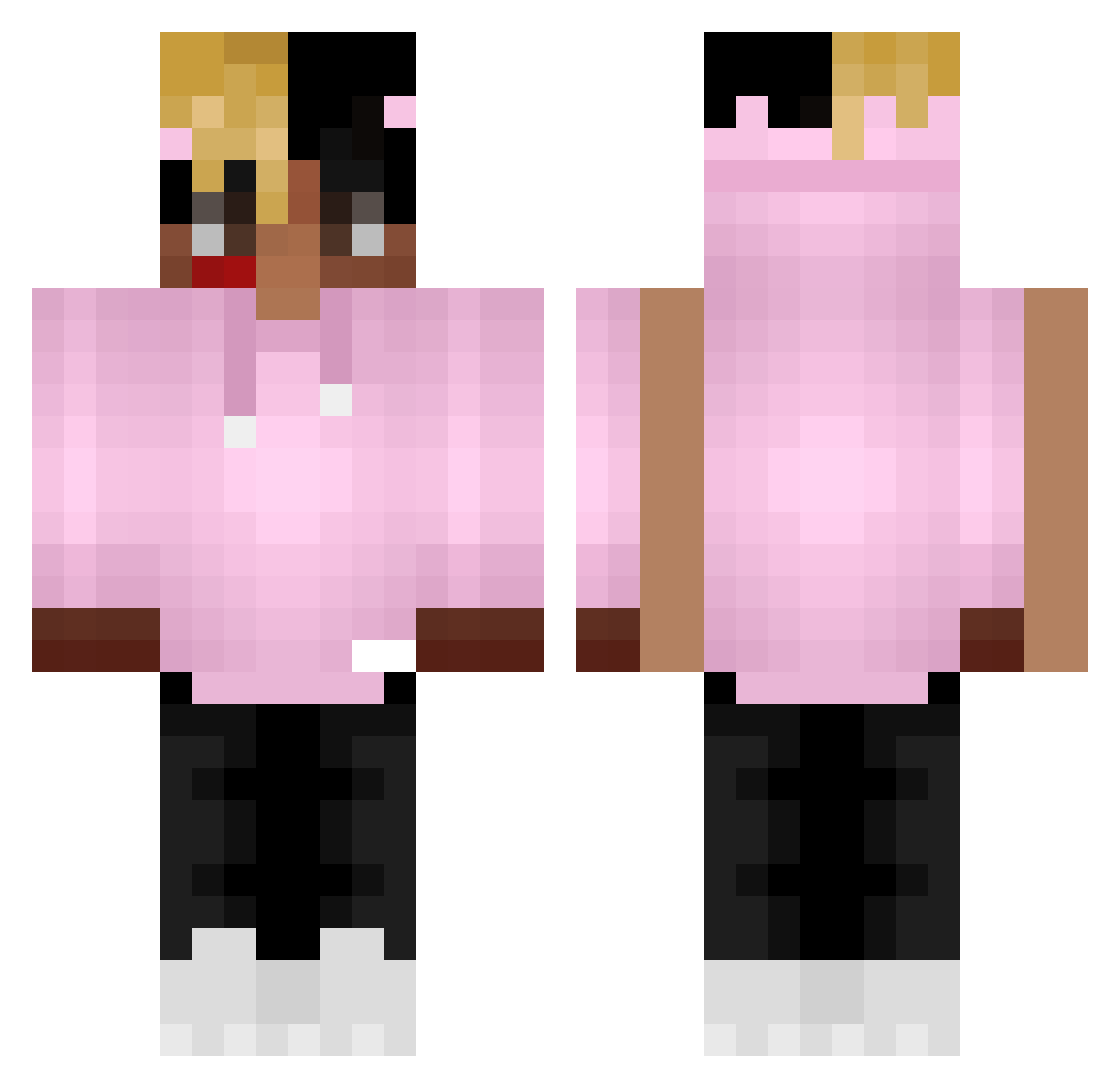
Current Minecraft skin of the player aghxst, loaded from the official Mojang API. Rotate the 3D model with your mouse or finger, then download the skin as a PNG file and use it in Minecraft: Bedrock Edition or Java Edition for free. When aghxst changes their skin, this page updates automatically and the old skin stays in the history below.
Other players with this skin (368)
aghxst was the 222nd player we have seen with this skin, first spotted on 28.09.2026. The same skin was seen on these players. Open a nickname to see their current skin and skin history.
 TRXWATTER sineiraetstudio Tokyoghoul2 FAMunchies ScroobyDoo1 georgieboyy Doliprane_Menthe MKProBuilder GuizihnX MerlinerMauer JDL_xpac YourMomIsHotHmmm HeroHiine MaflexX isaact69 Long_Live_aLex Qu1nnn1e MrWicket69 Pedrxs7 DegaSvarke Chauaa VitinDoCorre kronitoo Cucummies NoJunFu JarlBalgruufXD Rudi32 WasItSlater Lanes_813 LegendRawXxX guccicrafter12 trakzem IronicHunter5792 PORTO231 ElLeonvirgen Youssef_Bahdala NaPoLaSuS Sebachos lefuyu LilBaby4PF Trippped XaFrenchy gieniuss Stryf98 Koco0809 lunaraujo RobyHunter DupDupp CaptainPHD SUBV7 funkeymonkeygang Molyzz BrandonR0524 Trey9Bloods LilHunger Ferppe Fast_ochek Yay_Mayor_Bee Ludicoloe illsinkyourship
More Xxxtentacion Minecraft skins
See all 407 Xxxtentacion skins
How to install the aghxst skin
- Press the Download button above to save the skin as a PNG file.
- Minecraft: Bedrock Edition (PE): open the Dressing Room from the main menu (or tap your character → Edit Character), go to Classic Skins → Owned, press the + (new skin) button, choose the downloaded PNG and pick the Classic (Steve) model. Works on PC and mobile; consoles cannot import custom skins.
- Minecraft: Java Edition: open the Minecraft Launcher, go to the Skins tab, click New Skin, load the PNG, pick the Classic (Steve) model and press Save & Use. You can also upload it at minecraft.net → Profile → Change Skin.
The skin does not show up after import - what should I do?
Restart Minecraft and open the Dressing Room again - imported skins sometimes appear only after a restart. Also make sure you selected the imported skin and picked the Classic (Steve) model.
Which model should I choose, Classic or Slim?
This skin is designed for the Classic (Steve) model. If you pick the wrong model, the arms of the skin will look stretched or squeezed.
Is the skin of aghxst free to download?
Yes. Press Download, save the PNG file and use it in Minecraft: Bedrock Edition or Java Edition - no payment or registration needed. The skin also works on multiplayer servers and Realms.
More skins
Looking for more? Go back to all Minecraft skins and check the top skins of the week, month and all time, or find any player's skin by nickname.