
aggh - Minecraft Skins & Skin History
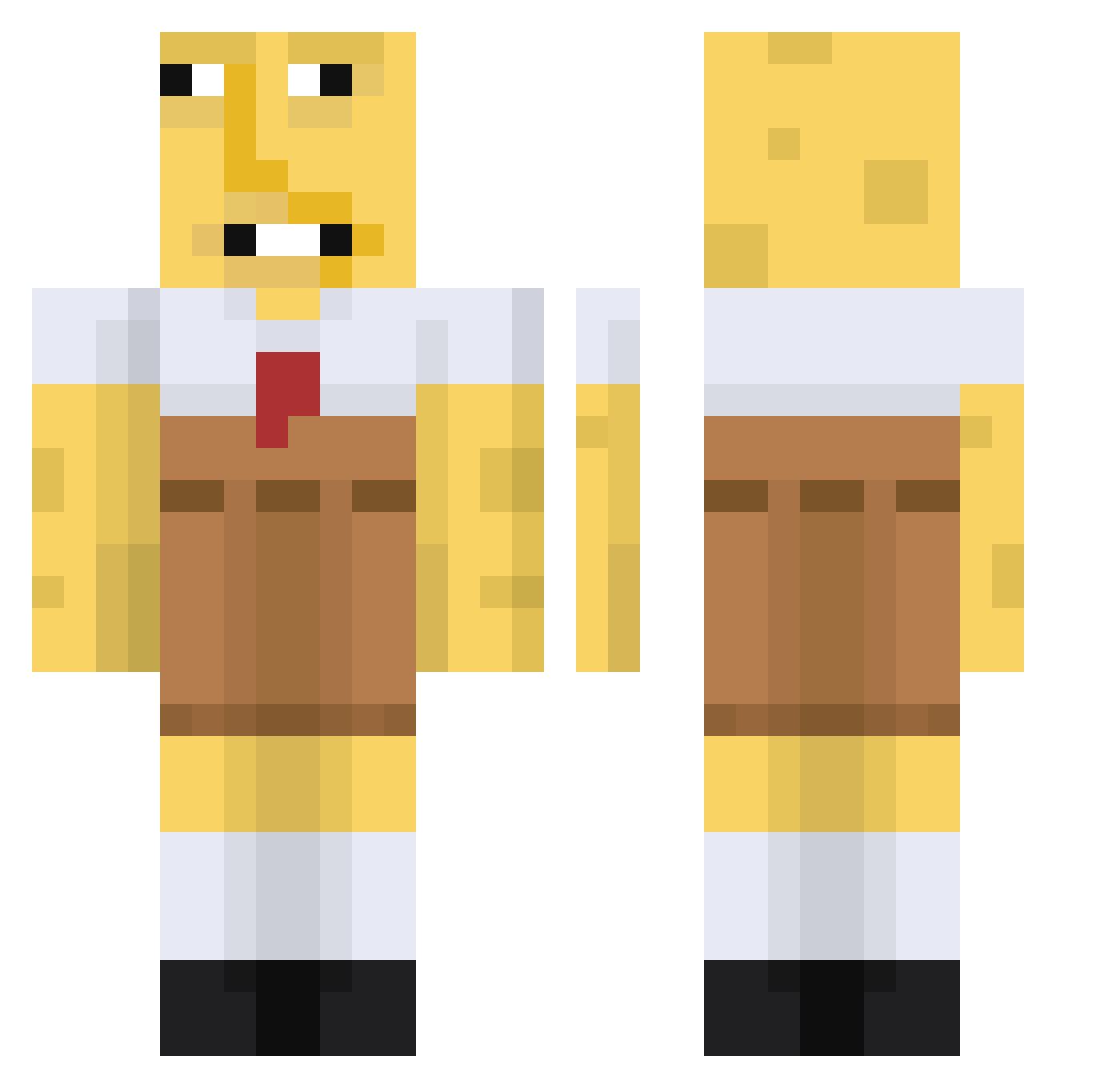
Current Minecraft skin of the player aggh, loaded from the official Mojang API. Rotate the 3D model with your mouse or finger, then download the skin as a PNG file and use it in Minecraft: Bedrock Edition or Java Edition for free. When aggh changes their skin, this page updates automatically and the old skin stays in the history below.
Other players with this skin (670)
aggh was the 547th player we have seen with this skin, first spotted on 18.10.2026. The same skin was seen on these players. Open a nickname to see their current skin and skin history.
 NotYourDarina AstroMooney ayaanb stenster2008 nartox162 FADE_EARTHYT Biggest_Bean Who_Did_911 tdp710 RickGrimes69420 spunchbulge ADRANISLAW Kuru14179 matsan112 eyallib Dogdimmadome777 Chef7529 simenbrendmo cooper_rat Kystokuu Kaptain_Kooki235 CuriousGoy lovelysharky999 ArtemYaa Miaatu dannyboy9000 Wilmerito07 QBan1489 benboi07 Zacke044 lanipike 187Fichbande Axu_AK Kimchisan fingfingkopa mog0518 7ampires DauntlessDanker Narcololz_ Cykelpotatis Skyfire337 Nataleafie Riyara 30psycho Justin7192 mamasboy524353 ewgetawayfromme protonizer3000 AGX_Karlito Lengard_ 1qb2p4 SargentSaop244 LE1250 MC_Hydra Zacnxovo piercechadwick DUKUBI sendtoephotos Xianvicente iKylito
More Spongebob Minecraft skins
How to install the aggh skin
- Press the Download button above to save the skin as a PNG file.
- Minecraft: Bedrock Edition (PE): open the Dressing Room from the main menu (or tap your character → Edit Character), go to Classic Skins → Owned, press the + (new skin) button, choose the downloaded PNG and pick the Classic (Steve) model. Works on PC and mobile; consoles cannot import custom skins.
- Minecraft: Java Edition: open the Minecraft Launcher, go to the Skins tab, click New Skin, load the PNG, pick the Classic (Steve) model and press Save & Use. You can also upload it at minecraft.net → Profile → Change Skin.
The skin does not show up after import - what should I do?
Restart Minecraft and open the Dressing Room again - imported skins sometimes appear only after a restart. Also make sure you selected the imported skin and picked the Classic (Steve) model.
Which model should I choose, Classic or Slim?
This skin is designed for the Classic (Steve) model. If you pick the wrong model, the arms of the skin will look stretched or squeezed.
Is the skin of aggh free to download?
Yes. Press Download, save the PNG file and use it in Minecraft: Bedrock Edition or Java Edition - no payment or registration needed. The skin also works on multiplayer servers and Realms.
More skins
Looking for more? Go back to all Minecraft skins and check the top skins of the week, month and all time, or find any player's skin by nickname.