
agatek2017 - Minecraft Skins & Skin History
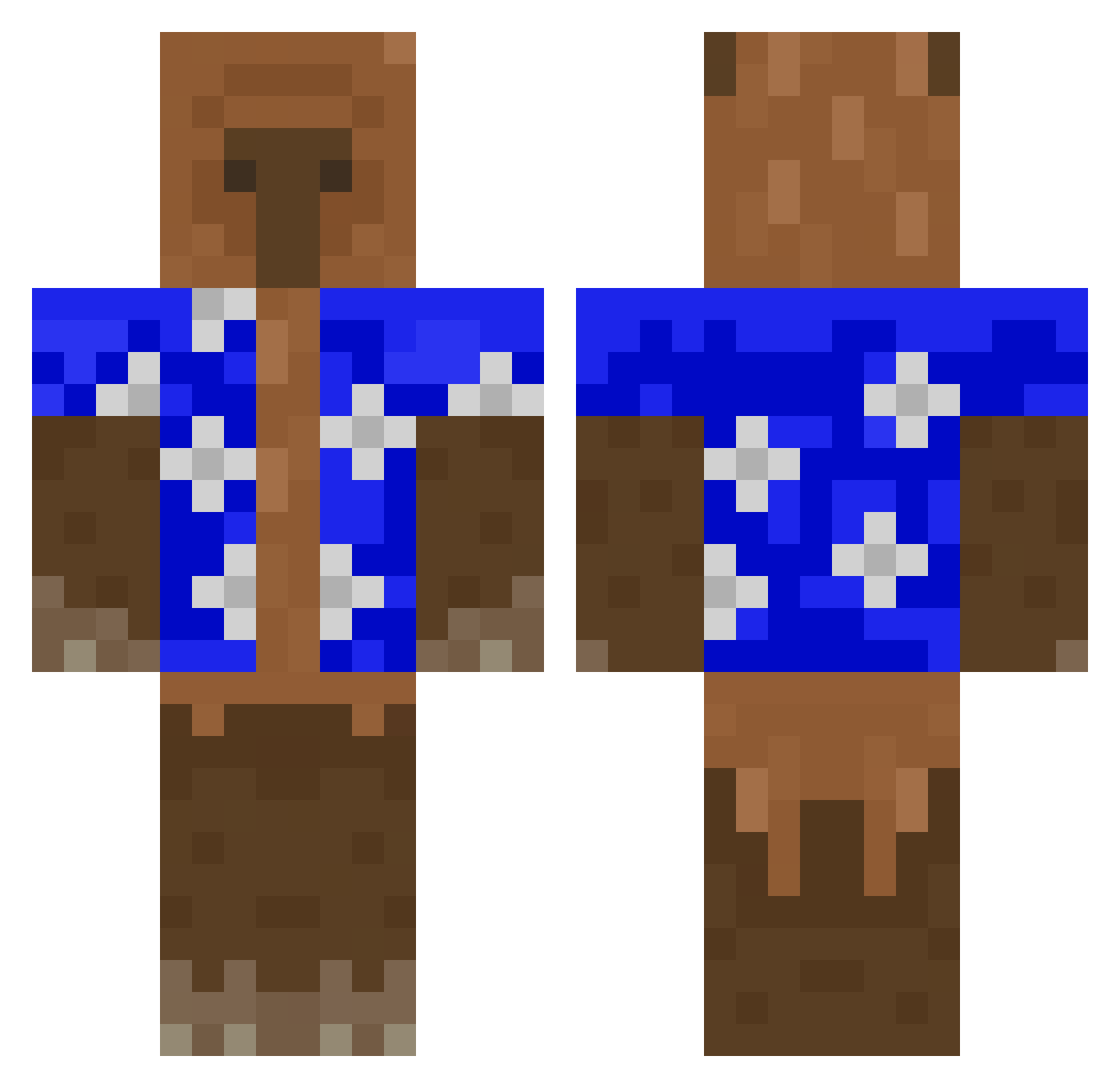
Current Minecraft skin of the player agatek2017, loaded from the official Mojang API. Rotate the 3D model with your mouse or finger, then download the skin as a PNG file and use it in Minecraft: Bedrock Edition or Java Edition for free. When agatek2017 changes their skin, this page updates automatically and the old skin stays in the history below.
Other players with this skin (426)
agatek2017 was the 140th player we have seen with this skin, first spotted on 29.08.2026. The same skin was seen on these players. Open a nickname to see their current skin and skin history.
 Anillar Arrthurrrrr AndreiUri Mr_Dark_Echo mewssFr lilbro7202 jnshs Ghoulish_Ra matovskiy Unevenerjr999 sage_ali Smogzzzz RhihornYT xenyboi BBak2E Viktoor97 Tslsway Flextape_Derpv2 ShadowJpxx AverageBomp L3desss Molodets AltenK0be Seloxiss Djsecso AuraManden67 realgamer3152 Milor26 August1nn kallmekellen mars759 joabb_ Frane092 Hoppiiin Kokosek337 Revenc tameeze ewok2k477 PECAZAGODINH0 Urielalvv nuuveee
 P20V10 Rasmmus Fravy Kadnol FamosoJare koecper hdmi_blu_ray Milkman658 Vizze1124 isvalinn luigisvag nuggetdelmc ItzGlazze simonx1209 dyl_dyl5 AcidMango274 mephaloto4 ___Spectrum__ Vineer
More Bear Minecraft skins
How to install the agatek2017 skin
- Press the Download button above to save the skin as a PNG file.
- Minecraft: Bedrock Edition (PE): open the Dressing Room from the main menu (or tap your character → Edit Character), go to Classic Skins → Owned, press the + (new skin) button, choose the downloaded PNG and pick the Classic (Steve) model. Works on PC and mobile; consoles cannot import custom skins.
- Minecraft: Java Edition: open the Minecraft Launcher, go to the Skins tab, click New Skin, load the PNG, pick the Classic (Steve) model and press Save & Use. You can also upload it at minecraft.net → Profile → Change Skin.
The skin does not show up after import - what should I do?
Restart Minecraft and open the Dressing Room again - imported skins sometimes appear only after a restart. Also make sure you selected the imported skin and picked the Classic (Steve) model.
Which model should I choose, Classic or Slim?
This skin is designed for the Classic (Steve) model. If you pick the wrong model, the arms of the skin will look stretched or squeezed.
Is the skin of agatek2017 free to download?
Yes. Press Download, save the PNG file and use it in Minecraft: Bedrock Edition or Java Edition - no payment or registration needed. The skin also works on multiplayer servers and Realms.
More skins
Looking for more? Go back to all Minecraft skins and check the top skins of the week, month and all time, or find any player's skin by nickname.