
agariomaster77 - Minecraft Skins & Skin History
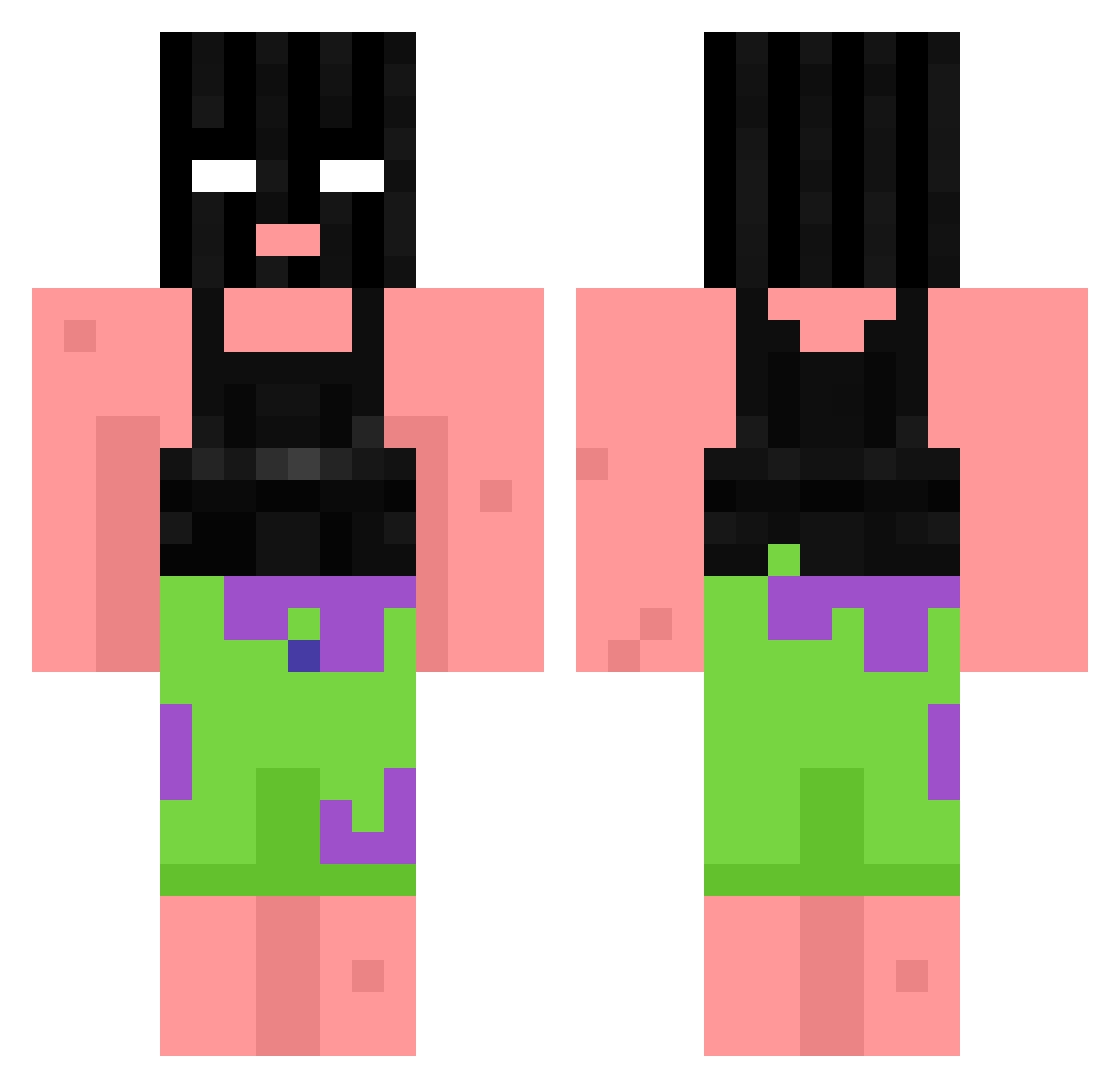
Current Minecraft skin of the player agariomaster77, loaded from the official Mojang API. Rotate the 3D model with your mouse or finger, then download the skin as a PNG file and use it in Minecraft: Bedrock Edition or Java Edition for free. When agariomaster77 changes their skin, this page updates automatically and the old skin stays in the history below.
Other players with this skin (762)
agariomaster77 was the 116th player we have seen with this skin, first spotted on 06.08.2026. The same skin was seen on these players. Open a nickname to see their current skin and skin history.
 Tomahigh ManicQ YoungSiru ChiviSunk BroCosmico 7evenog pavnx187 Ali006 OffAkiles Superlaserrhett 110t Robin0221 LosZaza PIMAWI min9_ ABRAHEM9127 tiviator BritishTactiles NivTheMagniv4 Acyyd jrflyboy p1pL Zawo0434 iissmaa Strauss69 Bulbash1337 Majmun_2
 xdsazv SynonymRoll27 Minebest3 boxwoods ghktj anxs150 SwirlyCP NAWAF_312 Stawing symphysis xX_Roups_Xx shab0i WLY071222 oprd4 Sp1cydonut Dev_on_crack199 hamramadan nesinner akaserna47 Szld bertoq Bronytakugamer Seatron fIREQUEEN62 ravenbby
 uwudaddyxoxo AliyahN17 Unskilekk qvze AMBBATABUSS Cheetohair FeederKang Wechtiii
More Ski Mask Minecraft skins
How to install the agariomaster77 skin
- Press the Download button above to save the skin as a PNG file.
- Minecraft: Bedrock Edition (PE): open the Dressing Room from the main menu (or tap your character → Edit Character), go to Classic Skins → Owned, press the + (new skin) button, choose the downloaded PNG and pick the Classic (Steve) model. Works on PC and mobile; consoles cannot import custom skins.
- Minecraft: Java Edition: open the Minecraft Launcher, go to the Skins tab, click New Skin, load the PNG, pick the Classic (Steve) model and press Save & Use. You can also upload it at minecraft.net → Profile → Change Skin.
The skin does not show up after import - what should I do?
Restart Minecraft and open the Dressing Room again - imported skins sometimes appear only after a restart. Also make sure you selected the imported skin and picked the Classic (Steve) model.
Which model should I choose, Classic or Slim?
This skin is designed for the Classic (Steve) model. If you pick the wrong model, the arms of the skin will look stretched or squeezed.
Is the skin of agariomaster77 free to download?
Yes. Press Download, save the PNG file and use it in Minecraft: Bedrock Edition or Java Edition - no payment or registration needed. The skin also works on multiplayer servers and Realms.
More skins
Looking for more? Go back to all Minecraft skins and check the top skins of the week, month and all time, or find any player's skin by nickname.