
after_57 - Minecraft Skins & Skin History
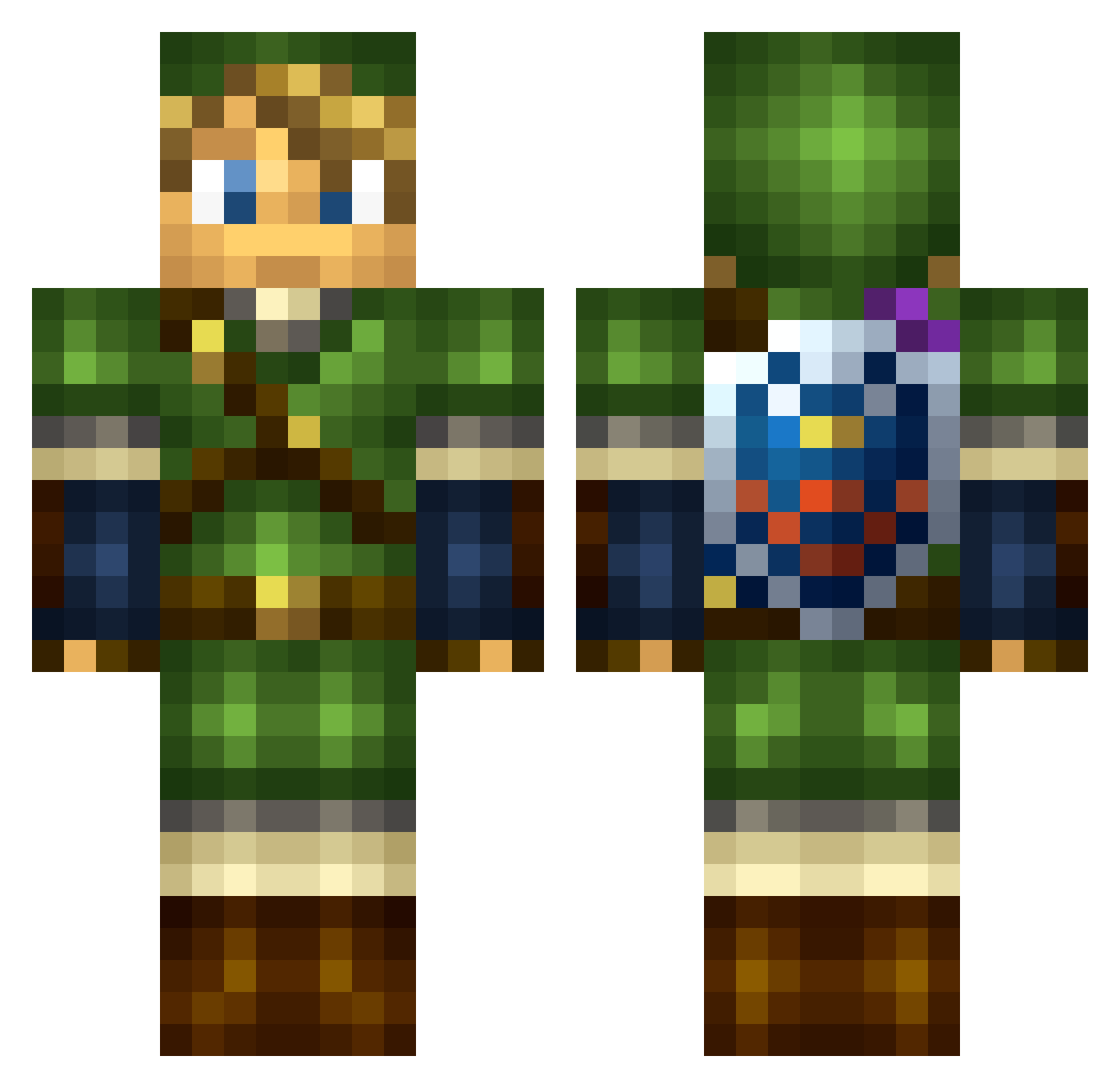
Current Minecraft skin of the player after_57, loaded from the official Mojang API. Rotate the 3D model with your mouse or finger, then download the skin as a PNG file and use it in Minecraft: Bedrock Edition or Java Edition for free. When after_57 changes their skin, this page updates automatically and the old skin stays in the history below.
Other players with this skin (141)
after_57 was the 108th player we have seen with this skin, first spotted on 26.10.2026. The same skin was seen on these players. Open a nickname to see their current skin and skin history.
 Anarky2007 Antoine_23 0nlyYigit FlyingDubStep Sharkscott2 SoulEater791 SilverOnii Descontrol j_dogs johann_99 momspotato partypoopper PhoenixForging Geminux KMT88 Biiche hacob Roggaro chanisuglirat OroPomidoro lmaoantt ZeruIV paloguy berlinsbest SandroPM _xjmjx_ NKS4738 BobMcNasty MinutePancake9 HomixideLilBeno Ness29 optimalx Starwarscar05 Ralanof cremaillere Saromir lash0ff Yazai Hep91 Gruqy TXK3 Oluff sletro ALPHACDC 6LaxarI1LaxAsk Carneiro_ Giga_floppa jaotoldo AcidWolfyz Aukamio manyshine DlNHO almightyhazzard DeftJosephFox NoScopeThePopes Hatyara1985 NGLSwitchy kauezika Sungest AcanShru
More Link Minecraft skins
How to install the after_57 skin
- Press the Download button above to save the skin as a PNG file.
- Minecraft: Bedrock Edition (PE): open the Dressing Room from the main menu (or tap your character → Edit Character), go to Classic Skins → Owned, press the + (new skin) button, choose the downloaded PNG and pick the Classic (Steve) model. Works on PC and mobile; consoles cannot import custom skins.
- Minecraft: Java Edition: open the Minecraft Launcher, go to the Skins tab, click New Skin, load the PNG, pick the Classic (Steve) model and press Save & Use. You can also upload it at minecraft.net → Profile → Change Skin.
The skin does not show up after import - what should I do?
Restart Minecraft and open the Dressing Room again - imported skins sometimes appear only after a restart. Also make sure you selected the imported skin and picked the Classic (Steve) model.
Which model should I choose, Classic or Slim?
This skin is designed for the Classic (Steve) model. If you pick the wrong model, the arms of the skin will look stretched or squeezed.
Is the skin of after_57 free to download?
Yes. Press Download, save the PNG file and use it in Minecraft: Bedrock Edition or Java Edition - no payment or registration needed. The skin also works on multiplayer servers and Realms.
More skins
Looking for more? Go back to all Minecraft skins and check the top skins of the week, month and all time, or find any player's skin by nickname.