
africon_americon - Minecraft Skins & Skin History
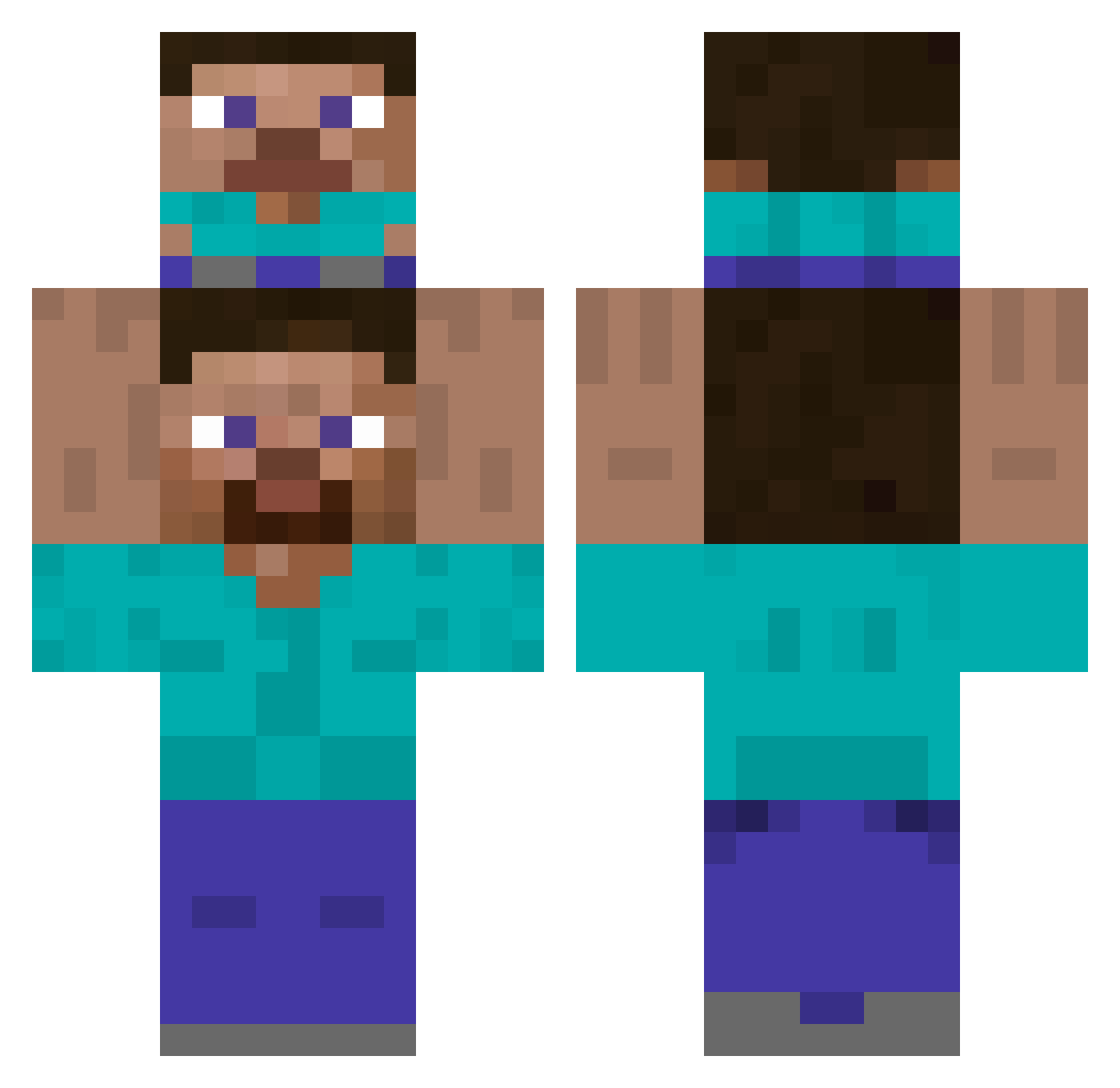
Current Minecraft skin of the player africon_americon, loaded from the official Mojang API. Rotate the 3D model with your mouse or finger, then download the skin as a PNG file and use it in Minecraft: Bedrock Edition or Java Edition for free. When africon_americon changes their skin, this page updates automatically and the old skin stays in the history below.
Other players with this skin (419)
africon_americon was the 92nd player we have seen with this skin, first spotted on 17.08.2026. The same skin was seen on these players. Open a nickname to see their current skin and skin history.
 Exteeer AnnieSometimes coolcold harun7800 polishpotato52 Spazzman33 Elone0 Andrew_Niger 2rango2 seriuspug Botpc115 No_Thankyou_ rynarino Gelgin OtkPorz DarkiTM hogen_1 Jonimohni lovered33 Kannon_Fox arawen76 Jke_99 Exciliuz Joseph_Zi _CountDooku MrApple_XD rhyannn SkipyPotoeHead33 4_sasquatch_4 Dardivol360 H4rel_08 Enophyis rossdog YOUBA_ reximu RODO2110 WardRX uclaboi ErinMF SusMH kakos567 leechangjun oreosss SharpWate_r Fera69 AnOriginalUser Uribank LiterallyDio slayermelvin Tort926 lukajaa Cavlinx mariovirt Used_NoteBook _justMarek_ kilovaa NutellaMan69 SirScrubLord TwojStory B0BBy8gaming
How to install the africon_americon skin
- Press the Download button above to save the skin as a PNG file.
- Minecraft: Bedrock Edition (PE): open the Dressing Room from the main menu (or tap your character → Edit Character), go to Classic Skins → Owned, press the + (new skin) button, choose the downloaded PNG and pick the Classic (Steve) model. Works on PC and mobile; consoles cannot import custom skins.
- Minecraft: Java Edition: open the Minecraft Launcher, go to the Skins tab, click New Skin, load the PNG, pick the Classic (Steve) model and press Save & Use. You can also upload it at minecraft.net → Profile → Change Skin.
The skin does not show up after import - what should I do?
Restart Minecraft and open the Dressing Room again - imported skins sometimes appear only after a restart. Also make sure you selected the imported skin and picked the Classic (Steve) model.
Which model should I choose, Classic or Slim?
This skin is designed for the Classic (Steve) model. If you pick the wrong model, the arms of the skin will look stretched or squeezed.
Is the skin of africon_americon free to download?
Yes. Press Download, save the PNG file and use it in Minecraft: Bedrock Edition or Java Edition - no payment or registration needed. The skin also works on multiplayer servers and Realms.
More skins
Looking for more? Go back to all Minecraft skins and check the top skins of the week, month and all time, or find any player's skin by nickname.