
addictedaries - Minecraft Skins & Skin History
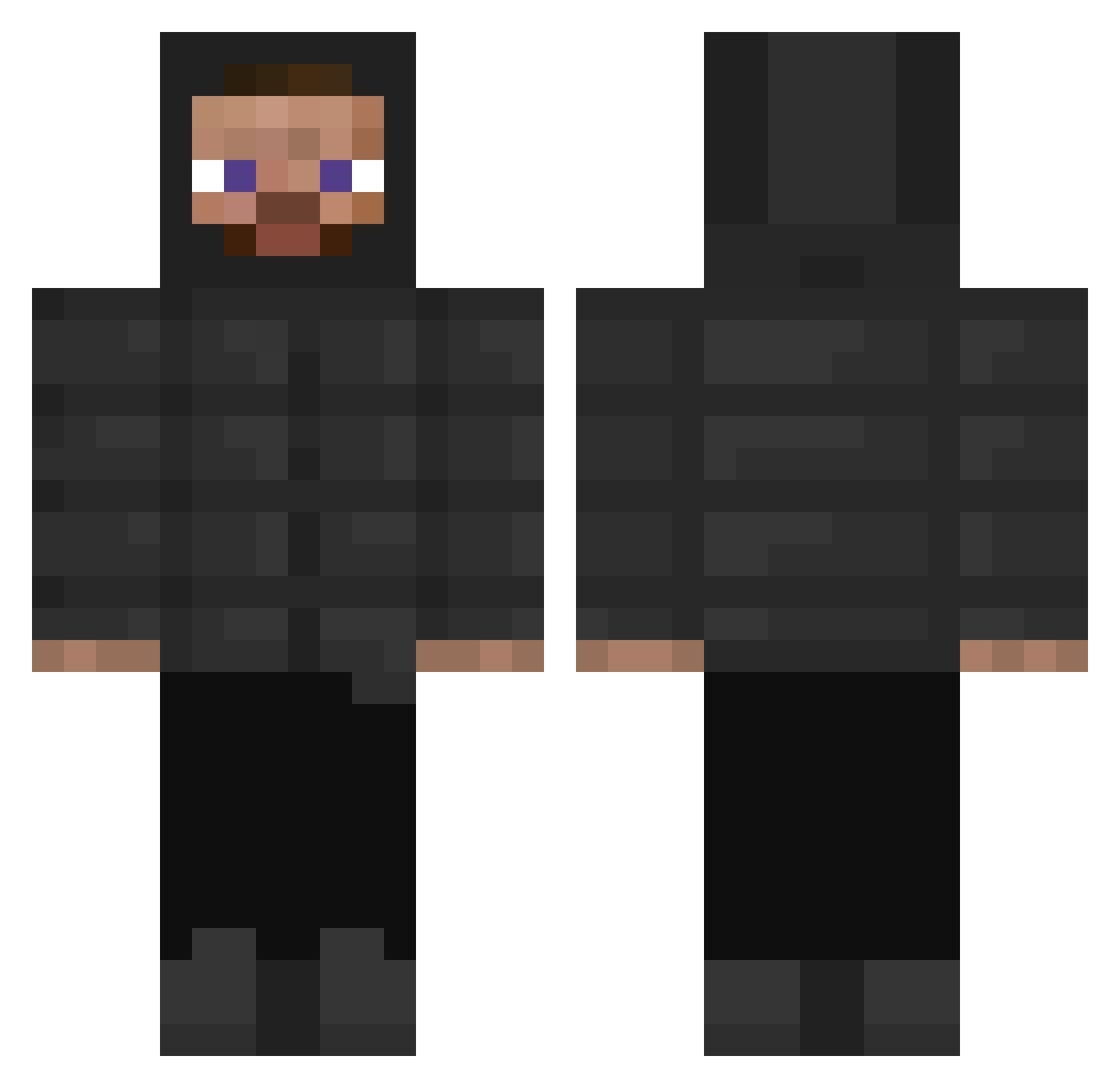
Current Minecraft skin of the player addictedaries, loaded from the official Mojang API. Rotate the 3D model with your mouse or finger, then download the skin as a PNG file and use it in Minecraft: Bedrock Edition or Java Edition for free. When addictedaries changes their skin, this page updates automatically and the old skin stays in the history below.
Other players with this skin (397)
addictedaries was the 385th player we have seen with this skin, first spotted on 16.11.2026. The same skin was seen on these players. Open a nickname to see their current skin and skin history.
 xGiulioMC_ p2n2ad Kiwiqi weedline Crazykratos1 416Nather mehyar14598 jestttt Big_Hasbulla Overmastered Tiagopz NovaCold Heavenllyy senai_ nobrxx AimTheZinci Tricotek aLadiesMan217 SerinaaSama Litix Jbkee antusito Klav4iks JustinzFr EienKage Swe00 OPREPP SWRLD03 PandaExpressFood Billxll itzCronal Butterinq nostalgiasme i8cjjh baconeggnchees77 ParsonP ZaBovv Feather888 Double_gup23 0EtTk0 Gessess AntonDoBronx WILLZ007 Reaperai AgentEmi wat3rr1337 RAYANMRO1 Naww_JD Sonicdxey1 KIBIDANGO000 parkourmaster46 EL_Toby NarfZx whvnl dusdnzns WhosLemon 9v7l levitgh GameOrange007 Treemit
How to install the addictedaries skin
- Press the Download button above to save the skin as a PNG file.
- Minecraft: Bedrock Edition (PE): open the Dressing Room from the main menu (or tap your character → Edit Character), go to Classic Skins → Owned, press the + (new skin) button, choose the downloaded PNG and pick the Classic (Steve) model. Works on PC and mobile; consoles cannot import custom skins.
- Minecraft: Java Edition: open the Minecraft Launcher, go to the Skins tab, click New Skin, load the PNG, pick the Classic (Steve) model and press Save & Use. You can also upload it at minecraft.net → Profile → Change Skin.
The skin does not show up after import - what should I do?
Restart Minecraft and open the Dressing Room again - imported skins sometimes appear only after a restart. Also make sure you selected the imported skin and picked the Classic (Steve) model.
Which model should I choose, Classic or Slim?
This skin is designed for the Classic (Steve) model. If you pick the wrong model, the arms of the skin will look stretched or squeezed.
Is the skin of addictedaries free to download?
Yes. Press Download, save the PNG file and use it in Minecraft: Bedrock Edition or Java Edition - no payment or registration needed. The skin also works on multiplayer servers and Realms.
More skins
Looking for more? Go back to all Minecraft skins and check the top skins of the week, month and all time, or find any player's skin by nickname.