
addi_ez - Minecraft Skins & Skin History
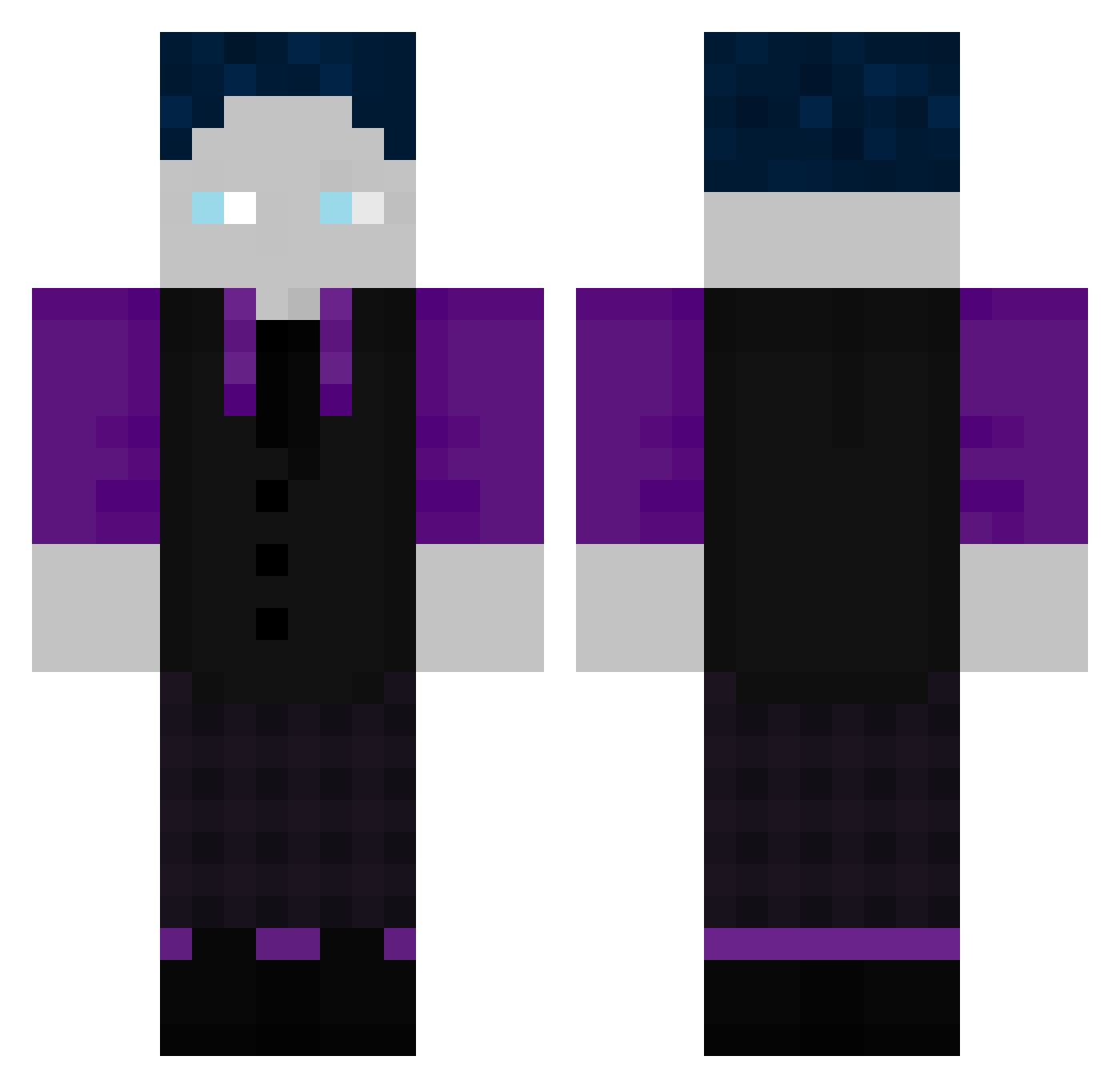
Current Minecraft skin of the player addi_ez, loaded from the official Mojang API. Rotate the 3D model with your mouse or finger, then download the skin as a PNG file and use it in Minecraft: Bedrock Edition or Java Edition for free. When addi_ez changes their skin, this page updates automatically and the old skin stays in the history below.
Other players with this skin (591)
addi_ez was the 560th player we have seen with this skin, first spotted on 12.11.2026. The same skin was seen on these players. Open a nickname to see their current skin and skin history.
 Skeyls_ insights12 phJulius NeededImpala458 Tristanschu Stagentx2 OttSeiDank719 LouisGHG1 TorstenGHG alex2yar Kalbsschnitzel1 Bennet2211 Efe__24 DuckSicker69 JP_Net31 RebirthofThor Henrixy0 GHOSTrezy Elias100807 Tomodachi278 Seidietracktor lordi2004 AnanasChef648 GamerPilot BestOfLebanon David_511 luckybob2015 PauliSchlauli Jaydan_Gamer Staudel1 Philipp11Bro Bastighg55 ircmax22 Laminaldo Julius20112021 Sullivan1003 Komplize90 FELIX201354 Tapsi913 schntzlkllr Emilio263 FloryWirtz NiBro1009 suchtamis Wurstsosse fischili ongomongo123 AlexToast1212 Balou6745 muhdark JayJay010199 wizzler_nils X_MOSU_X NoJoKiller07 4IER7 Fck_Hearts_ Pommesbudenluca PingulinoHd MarkGHG0909 Oscholo
How to install the addi_ez skin
- Press the Download button above to save the skin as a PNG file.
- Minecraft: Bedrock Edition (PE): open the Dressing Room from the main menu (or tap your character → Edit Character), go to Classic Skins → Owned, press the + (new skin) button, choose the downloaded PNG and pick the Classic (Steve) model. Works on PC and mobile; consoles cannot import custom skins.
- Minecraft: Java Edition: open the Minecraft Launcher, go to the Skins tab, click New Skin, load the PNG, pick the Classic (Steve) model and press Save & Use. You can also upload it at minecraft.net → Profile → Change Skin.
The skin does not show up after import - what should I do?
Restart Minecraft and open the Dressing Room again - imported skins sometimes appear only after a restart. Also make sure you selected the imported skin and picked the Classic (Steve) model.
Which model should I choose, Classic or Slim?
This skin is designed for the Classic (Steve) model. If you pick the wrong model, the arms of the skin will look stretched or squeezed.
Is the skin of addi_ez free to download?
Yes. Press Download, save the PNG file and use it in Minecraft: Bedrock Edition or Java Edition - no payment or registration needed. The skin also works on multiplayer servers and Realms.
More skins
Looking for more? Go back to all Minecraft skins and check the top skins of the week, month and all time, or find any player's skin by nickname.