
adb_2 - Minecraft Skins & Skin History
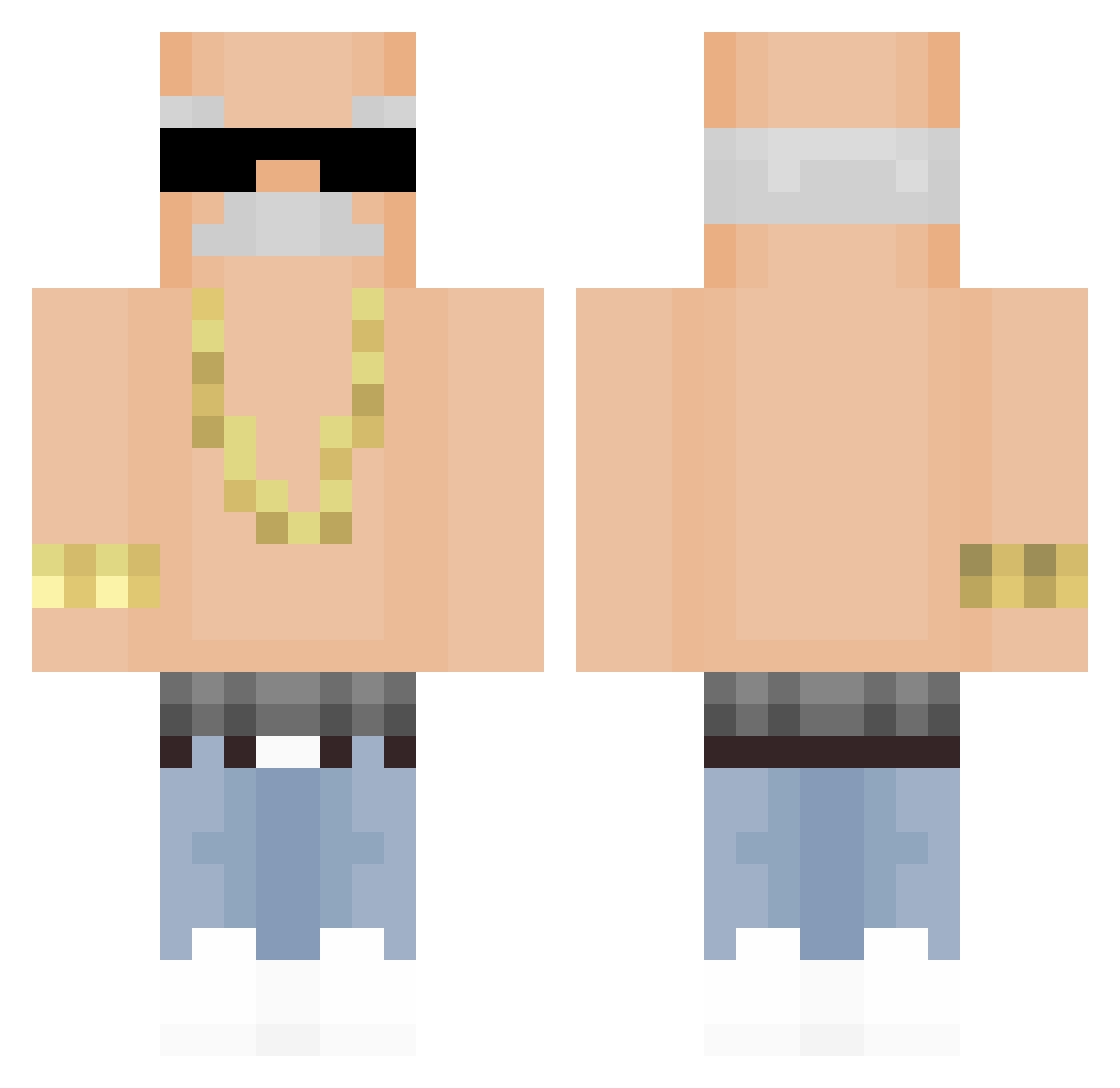
Current Minecraft skin of the player adb_2, loaded from the official Mojang API. Rotate the 3D model with your mouse or finger, then download the skin as a PNG file and use it in Minecraft: Bedrock Edition or Java Edition for free. When adb_2 changes their skin, this page updates automatically and the old skin stays in the history below.
Other players with this skin (309)
adb_2 was the 70th player we have seen with this skin, first spotted on 14.08.2026. The same skin was seen on these players. Open a nickname to see their current skin and skin history.
 thurrf PililaLoca n0mon xiaodouzi086 MalibuSantez BenKenobi123 79418 imvyb Full_Tilbt Kingjuang SUS_AH JackSwallows69 OMENTOP Boboshanti_ skibiditoilet999 Berna0_0 lardventus
 yokubo1244 Digmoo TupcuFikret00 bossbeef69 Buurman20 leech2009 __ElmataViejas__ DerGeileDieter bbmx BarnabyOnTop killz4677 yabbi7 bami77 wizb111 Flash_B IchKnowYourMama OSPresse Cupler grandpapaa Nico998 Benjikta Blood_Jiren Qimg1 tyottyx EBIQUE membvr I_hate_skyblock 0ji3 leejunyong123 svvervin Fornaiter_Svg Mayposadas eltulon123 NoriTenori milkxu miguelzin2013 spixz56 alexanderbah raynoan RizzzV
 t2phoenix EfeSezer yavannita
More Grandpa Minecraft skins
How to install the adb_2 skin
- Press the Download button above to save the skin as a PNG file.
- Minecraft: Bedrock Edition (PE): open the Dressing Room from the main menu (or tap your character → Edit Character), go to Classic Skins → Owned, press the + (new skin) button, choose the downloaded PNG and pick the Classic (Steve) model. Works on PC and mobile; consoles cannot import custom skins.
- Minecraft: Java Edition: open the Minecraft Launcher, go to the Skins tab, click New Skin, load the PNG, pick the Classic (Steve) model and press Save & Use. You can also upload it at minecraft.net → Profile → Change Skin.
The skin does not show up after import - what should I do?
Restart Minecraft and open the Dressing Room again - imported skins sometimes appear only after a restart. Also make sure you selected the imported skin and picked the Classic (Steve) model.
Which model should I choose, Classic or Slim?
This skin is designed for the Classic (Steve) model. If you pick the wrong model, the arms of the skin will look stretched or squeezed.
Is the skin of adb_2 free to download?
Yes. Press Download, save the PNG file and use it in Minecraft: Bedrock Edition or Java Edition - no payment or registration needed. The skin also works on multiplayer servers and Realms.
More skins
Looking for more? Go back to all Minecraft skins and check the top skins of the week, month and all time, or find any player's skin by nickname.