
adamisz15 - Minecraft Skins & Skin History
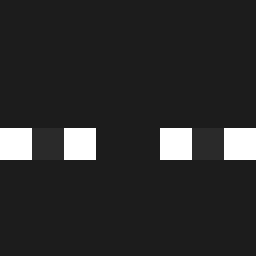
Current Minecraft skin of the player adamisz15, loaded from the official Mojang API. Rotate the 3D model with your mouse or finger, then download the skin as a PNG file and use it in Minecraft: Bedrock Edition or Java Edition for free. When adamisz15 changes their skin, this page updates automatically and the old skin stays in the history below.

Other players with this skin (645)
adamisz15 was the 599th player we have seen with this skin, first spotted on 12.11.2026. The same skin was seen on these players. Open a nickname to see their current skin and skin history.
 ItsAlexx801 omar1516 Skoffron MadeInHelllll KYU_M1N josejc dogeisderp3666 Shinkuza Kuba_17 cristopatata Dissatisfactory Enzo0630 tnseo Matxzz7 RyanGaming1128 xm_8MYwc_06_01 Yes1ck KESIKONCERT Kedavr AnimalSauce8287 SnowyBigPig GoodAiming Rolloknock Aktoik_yt Mahito_01 ARAPON910 Dajsenik Kaprii07 rustls razeistguy PonyRiderr1 Foxitar10 SPlamondon GetKarma_ TinYTHH _Zer0_11 Deide_Costa _Yachio lunnyy_ crvgbrandao lyoniee Keremm01 A_n_g_x_l BakryGGs MaeusDc Srt255 mzzal arvid_69420 Lunagram GGLeon IzeBlack yramirP D4NILO_z gwonejoon voidcircle erlukasss _kaser Akimoto1000 JayDi315 B3ADDD
How to install the adamisz15 skin
- Press the Download button above to save the skin as a PNG file.
- Minecraft: Bedrock Edition (PE): open the Dressing Room from the main menu (or tap your character → Edit Character), go to Classic Skins → Owned, press the + (new skin) button, choose the downloaded PNG and pick the Classic (Steve) model. Works on PC and mobile; consoles cannot import custom skins.
- Minecraft: Java Edition: open the Minecraft Launcher, go to the Skins tab, click New Skin, load the PNG, pick the Classic (Steve) model and press Save & Use. You can also upload it at minecraft.net → Profile → Change Skin.
The skin does not show up after import - what should I do?
Restart Minecraft and open the Dressing Room again - imported skins sometimes appear only after a restart. Also make sure you selected the imported skin and picked the Classic (Steve) model.
Which model should I choose, Classic or Slim?
This skin is designed for the Classic (Steve) model. If you pick the wrong model, the arms of the skin will look stretched or squeezed.
Is the skin of adamisz15 free to download?
Yes. Press Download, save the PNG file and use it in Minecraft: Bedrock Edition or Java Edition - no payment or registration needed. The skin also works on multiplayer servers and Realms.
More skins
Looking for more? Go back to all Minecraft skins and check the top skins of the week, month and all time, or find any player's skin by nickname.