
adai0211 - Minecraft Skins & Skin History
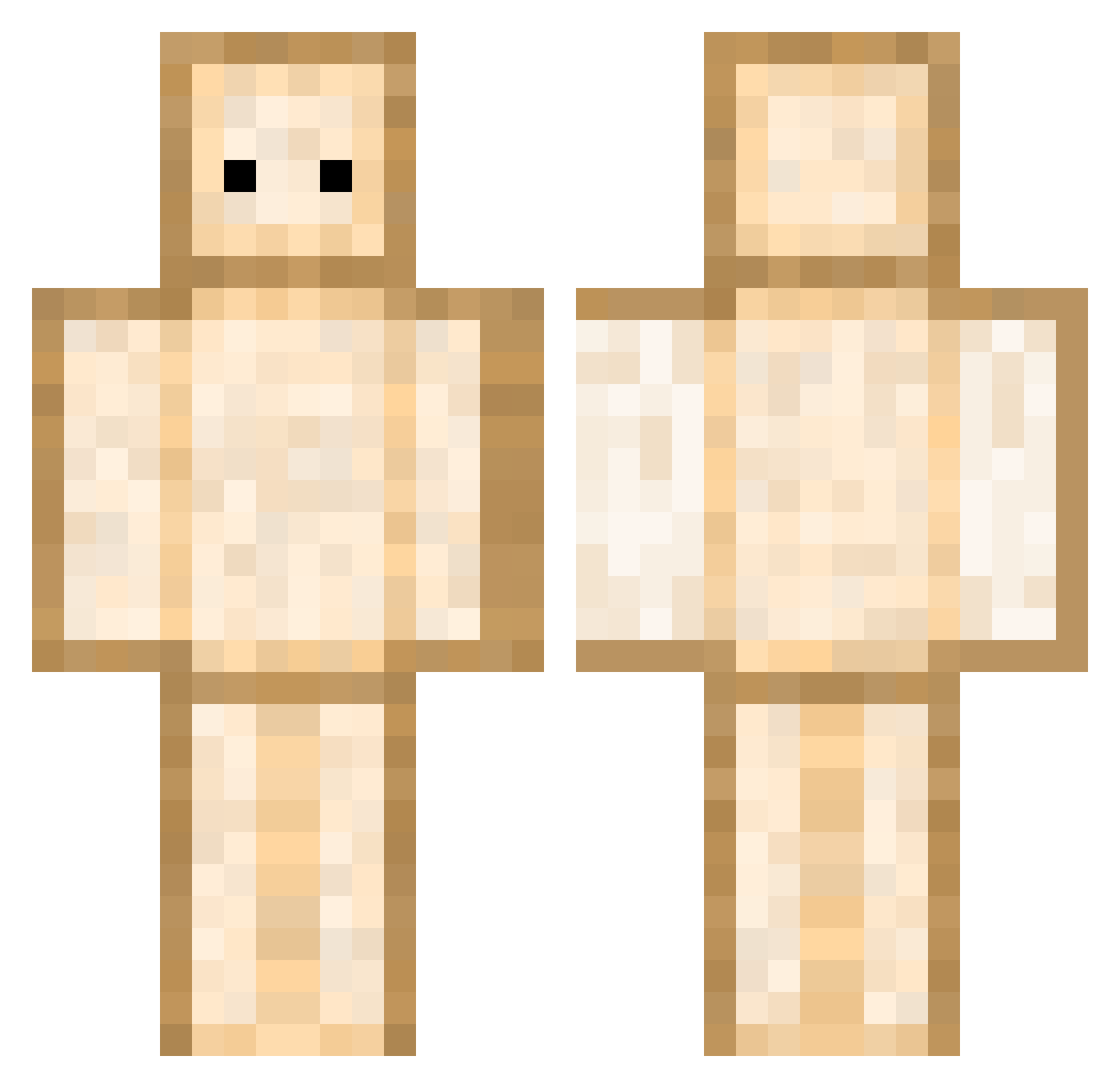
Current Minecraft skin of the player adai0211, loaded from the official Mojang API. Rotate the 3D model with your mouse or finger, then download the skin as a PNG file and use it in Minecraft: Bedrock Edition or Java Edition for free. When adai0211 changes their skin, this page updates automatically and the old skin stays in the history below.
Other players with this skin (344)
adai0211 was the 117th player we have seen with this skin, first spotted on 22.08.2026. The same skin was seen on these players. Open a nickname to see their current skin and skin history.
 choi0225 ROWLY98 Eliks75 Fretchen777f SZ_1107 Yalo98 H1NgGU Mimic2348 toomuch14 SamuCheGira yrulili Titartouille Herbert_S OzilDrag Smukkeebber DEHOFRAX choiyegwon PrisonDad CoinFlipGame kurtxxxkurt ImNotJacques MirkaGo Rodolfo351 StoneColdBabyy LuckyLou666 ao002 vorkkkk aubront HYPERX_123PL LEEHYUN0115 StarL1T zong0327 lil_tib
 Legacy000yt allen9809 LJJ_03 Banger89 babybisons LGY_John pauge_12 TsunamicLand637 nepravsha chloe_hlk pkllpkll0921 NiteIV Juliano2_0 MainBeast croixtitan59997 CHLEB222 S0onfancy FrolfMaster Pexord Andomaniac reolat Guille600 Tawanwan Ittousai Lucabanon IceTime0ver ArbysBaconator
More Toast Minecraft skins
How to install the adai0211 skin
- Press the Download button above to save the skin as a PNG file.
- Minecraft: Bedrock Edition (PE): open the Dressing Room from the main menu (or tap your character → Edit Character), go to Classic Skins → Owned, press the + (new skin) button, choose the downloaded PNG and pick the Classic (Steve) model. Works on PC and mobile; consoles cannot import custom skins.
- Minecraft: Java Edition: open the Minecraft Launcher, go to the Skins tab, click New Skin, load the PNG, pick the Classic (Steve) model and press Save & Use. You can also upload it at minecraft.net → Profile → Change Skin.
The skin does not show up after import - what should I do?
Restart Minecraft and open the Dressing Room again - imported skins sometimes appear only after a restart. Also make sure you selected the imported skin and picked the Classic (Steve) model.
Which model should I choose, Classic or Slim?
This skin is designed for the Classic (Steve) model. If you pick the wrong model, the arms of the skin will look stretched or squeezed.
Is the skin of adai0211 free to download?
Yes. Press Download, save the PNG file and use it in Minecraft: Bedrock Edition or Java Edition - no payment or registration needed. The skin also works on multiplayer servers and Realms.
More skins
Looking for more? Go back to all Minecraft skins and check the top skins of the week, month and all time, or find any player's skin by nickname.