
abusjd - Minecraft Skins & Skin History
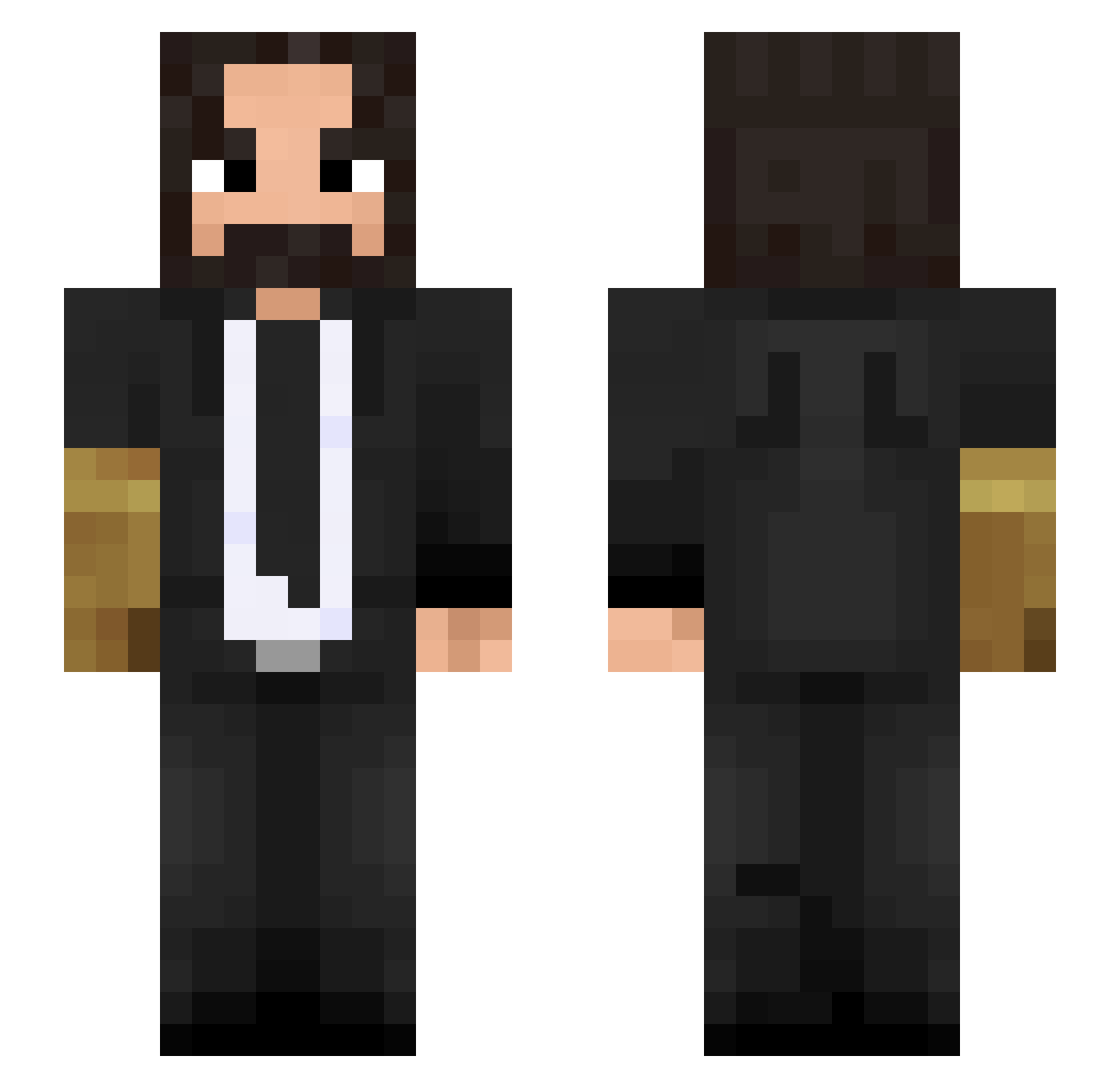
Current Minecraft skin of the player abusjd, loaded from the official Mojang API. Rotate the 3D model with your mouse or finger, then download the skin as a PNG file and use it in Minecraft: Bedrock Edition or Java Edition for free. When abusjd changes their skin, this page updates automatically and the old skin stays in the history below.
Other players with this skin (410)
abusjd was the 86th player we have seen with this skin, first spotted on 11.08.2026. The same skin was seen on these players. Open a nickname to see their current skin and skin history.
 Mifbral m4sterpwner Hugobobo _Geoff alpego Strixer1234 emoly00 me_chin FatLester pablo1500 FerrariFish ForSezyor BusterBlazer TheSAKUL1994 Arekkusan s2ci53 HerrEpik Ppukao banaos iskoto6 Pinkfuzzball Carion81 FIR_1394 ImNnay
 MemeGodNZ PrAzReAp Quki_ JerknGANGSTA xeryote DownyCat BabyfaceCrow Shadinho_ Fixein Ozavi chesspig Franconix HarryGrundle Ironpeterpap bart1989 Badboi97 Vince_White Hogman_Intruder THPxArcade b223726 Min_Fe iAndy32 Requion Alex57530c Demon_King1001 LiveLongAcorn_15 Sontaa DavidBicudo sweetswing ozezoeoze MR_PRIKITIEW_911 korol09 redtstone Ashe_Power Funticus Pie3
More John Wick Minecraft skins
How to install the abusjd skin
- Press the Download button above to save the skin as a PNG file.
- Minecraft: Bedrock Edition (PE): open the Dressing Room from the main menu (or tap your character → Edit Character), go to Classic Skins → Owned, press the + (new skin) button, choose the downloaded PNG and pick the Slim (Alex) model. Works on PC and mobile; consoles cannot import custom skins.
- Minecraft: Java Edition: open the Minecraft Launcher, go to the Skins tab, click New Skin, load the PNG, pick the Slim (Alex) model and press Save & Use. You can also upload it at minecraft.net → Profile → Change Skin.
The skin does not show up after import - what should I do?
Restart Minecraft and open the Dressing Room again - imported skins sometimes appear only after a restart. Also make sure you selected the imported skin and picked the Slim (Alex) model.
Which model should I choose, Classic or Slim?
This skin is designed for the Slim (Alex) model. If you pick the wrong model, the arms of the skin will look stretched or squeezed.
Is the skin of abusjd free to download?
Yes. Press Download, save the PNG file and use it in Minecraft: Bedrock Edition or Java Edition - no payment or registration needed. The skin also works on multiplayer servers and Realms.
More skins
Looking for more? Go back to all Minecraft skins and check the top skins of the week, month and all time, or find any player's skin by nickname.