
aboda7m01 - Minecraft Skins & Skin History
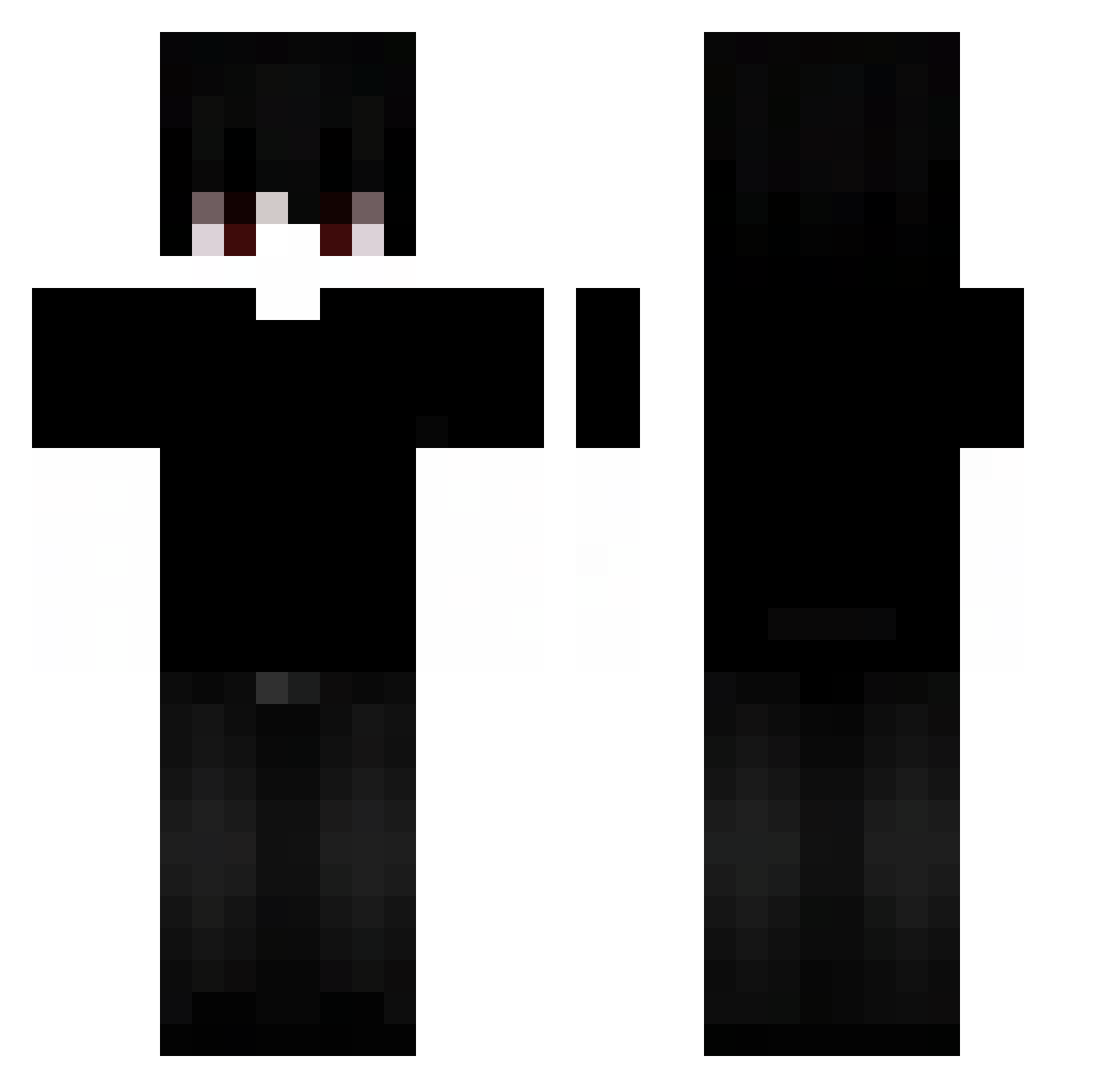
Current Minecraft skin of the player aboda7m01, loaded from the official Mojang API. Rotate the 3D model with your mouse or finger, then download the skin as a PNG file and use it in Minecraft: Bedrock Edition or Java Edition for free. When aboda7m01 changes their skin, this page updates automatically and the old skin stays in the history below.
Other players with this skin (114)
aboda7m01 was the 78th player we have seen with this skin, first spotted on 15.10.2026. The same skin was seen on these players. Open a nickname to see their current skin and skin history.
 iiaj Lovro1000 Greyradss D3athConfirmed hamoshka LinhSkyneuUwU cashee_e OFFsz_011 Its_Dynamic boczekkacper umbryxz Quirell_PL danilof5 ShinHydra_VN AngelMorag4 m1nxae thckkj cocsad zDarkii YesAmSage Nachill 213yuuki Flowy33 009q JURRY TheeGregox Specjalny minters_lol Campa Seausauly Umberto6884 _rx9 ehehto13 Faze_jorg0 61laz Entitilo_Rslnl Iceoverr Wojt_Zof ShadyzXI hazekral FlorenzoXD Geansrd spraybottles ji52 1Toobian Mungmongi skibidi_abaudna sueno40 Qayaz Dani23Daniel fxfdavi monm panboli DefaultyM Faolix teachergame oobp JayJAN05 turvel XiaoQiu_
More Emo Minecraft skins
How to install the aboda7m01 skin
- Press the Download button above to save the skin as a PNG file.
- Minecraft: Bedrock Edition (PE): open the Dressing Room from the main menu (or tap your character → Edit Character), go to Classic Skins → Owned, press the + (new skin) button, choose the downloaded PNG and pick the Classic (Steve) model. Works on PC and mobile; consoles cannot import custom skins.
- Minecraft: Java Edition: open the Minecraft Launcher, go to the Skins tab, click New Skin, load the PNG, pick the Classic (Steve) model and press Save & Use. You can also upload it at minecraft.net → Profile → Change Skin.
The skin does not show up after import - what should I do?
Restart Minecraft and open the Dressing Room again - imported skins sometimes appear only after a restart. Also make sure you selected the imported skin and picked the Classic (Steve) model.
Which model should I choose, Classic or Slim?
This skin is designed for the Classic (Steve) model. If you pick the wrong model, the arms of the skin will look stretched or squeezed.
Is the skin of aboda7m01 free to download?
Yes. Press Download, save the PNG file and use it in Minecraft: Bedrock Edition or Java Edition - no payment or registration needed. The skin also works on multiplayer servers and Realms.
More skins
Looking for more? Go back to all Minecraft skins and check the top skins of the week, month and all time, or find any player's skin by nickname.