
abdullh702 - Minecraft Skins & Skin History
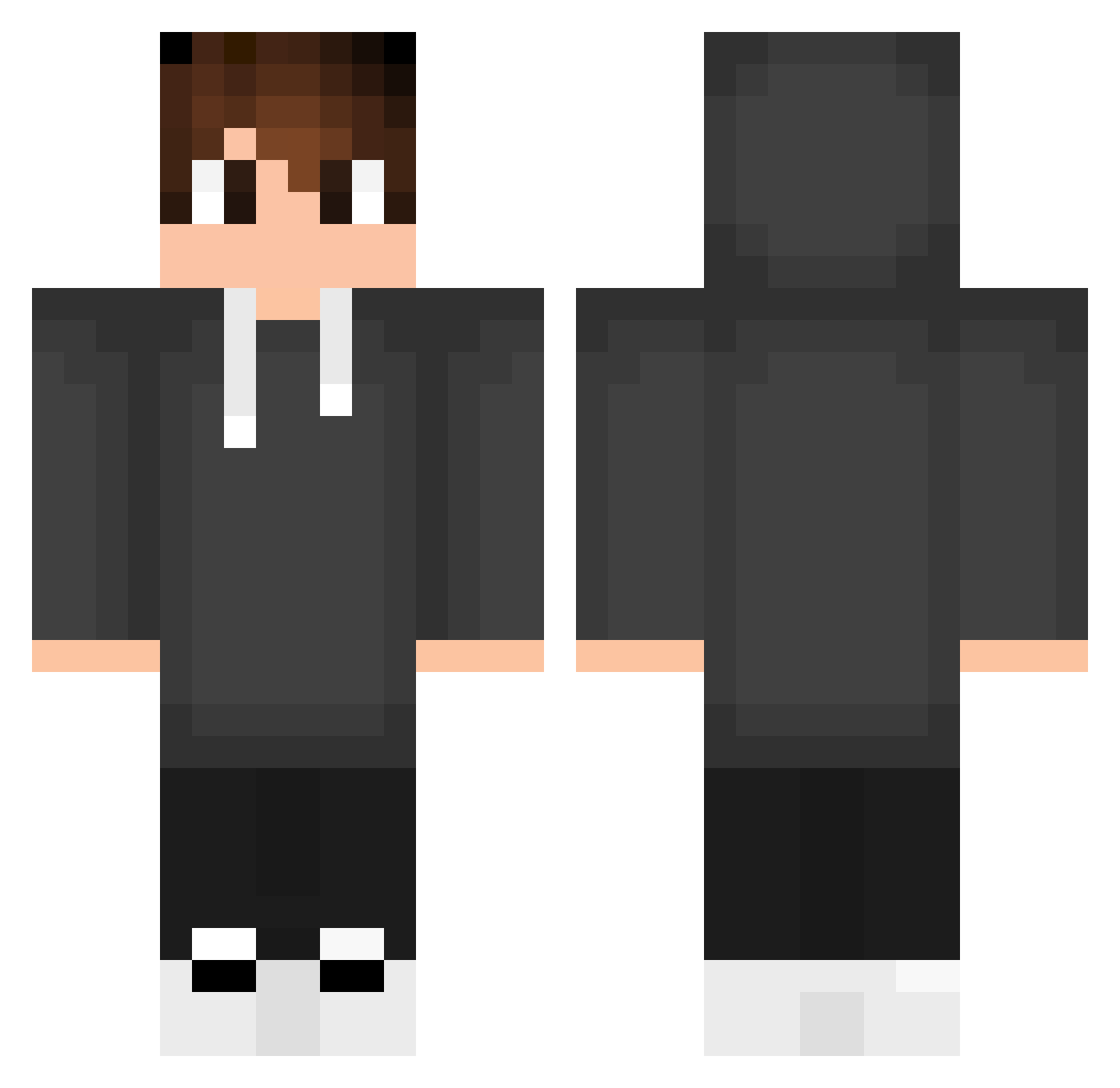
Current Minecraft skin of the player abdullh702, loaded from the official Mojang API. Rotate the 3D model with your mouse or finger, then download the skin as a PNG file and use it in Minecraft: Bedrock Edition or Java Edition for free. When abdullh702 changes their skin, this page updates automatically and the old skin stays in the history below.
Other players with this skin (679)
abdullh702 was the 581st player we have seen with this skin, first spotted on 05.11.2026. The same skin was seen on these players. Open a nickname to see their current skin and skin history.
 EpicMouce3545 Jannis_Kugelig Robs_Morello ORefzz H75hjj nardexio Trolerotutos1 jokerxzbr DGomes13 jenik2392 Musquito_acker MaxSylver omar_uql1 danlimns zcokiee Th1G00 SupraaaXD TheDarkSavci Micheal10 proko3 MIYU00312 caffeine_failure 0096EZ Joaninha_246 Nerdelbaum Pedro850_ Freitastucoo Paul0205 Julexter GugaKC MrJeanzin ReconXT Nandi550 RNeagoe LowZ7 korkutdede Di0goo Byeongsin0381 EvilHunter11 berDaya V0dtix Hej_Rdk firas7920_ aeymenkc Anton12309 Ebenezer292 enk1ller Coyoacan60 Agonywq zeclhynski setseed remexhx XPERANEO roboshooter Valeazra shadow_ale09 KONTSTAR semanech themike1989 Harley_T
How to install the abdullh702 skin
- Press the Download button above to save the skin as a PNG file.
- Minecraft: Bedrock Edition (PE): open the Dressing Room from the main menu (or tap your character → Edit Character), go to Classic Skins → Owned, press the + (new skin) button, choose the downloaded PNG and pick the Classic (Steve) model. Works on PC and mobile; consoles cannot import custom skins.
- Minecraft: Java Edition: open the Minecraft Launcher, go to the Skins tab, click New Skin, load the PNG, pick the Classic (Steve) model and press Save & Use. You can also upload it at minecraft.net → Profile → Change Skin.
The skin does not show up after import - what should I do?
Restart Minecraft and open the Dressing Room again - imported skins sometimes appear only after a restart. Also make sure you selected the imported skin and picked the Classic (Steve) model.
Which model should I choose, Classic or Slim?
This skin is designed for the Classic (Steve) model. If you pick the wrong model, the arms of the skin will look stretched or squeezed.
Is the skin of abdullh702 free to download?
Yes. Press Download, save the PNG file and use it in Minecraft: Bedrock Edition or Java Edition - no payment or registration needed. The skin also works on multiplayer servers and Realms.
More skins
Looking for more? Go back to all Minecraft skins and check the top skins of the week, month and all time, or find any player's skin by nickname.