
aaron_1006 - Minecraft Skins & Skin History
Current Minecraft skin of the player aaron_1006, loaded from the official Mojang API. Rotate the 3D model with your mouse or finger, then download the skin as a PNG file and use it in Minecraft: Bedrock Edition or Java Edition for free. When aaron_1006 changes their skin, this page updates automatically and the old skin stays in the history below.
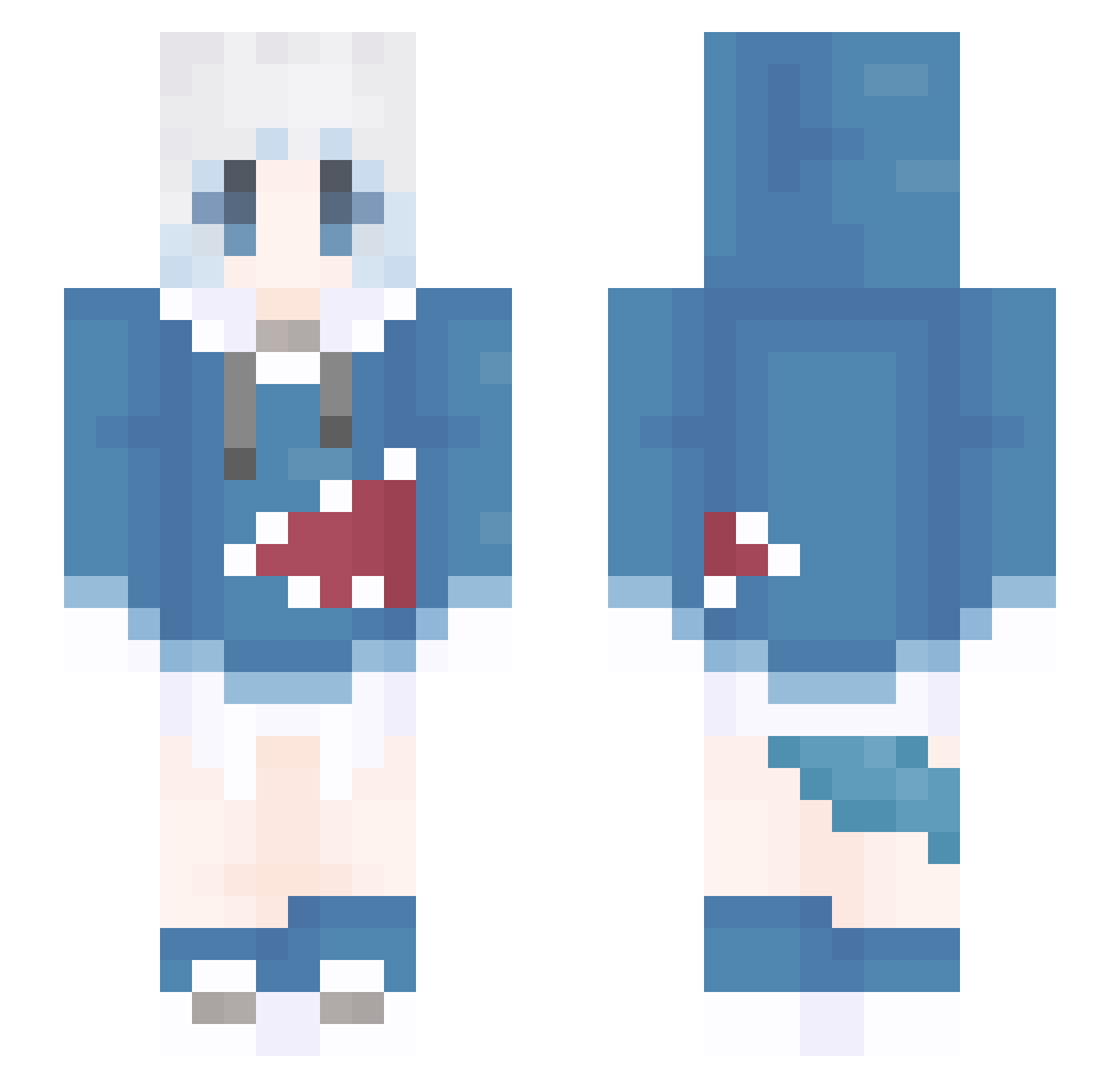
Other players with this skin (1379)
aaron_1006 was the 1318th player we have seen with this skin, first spotted on 06.11.2026. The same skin was seen on these players. Open a nickname to see their current skin and skin history.
 MAXIANGYU duanmengz Quiensb yuewu123 KYSYS TsuMac Tingfeng__ hibaibai LowKeyMasa yns1003 sfdqn LuLuYao sukrap mo749520 DaliLin RedBullCHINA evvvvvvan Movistar3000 MC__YZ pan1762 Jiangjiangyi ezekielchaos TAXQTE slsgw0 naichajiejie0429 laiqp NiseAS Amedalene xiaoze_ovo_ dancyglobe DRIZZLEANDCLEARD zixuan123 LETUSDEVORURUR Bohonga HJSDAFL Eberegebulam1 leaderofworld Mostema reveiller_ manmantom znlg _ERROR_erou wshyr xiao_zhi_G huahuaya1 mr_sorryer baekboss blue238 SchlTobi misakaMK2 mioaaa_ slated_fish Eternity12555 luoxifei Luowenchao Xiang_x ChuchenOWO WWMMM Smol_der Stars61
More Gawr Gura Minecraft skins
How to install the aaron_1006 skin
- Press the Download button above to save the skin as a PNG file.
- Minecraft: Bedrock Edition (PE): open the Dressing Room from the main menu (or tap your character → Edit Character), go to Classic Skins → Owned, press the + (new skin) button, choose the downloaded PNG and pick the Slim (Alex) model. Works on PC and mobile; consoles cannot import custom skins.
- Minecraft: Java Edition: open the Minecraft Launcher, go to the Skins tab, click New Skin, load the PNG, pick the Slim (Alex) model and press Save & Use. You can also upload it at minecraft.net → Profile → Change Skin.
The skin does not show up after import - what should I do?
Restart Minecraft and open the Dressing Room again - imported skins sometimes appear only after a restart. Also make sure you selected the imported skin and picked the Slim (Alex) model.
Which model should I choose, Classic or Slim?
This skin is designed for the Slim (Alex) model. If you pick the wrong model, the arms of the skin will look stretched or squeezed.
Is the skin of aaron_1006 free to download?
Yes. Press Download, save the PNG file and use it in Minecraft: Bedrock Edition or Java Edition - no payment or registration needed. The skin also works on multiplayer servers and Realms.
More skins
Looking for more? Go back to all Minecraft skins and check the top skins of the week, month and all time, or find any player's skin by nickname.