
aangelgaz123_PvP - Minecraft Skins & Skin History
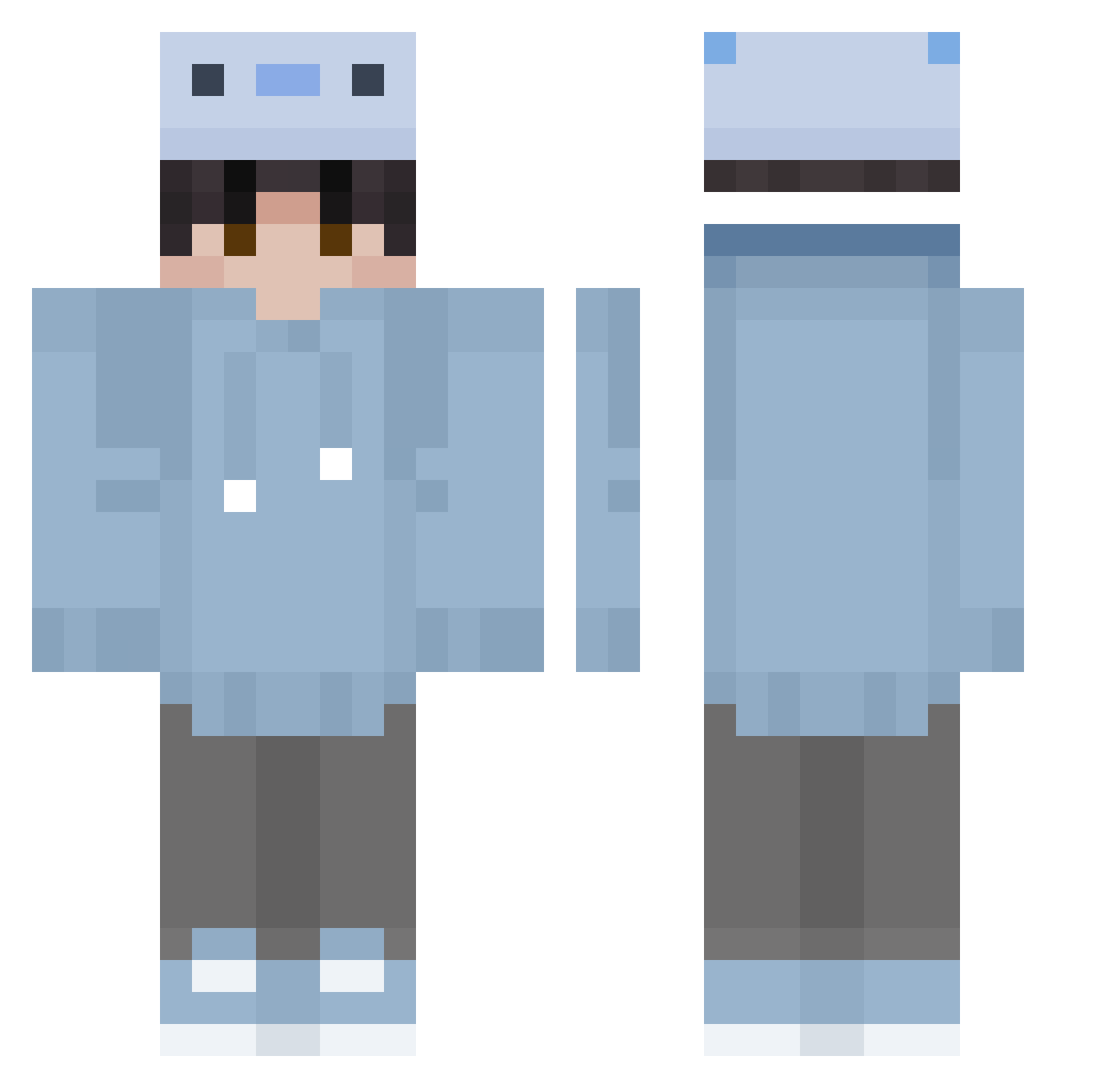
Current Minecraft skin of the player aangelgaz123_PvP, loaded from the official Mojang API. Rotate the 3D model with your mouse or finger, then download the skin as a PNG file and use it in Minecraft: Bedrock Edition or Java Edition for free. When aangelgaz123_PvP changes their skin, this page updates automatically and the old skin stays in the history below.
Other players with this skin (354)
aangelgaz123_PvP was the 145th player we have seen with this skin, first spotted on 11.09.2026. The same skin was seen on these players. Open a nickname to see their current skin and skin history.
 LuveThepvp JustDavid0 RynoHitDaSlowmo Sinnarii x5starx axolify HarelKarish Uweehkp PenguinCan xDucky_Duckx Yuukizaki Dumoadikido WildCurly TheServal59 hapyay TheSkyBeggins BOOKNARAKMAK Maksiu2115_ DerDog_TW m54v3 1jinX1 Janiiiiis Aleenn Yao_Kanata Destin_1 BeastRohan migrol Mngg_00 alecito5402 TheAntonioMx nein_live FinnedMaple3188 m45nty FMB_Ollie FedyWap128 JuanCamiloGM Icylunaticv7 Melon_King101 95w_china LittleOne413 Kaeffe xtzxz LOCMAURICIO Levisunshine11 solarash XonceGamer YDZD Ningagogirl iLukii0 nrdtbr Ruby0925 dmdkfk kypo_k malthelund AkpBOUNCER orihsenak Aksolot6ix7 ZKA_tumutu i_tyfg SunFenGe
How to install the aangelgaz123_PvP skin
- Press the Download button above to save the skin as a PNG file.
- Minecraft: Bedrock Edition (PE): open the Dressing Room from the main menu (or tap your character → Edit Character), go to Classic Skins → Owned, press the + (new skin) button, choose the downloaded PNG and pick the Classic (Steve) model. Works on PC and mobile; consoles cannot import custom skins.
- Minecraft: Java Edition: open the Minecraft Launcher, go to the Skins tab, click New Skin, load the PNG, pick the Classic (Steve) model and press Save & Use. You can also upload it at minecraft.net → Profile → Change Skin.
The skin does not show up after import - what should I do?
Restart Minecraft and open the Dressing Room again - imported skins sometimes appear only after a restart. Also make sure you selected the imported skin and picked the Classic (Steve) model.
Which model should I choose, Classic or Slim?
This skin is designed for the Classic (Steve) model. If you pick the wrong model, the arms of the skin will look stretched or squeezed.
Is the skin of aangelgaz123_PvP free to download?
Yes. Press Download, save the PNG file and use it in Minecraft: Bedrock Edition or Java Edition - no payment or registration needed. The skin also works on multiplayer servers and Realms.
More skins
Looking for more? Go back to all Minecraft skins and check the top skins of the week, month and all time, or find any player's skin by nickname.