
aSlyRedFox - Minecraft Skins & Skin History
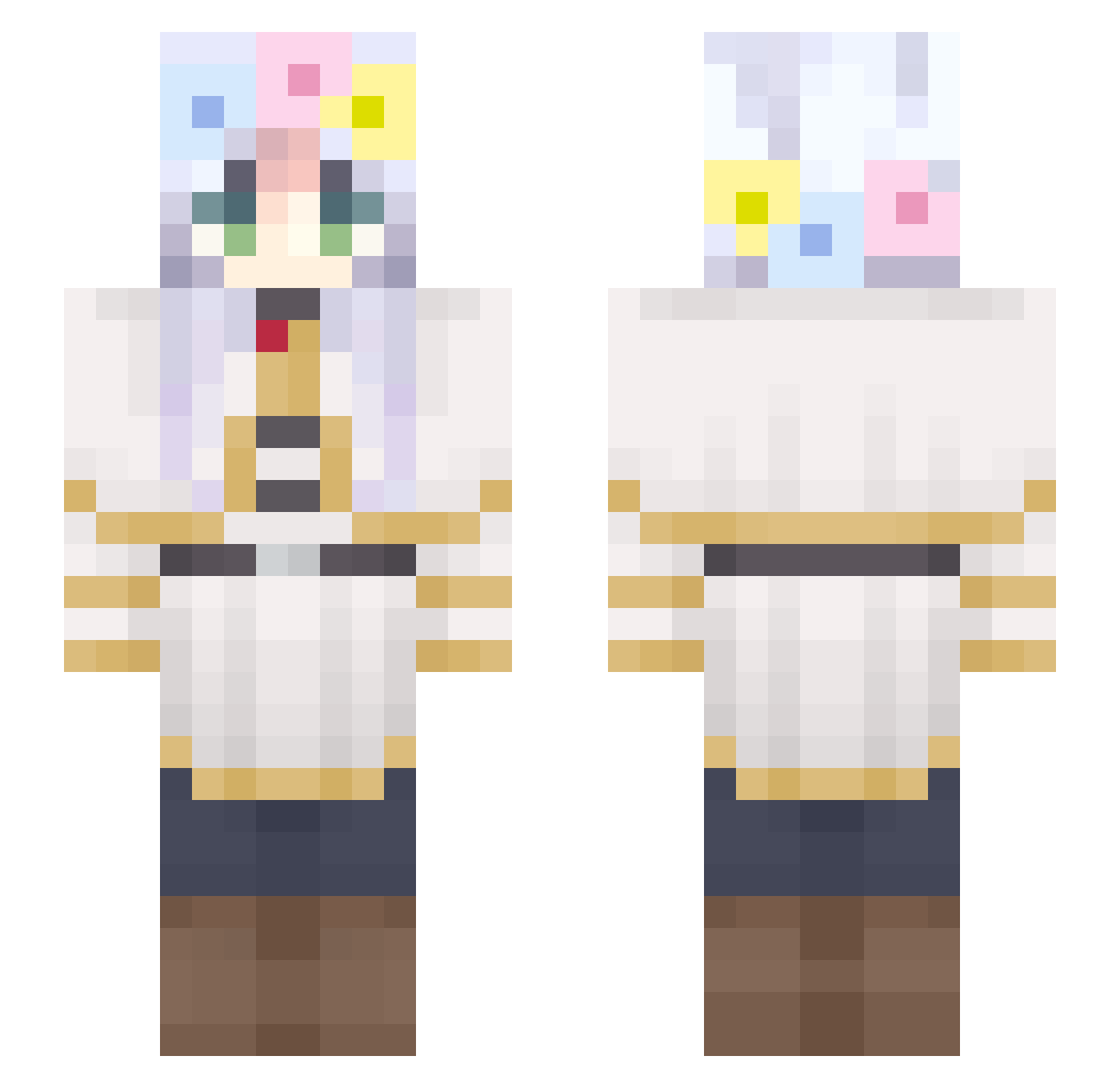
Current Minecraft skin of the player aSlyRedFox, loaded from the official Mojang API. Rotate the 3D model with your mouse or finger, then download the skin as a PNG file and use it in Minecraft: Bedrock Edition or Java Edition for free. When aSlyRedFox changes their skin, this page updates automatically and the old skin stays in the history below.
Other players with this skin (302)
aSlyRedFox was the 232nd player we have seen with this skin, first spotted on 13.10.2026. The same skin was seen on these players. Open a nickname to see their current skin and skin history.
 _kyogen JAma_0401 Sr_goma451 Is0k Noblejace wyvernn11 eli_yuk HananoKairo isalencar winterrrrrrrrrr_ MapleAvry Stressed_Toucan Feaooo Aosakii Lystisss Kermit950 Mati_Marki eleZZrs victor_umphir Anivy c07ko MYFrieren manduman12345 Duckioon rnaple8672 Binnyang DeVhica Fwii Tulip_cloud Guisanmo Keji101 latte7474 otmy wjswnstlr Malik2641 deskbug JACKYBHOY09 dorumon6 Mikebao07 Chu_rieren SeaDrqgon unnnna xoily02 CHARU__ LevieMelonowe wnso3o phamduong189 vishmha mingtian233 gaiya11 P_ann SARG3NDWOLF Hoangsito ennx12 Pixel61 Mr_Latom Linhan142 zTck Hyeonugi02 Mdzu
Previous skins of aSlyRedFox
Skins that aSlyRedFox wore before, newest first. Click a skin to open its page and download it.
More Flower Crown Minecraft skins
See all 3467 Flower Crown skins
How to install the aSlyRedFox skin
- Press the Download button above to save the skin as a PNG file.
- Minecraft: Bedrock Edition (PE): open the Dressing Room from the main menu (or tap your character → Edit Character), go to Classic Skins → Owned, press the + (new skin) button, choose the downloaded PNG and pick the Slim (Alex) model. Works on PC and mobile; consoles cannot import custom skins.
- Minecraft: Java Edition: open the Minecraft Launcher, go to the Skins tab, click New Skin, load the PNG, pick the Slim (Alex) model and press Save & Use. You can also upload it at minecraft.net → Profile → Change Skin.
The skin does not show up after import - what should I do?
Restart Minecraft and open the Dressing Room again - imported skins sometimes appear only after a restart. Also make sure you selected the imported skin and picked the Slim (Alex) model.
Which model should I choose, Classic or Slim?
This skin is designed for the Slim (Alex) model. If you pick the wrong model, the arms of the skin will look stretched or squeezed.
Is the skin of aSlyRedFox free to download?
Yes. Press Download, save the PNG file and use it in Minecraft: Bedrock Edition or Java Edition - no payment or registration needed. The skin also works on multiplayer servers and Realms.
More skins
Looking for more? Go back to all Minecraft skins and check the top skins of the week, month and all time, or find any player's skin by nickname.