
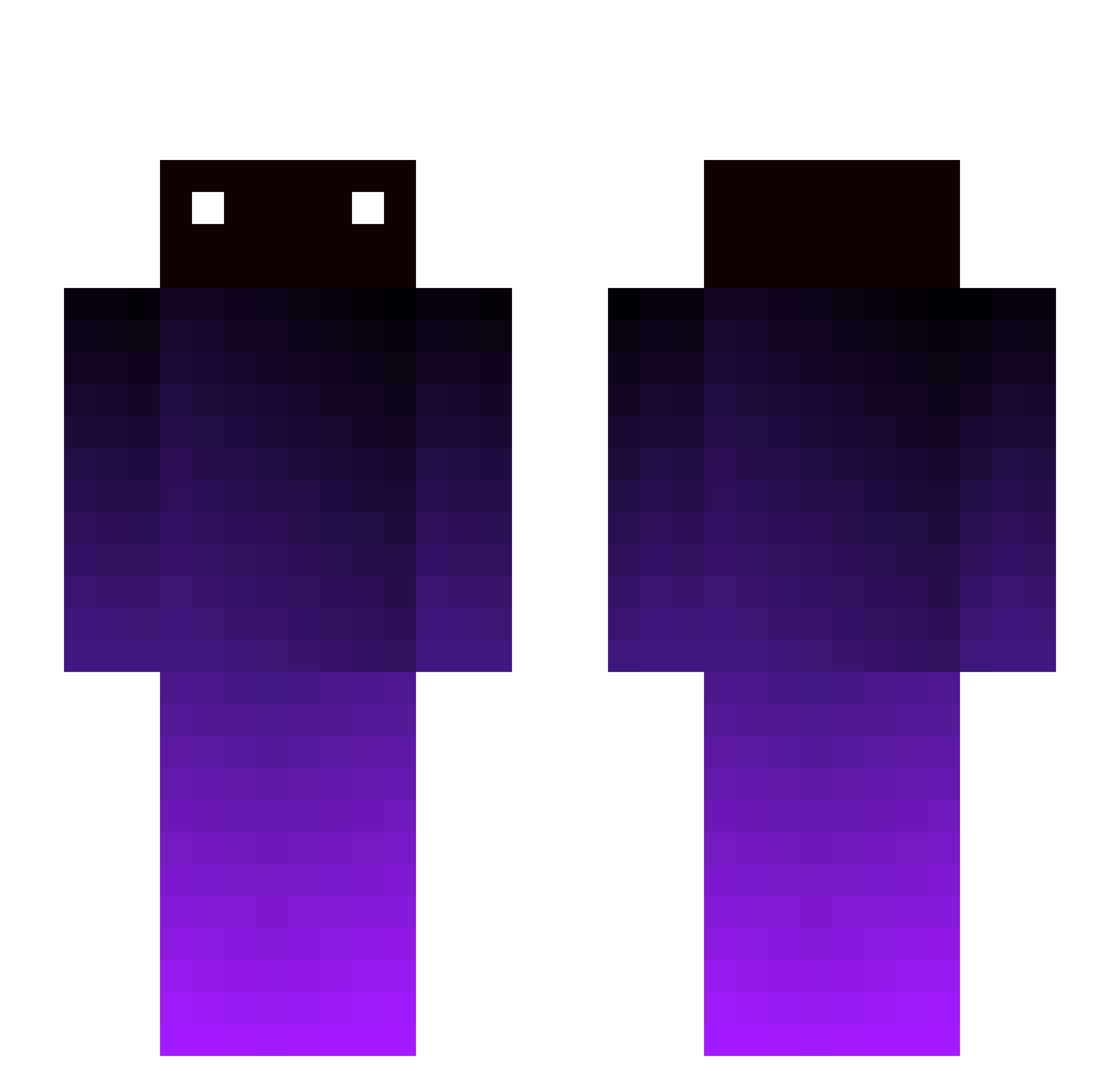
Current Minecraft skin of the player aPfgamer, loaded from the official Mojang API. Rotate the 3D model with your mouse or finger, then download the skin as a PNG file and use it in Minecraft: Bedrock Edition or Java Edition for free. When aPfgamer changes their skin, this page updates automatically and the old skin stays in the history below.
Other players with this skin (232)
aPfgamer was the 31st player we have seen with this skin, first spotted on 05.08.2026. The same skin was seen on these players. Open a nickname to see their current skin and skin history.
 duc_ducki3 Jhscsx HAHAHAXDDDXDDD dlanrma saltoallegro910 IceA_ HobbyLy Pandiii chamchi11 dgunsito Anfuuhrer Kaelid_ mifizz kael_de KR3NCH SystolicCloud88 vlad54600 oCrab_ Jian_Zi TheLilltiBig Tdom1987 King_Gonge hamachidesu trifexxxx
 reco2033 OfficialOnsra FILIATRINOS13 MinorWoong NilZerooo hik4_ masterkuma sassy_noodles FRANKO4518 Ayyolmao HgShad0W ikeepfalling Miscalling PunchDeadL Gimuseojin Impotant08 xdjeffy LoudMonkey8 Dejffx Mlocik Ni7a Maikeskidi jjhhh Podo_5608 Perpled haewon07 FrozenDuckling 911XD Jxstn232 KingHartherII By_MeoqayYT BIFLOTOSS 4iata k4iting FalIen_ Caldezi
How to install the aPfgamer skin
- Press the Download button above to save the skin as a PNG file.
- Minecraft: Bedrock Edition (PE): open the Dressing Room from the main menu (or tap your character → Edit Character), go to Classic Skins → Owned, press the + (new skin) button, choose the downloaded PNG and pick the Slim (Alex) model. Works on PC and mobile; consoles cannot import custom skins.
- Minecraft: Java Edition: open the Minecraft Launcher, go to the Skins tab, click New Skin, load the PNG, pick the Slim (Alex) model and press Save & Use. You can also upload it at minecraft.net → Profile → Change Skin.
The skin does not show up after import - what should I do?
Restart Minecraft and open the Dressing Room again - imported skins sometimes appear only after a restart. Also make sure you selected the imported skin and picked the Slim (Alex) model.
Which model should I choose, Classic or Slim?
This skin is designed for the Slim (Alex) model. If you pick the wrong model, the arms of the skin will look stretched or squeezed.
Is the skin of aPfgamer free to download?
Yes. Press Download, save the PNG file and use it in Minecraft: Bedrock Edition or Java Edition - no payment or registration needed. The skin also works on multiplayer servers and Realms.
More skins
Looking for more? Go back to all Minecraft skins and check the top skins of the week, month and all time, or find any player's skin by nickname.