
_zAngelz_ - Minecraft Skins & Skin History
Current Minecraft skin of the player _zAngelz_, loaded from the official Mojang API. Rotate the 3D model with your mouse or finger, then download the skin as a PNG file and use it in Minecraft: Bedrock Edition or Java Edition for free. When _zAngelz_ changes their skin, this page updates automatically and the old skin stays in the history below.
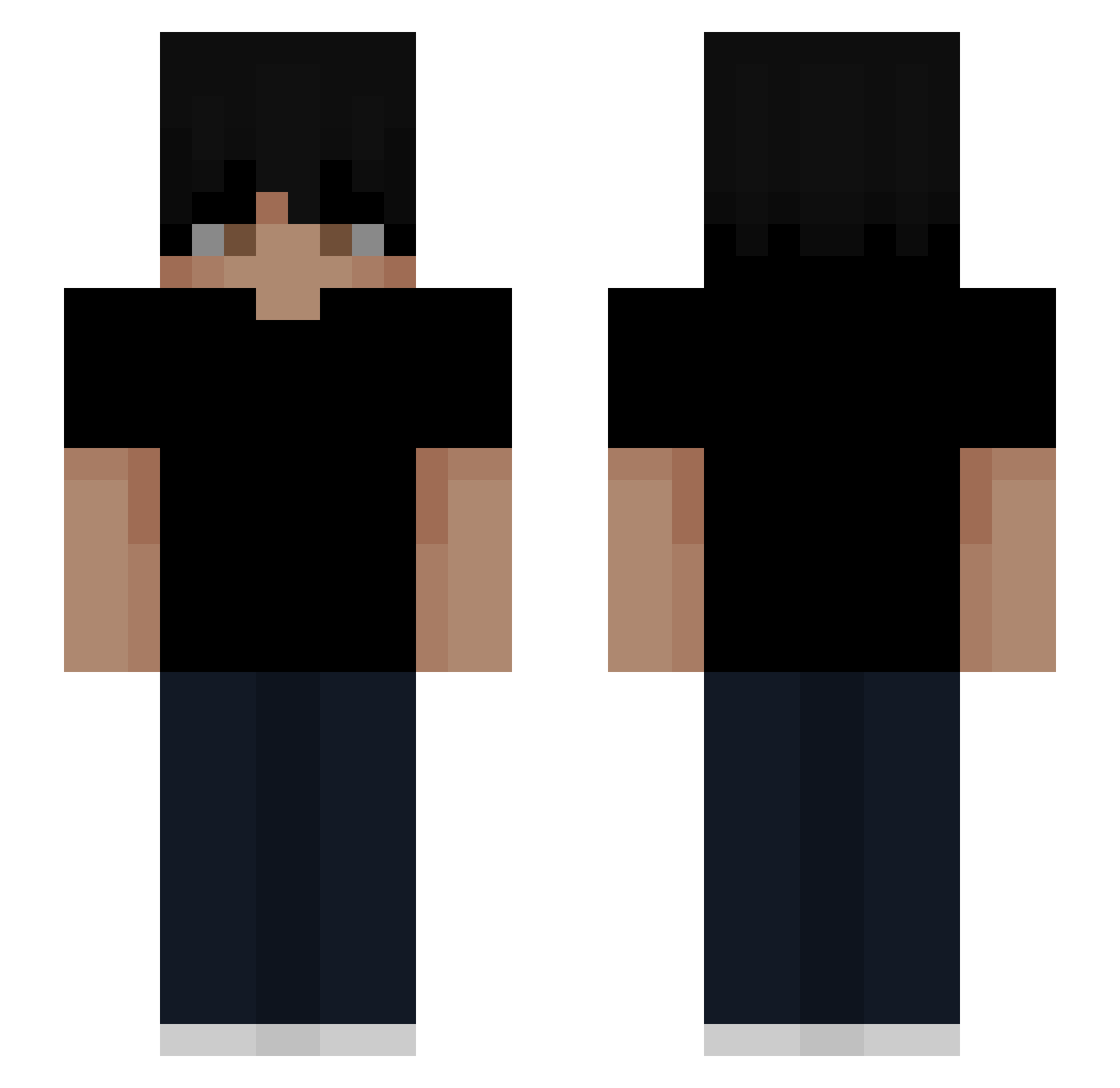
Other players with this skin (46)
_zAngelz_ was the 10th player we have seen with this skin, first spotted on 17.08.2026. The same skin was seen on these players. Open a nickname to see their current skin and skin history.
 StasGaming321 DONGDALL KOKAzc rxsekxzzx ChairPhobic z333nu Slrpn SrWeas Axel_2015_K Antek_10 lunmax Skwar0_pl
 kyanogomez 3ade Audi_Mirto Mig2288 ozturkk Ov1x Sniper45260 Joacosago
 0xay lmuwa inviet 50kp ItzBastiXD G_Vorce123 felipes24 geggee simplyjxnn kalyonz jainilsuppp RICO2312 hgzzzin KuhrxssTTV Nolletace Zweethandje sillyguy7 Na18412 _cypek_123 Rezzmu Ariskl XiVVi Pkzu Nesocks EclipseRay Itz_LordCase
How to install the _zAngelz_ skin
- Press the Download button above to save the skin as a PNG file.
- Minecraft: Bedrock Edition (PE): open the Dressing Room from the main menu (or tap your character → Edit Character), go to Classic Skins → Owned, press the + (new skin) button, choose the downloaded PNG and pick the Slim (Alex) model. Works on PC and mobile; consoles cannot import custom skins.
- Minecraft: Java Edition: open the Minecraft Launcher, go to the Skins tab, click New Skin, load the PNG, pick the Slim (Alex) model and press Save & Use. You can also upload it at minecraft.net → Profile → Change Skin.
The skin does not show up after import - what should I do?
Restart Minecraft and open the Dressing Room again - imported skins sometimes appear only after a restart. Also make sure you selected the imported skin and picked the Slim (Alex) model.
Which model should I choose, Classic or Slim?
This skin is designed for the Slim (Alex) model. If you pick the wrong model, the arms of the skin will look stretched or squeezed.
Is the skin of _zAngelz_ free to download?
Yes. Press Download, save the PNG file and use it in Minecraft: Bedrock Edition or Java Edition - no payment or registration needed. The skin also works on multiplayer servers and Realms.
More skins
Looking for more? Go back to all Minecraft skins and check the top skins of the week, month and all time, or find any player's skin by nickname.