
_tyssia_ - Minecraft Skins & Skin History
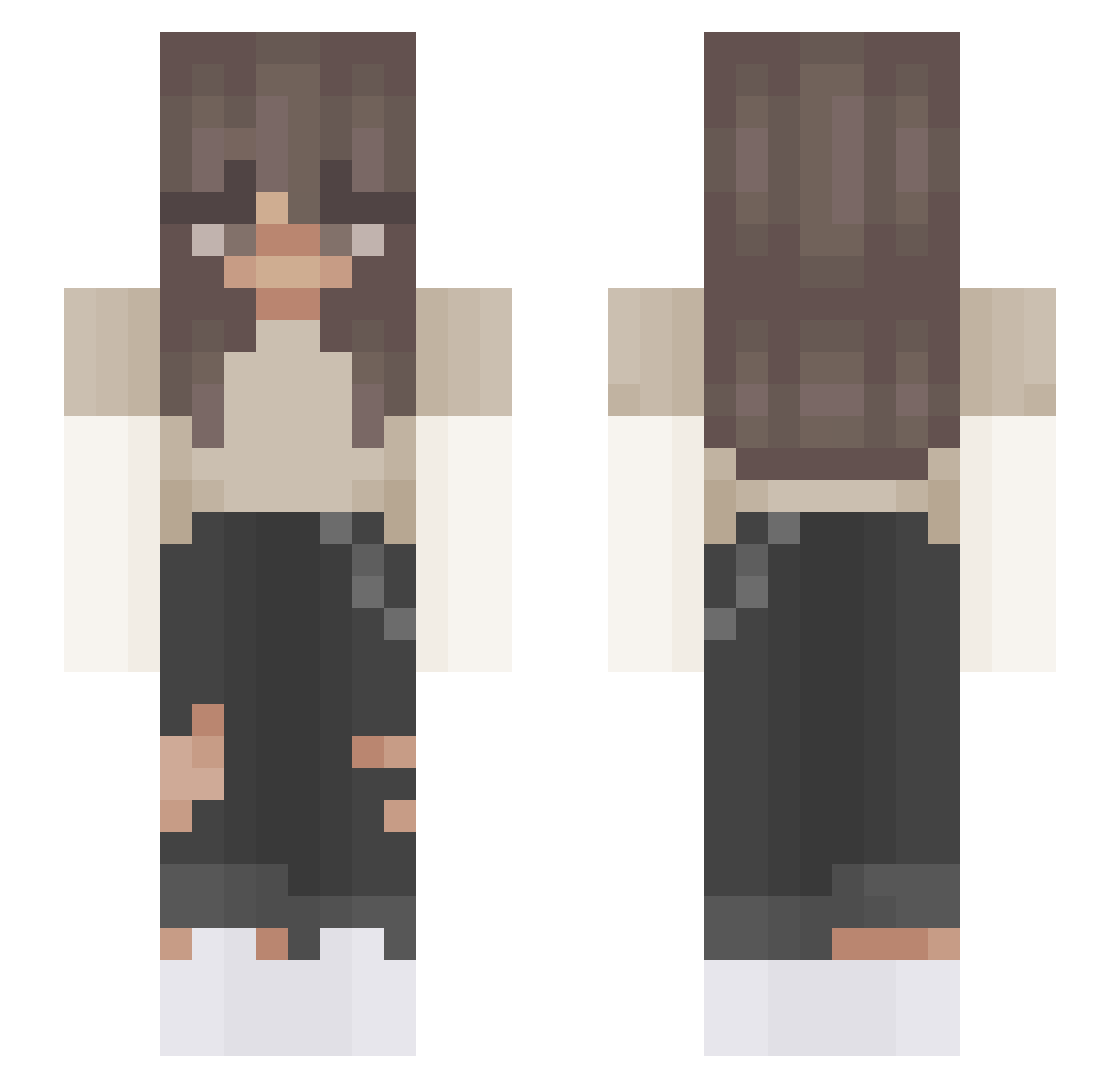
Current Minecraft skin of the player _tyssia_, loaded from the official Mojang API. Rotate the 3D model with your mouse or finger, then download the skin as a PNG file and use it in Minecraft: Bedrock Edition or Java Edition for free. When _tyssia_ changes their skin, this page updates automatically and the old skin stays in the history below.
Other players with this skin (408)
_tyssia_ was the 195th player we have seen with this skin, first spotted on 16.09.2026. The same skin was seen on these players. Open a nickname to see their current skin and skin history.
 angelke04 breena12345 Masis008 xTylor tataloola MadJokerX WalnutPlains08 Nisse__ tdood SSCardinalSwann clara5421 Ella_rose_1 SupremeVEX Aliciaaaaaa venus0508_ broooke12 AndroTV YUUmiKG sharya05 PinkMiner10 vxaeee Kenzuie xHattie AkaMori112 MegaPenguin123 StormSCHESTPLATE villagecomedian LolaPola325 me_Mikurin xfreezedx BasidialGuide donttessmee LemonadeFuzz_2 Zomby04 OliliPro OmegaFox626 cutiesfox olgacim riley_rn xcallmesunny_ alintschiii Anna_0854 brookiewitcookie chismeris jules111 MARYSIAKOX amyfw20 ilusionrose TokaiHT Giadinn gaby_beee Xenonnuggz tmelvin elyssawashere aedelwood ILizzyI AriiAntraxx Qnnes euphoriyxhl ch_JJ
More Grunge Minecraft skins
How to install the _tyssia_ skin
- Press the Download button above to save the skin as a PNG file.
- Minecraft: Bedrock Edition (PE): open the Dressing Room from the main menu (or tap your character → Edit Character), go to Classic Skins → Owned, press the + (new skin) button, choose the downloaded PNG and pick the Slim (Alex) model. Works on PC and mobile; consoles cannot import custom skins.
- Minecraft: Java Edition: open the Minecraft Launcher, go to the Skins tab, click New Skin, load the PNG, pick the Slim (Alex) model and press Save & Use. You can also upload it at minecraft.net → Profile → Change Skin.
The skin does not show up after import - what should I do?
Restart Minecraft and open the Dressing Room again - imported skins sometimes appear only after a restart. Also make sure you selected the imported skin and picked the Slim (Alex) model.
Which model should I choose, Classic or Slim?
This skin is designed for the Slim (Alex) model. If you pick the wrong model, the arms of the skin will look stretched or squeezed.
Is the skin of _tyssia_ free to download?
Yes. Press Download, save the PNG file and use it in Minecraft: Bedrock Edition or Java Edition - no payment or registration needed. The skin also works on multiplayer servers and Realms.
More skins
Looking for more? Go back to all Minecraft skins and check the top skins of the week, month and all time, or find any player's skin by nickname.