
_silen7 - Minecraft Skins & Skin History
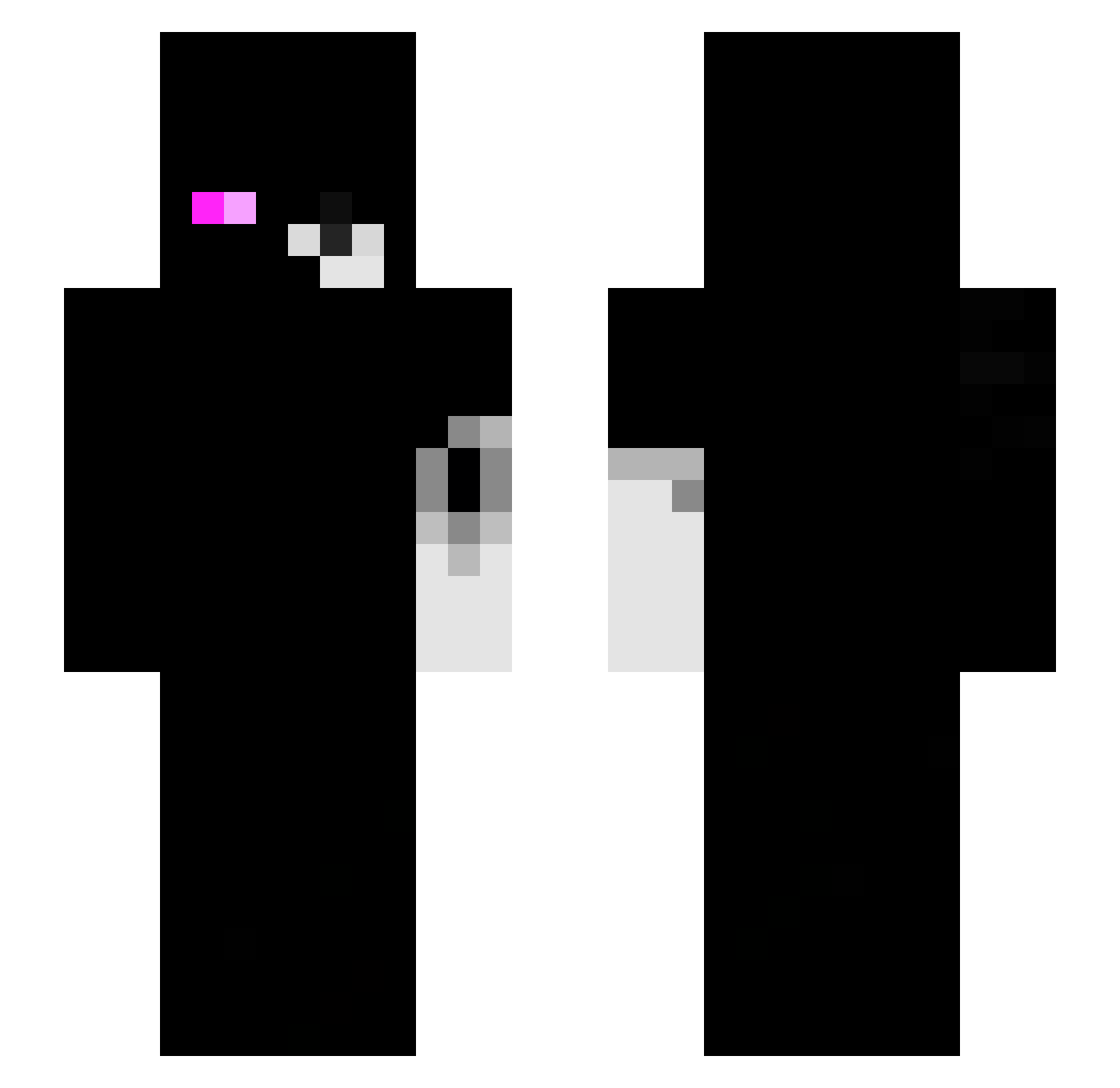
Current Minecraft skin of the player _silen7, loaded from the official Mojang API. Rotate the 3D model with your mouse or finger, then download the skin as a PNG file and use it in Minecraft: Bedrock Edition or Java Edition for free. When _silen7 changes their skin, this page updates automatically and the old skin stays in the history below.
Other players with this skin (122)
_silen7 was the 36th player we have seen with this skin, first spotted on 18.08.2026. The same skin was seen on these players. Open a nickname to see their current skin and skin history.
 Ammas_ lg4m uoyq davidgrande Mercyfrags iWinnie21 korkmagel rawerker _SweatxZ gundaaaaaam MommyH3r0X soyadrian2011 DingleberryIII tmoura enderman157 _BrightFantasy_ Isacsx7 Exactliee exthorz Devysuu_ Learnig TVC0
 Piposlaut23 xNoChance Ray_RX18 ShepardDow
 Deathoccurs GoodGoose15 FT_Deku itsokayGG SnowYuii Sv3rige__ zem3sta MeilleurFr
 zetrith communism0 KreX_GamingHD
 Pinkzzzy zachariassss TiuPatinhas_ _Jerry0 NotAethx sharkkye xd14bl0 CuteSNXP tiktokVink
 193g 4lessndr07 _DarkPlayz 4j44 T9NI Alucard_X_X Hunter_Ace barbbz_ hollowz4k Jeremiasshz VincentPico invertccety J1a3n_0w0 P4NZER3
More Monokuma Minecraft skins
How to install the _silen7 skin
- Press the Download button above to save the skin as a PNG file.
- Minecraft: Bedrock Edition (PE): open the Dressing Room from the main menu (or tap your character → Edit Character), go to Classic Skins → Owned, press the + (new skin) button, choose the downloaded PNG and pick the Slim (Alex) model. Works on PC and mobile; consoles cannot import custom skins.
- Minecraft: Java Edition: open the Minecraft Launcher, go to the Skins tab, click New Skin, load the PNG, pick the Slim (Alex) model and press Save & Use. You can also upload it at minecraft.net → Profile → Change Skin.
The skin does not show up after import - what should I do?
Restart Minecraft and open the Dressing Room again - imported skins sometimes appear only after a restart. Also make sure you selected the imported skin and picked the Slim (Alex) model.
Which model should I choose, Classic or Slim?
This skin is designed for the Slim (Alex) model. If you pick the wrong model, the arms of the skin will look stretched or squeezed.
Is the skin of _silen7 free to download?
Yes. Press Download, save the PNG file and use it in Minecraft: Bedrock Edition or Java Edition - no payment or registration needed. The skin also works on multiplayer servers and Realms.
More skins
Looking for more? Go back to all Minecraft skins and check the top skins of the week, month and all time, or find any player's skin by nickname.