
_park3r - Minecraft Skins & Skin History
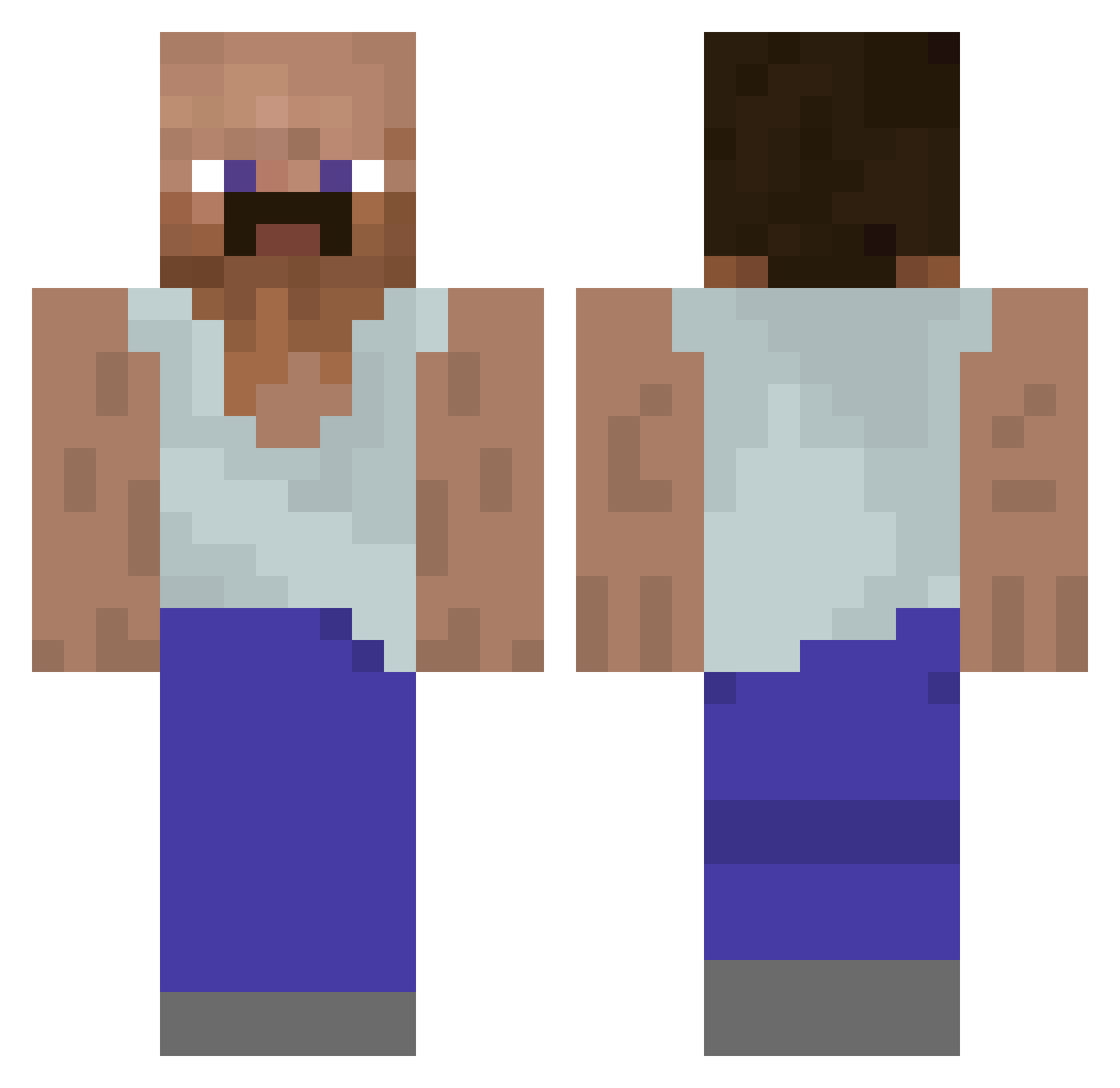
Current Minecraft skin of the player _park3r, loaded from the official Mojang API. Rotate the 3D model with your mouse or finger, then download the skin as a PNG file and use it in Minecraft: Bedrock Edition or Java Edition for free. When _park3r changes their skin, this page updates automatically and the old skin stays in the history below.
Other players with this skin (928)
_park3r was the 91st player we have seen with this skin, first spotted on 02.08.2026. The same skin was seen on these players. Open a nickname to see their current skin and skin history.
 Forlis MultiCross Niklaabin Barrbess Legendarrrno Mestryx Rack00n Tidusz80 Cpre800 M3ANLITTL3B3AN minju222 trashback chocolate_gam _Riperiks_ ToxicD01 Lelouch_Vi_Brit domina5000 freshoctopus Jeresinho handdung_ Ghost_0000 FireMask771 dalibor789 WoolySmile60315 orri0849 Mvrl0n KaktusSichel Mamapepas qwerasdf121 ZachShap IEndRyu ZeniPL Alkadias ClasssicZ Zquky ILikeCeapa BlazingDragonnn Baphobit Patoorate24 MattifyGOAT Kamix221 FonzoBear Liquidfyier Eskii612 Felixblo Bajo17 Yamino01 24Volt SleepySnowman1 BroshikiZ 100sung Adamator10 Yomtov188 DREVERT PadawansFury xSolo BedNukerTrin alekkh Fajak520 JMaicon
More Mustache Minecraft skins
How to install the _park3r skin
- Press the Download button above to save the skin as a PNG file.
- Minecraft: Bedrock Edition (PE): open the Dressing Room from the main menu (or tap your character → Edit Character), go to Classic Skins → Owned, press the + (new skin) button, choose the downloaded PNG and pick the Classic (Steve) model. Works on PC and mobile; consoles cannot import custom skins.
- Minecraft: Java Edition: open the Minecraft Launcher, go to the Skins tab, click New Skin, load the PNG, pick the Classic (Steve) model and press Save & Use. You can also upload it at minecraft.net → Profile → Change Skin.
The skin does not show up after import - what should I do?
Restart Minecraft and open the Dressing Room again - imported skins sometimes appear only after a restart. Also make sure you selected the imported skin and picked the Classic (Steve) model.
Which model should I choose, Classic or Slim?
This skin is designed for the Classic (Steve) model. If you pick the wrong model, the arms of the skin will look stretched or squeezed.
Is the skin of _park3r free to download?
Yes. Press Download, save the PNG file and use it in Minecraft: Bedrock Edition or Java Edition - no payment or registration needed. The skin also works on multiplayer servers and Realms.
More skins
Looking for more? Go back to all Minecraft skins and check the top skins of the week, month and all time, or find any player's skin by nickname.