
_naruto_gamer_ - Minecraft Skins & Skin History
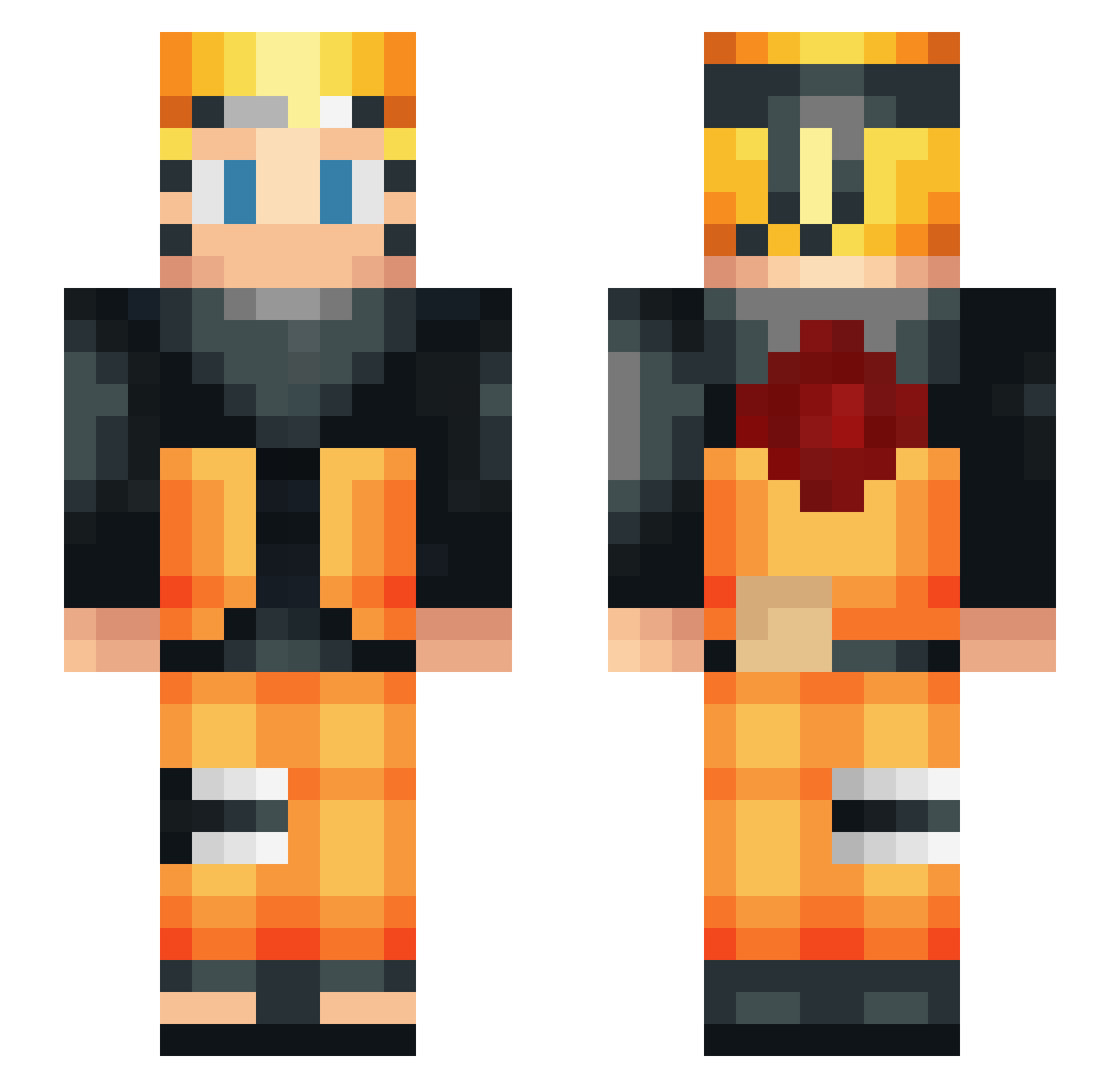
Current Minecraft skin of the player _naruto_gamer_, loaded from the official Mojang API. Rotate the 3D model with your mouse or finger, then download the skin as a PNG file and use it in Minecraft: Bedrock Edition or Java Edition for free. When _naruto_gamer_ changes their skin, this page updates automatically and the old skin stays in the history below.
Other players with this skin (62)
_naruto_gamer_ was the 20th player we have seen with this skin, first spotted on 28.08.2026. The same skin was seen on these players. Open a nickname to see their current skin and skin history.
 NickoVin totzada vinirodrigues TeK_SwiinG QQ_Ruthless Bllayze Mutated01 Star_Artic ChrisXV Hogkage LightSky1327 AxeelBlaze Dresef AOGGamesTwitch ASMRJOI CHAUCOLAT kairoekki bathrocm MoritzT01 emilhmnn NARU7O BraveCharger Naruto228 juluci07 SlowGamingYT PedroPlayH132 Zaeem LasseBubbles Synthien Hugolol999 Davidouxx StrayanShinobi evileyebrow DenIA_TubE ShaunFrostie Stork_games Conrail45 gr3gou Smartypants901 ARTistic2000 adeskchair BuGokuu StarostaPvP Zanti3474 ProfessorPizza dills18 Naruto1916 fafafoot95 Mbyod Ryokosasuke MarcosPM DanadoPlayer Zikuh QOSAI_SALAME GamerPVP_Twitch joao_Cueca guilhermeebrpvp_ JCarp TheSmallThing Project_Xbruh
More Naruto Uzumaki Minecraft skins
See all 473 Naruto Uzumaki skins
How to install the _naruto_gamer_ skin
- Press the Download button above to save the skin as a PNG file.
- Minecraft: Bedrock Edition (PE): open the Dressing Room from the main menu (or tap your character → Edit Character), go to Classic Skins → Owned, press the + (new skin) button, choose the downloaded PNG and pick the Slim (Alex) model. Works on PC and mobile; consoles cannot import custom skins.
- Minecraft: Java Edition: open the Minecraft Launcher, go to the Skins tab, click New Skin, load the PNG, pick the Slim (Alex) model and press Save & Use. You can also upload it at minecraft.net → Profile → Change Skin.
The skin does not show up after import - what should I do?
Restart Minecraft and open the Dressing Room again - imported skins sometimes appear only after a restart. Also make sure you selected the imported skin and picked the Slim (Alex) model.
Which model should I choose, Classic or Slim?
This skin is designed for the Slim (Alex) model. If you pick the wrong model, the arms of the skin will look stretched or squeezed.
Is the skin of _naruto_gamer_ free to download?
Yes. Press Download, save the PNG file and use it in Minecraft: Bedrock Edition or Java Edition - no payment or registration needed. The skin also works on multiplayer servers and Realms.
More skins
Looking for more? Go back to all Minecraft skins and check the top skins of the week, month and all time, or find any player's skin by nickname.