
_h_e_y_ - Minecraft Skins & Skin History
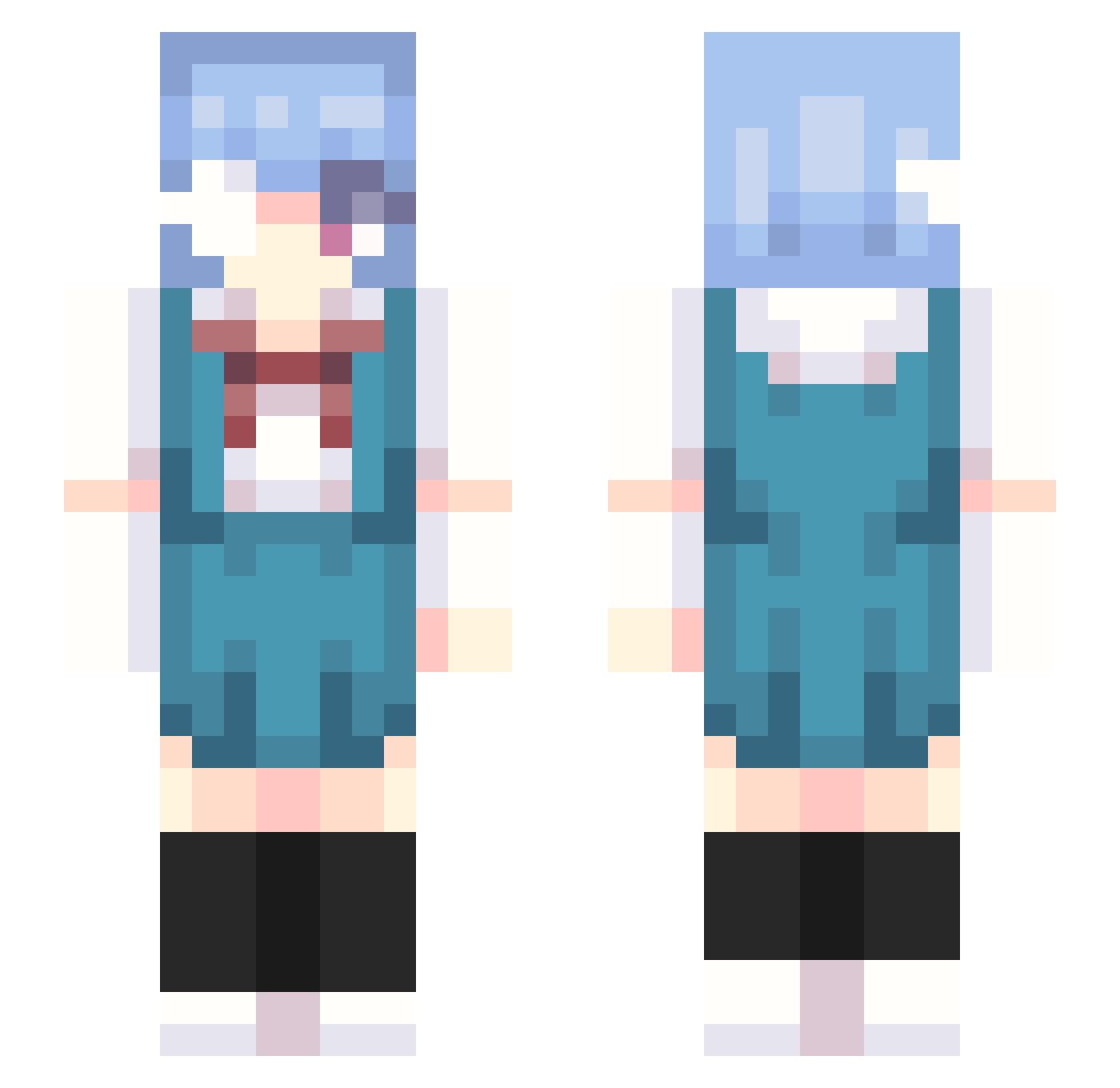
Current Minecraft skin of the player _h_e_y_, loaded from the official Mojang API. Rotate the 3D model with your mouse or finger, then download the skin as a PNG file and use it in Minecraft: Bedrock Edition or Java Edition for free. When _h_e_y_ changes their skin, this page updates automatically and the old skin stays in the history below.
Other players with this skin (302)
_h_e_y_ was the 50th player we have seen with this skin, first spotted on 13.08.2026. The same skin was seen on these players. Open a nickname to see their current skin and skin history.
 Butterr_bean omghoward junenineteenth guxinquan eldramasx LittleTomatooo xan4ik123 Clutch_Less Melodies_K iMarx1818 yeon0608 Nejo23 Halloween kysZaay ASistSC Lxish AyatsuriEXE yorosika maethemaemae JaamGm sumiyami SolaceDior avery brunppp Sleetp APalaceTShirt Efrxim Bluset astirm2 ahee_0102 mxi223 SoltING nameofname mem0w0 preussin ayanamirei77 am956 WoofXinMC punpun39 KIMSIN_0320 Sodi_Thiosulfate King_of_ Gebriel_13 LevioSuluger hikida manufacturer454 kvinne bambi_hachi killlakill_ KensaV4 Chris_kuei SPARK_LEE LoupBlood Vladimirka69 Rei_Ayanami3 DOJO__ NEO_Ignis uwuohayo YuYusukee maria0_o
More Rei Ayanami Minecraft skins
How to install the _h_e_y_ skin
- Press the Download button above to save the skin as a PNG file.
- Minecraft: Bedrock Edition (PE): open the Dressing Room from the main menu (or tap your character → Edit Character), go to Classic Skins → Owned, press the + (new skin) button, choose the downloaded PNG and pick the Slim (Alex) model. Works on PC and mobile; consoles cannot import custom skins.
- Minecraft: Java Edition: open the Minecraft Launcher, go to the Skins tab, click New Skin, load the PNG, pick the Slim (Alex) model and press Save & Use. You can also upload it at minecraft.net → Profile → Change Skin.
The skin does not show up after import - what should I do?
Restart Minecraft and open the Dressing Room again - imported skins sometimes appear only after a restart. Also make sure you selected the imported skin and picked the Slim (Alex) model.
Which model should I choose, Classic or Slim?
This skin is designed for the Slim (Alex) model. If you pick the wrong model, the arms of the skin will look stretched or squeezed.
Is the skin of _h_e_y_ free to download?
Yes. Press Download, save the PNG file and use it in Minecraft: Bedrock Edition or Java Edition - no payment or registration needed. The skin also works on multiplayer servers and Realms.
More skins
Looking for more? Go back to all Minecraft skins and check the top skins of the week, month and all time, or find any player's skin by nickname.