
_endrw_ - Minecraft Skins & Skin History
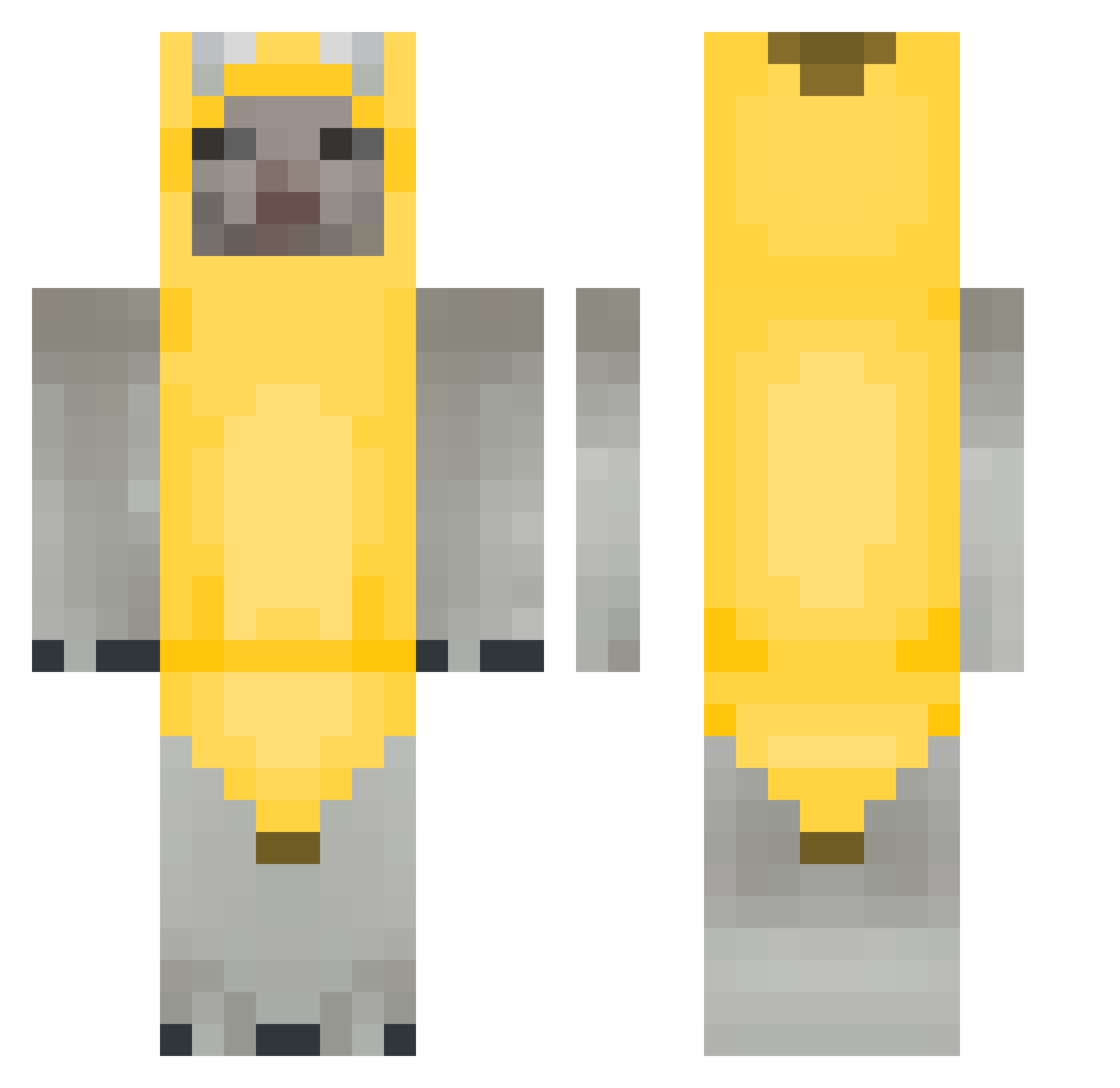
Current Minecraft skin of the player _endrw_, loaded from the official Mojang API. Rotate the 3D model with your mouse or finger, then download the skin as a PNG file and use it in Minecraft: Bedrock Edition or Java Edition for free. When _endrw_ changes their skin, this page updates automatically and the old skin stays in the history below.
Other players with this skin (264)
_endrw_ was the 21st player we have seen with this skin, first spotted on 02.08.2026. The same skin was seen on these players. Open a nickname to see their current skin and skin history.
 Woissh SLIENT4 NothingbutJ NenneMan
 Crazyoll_ 9069ms Eness48 MinLOLa REALMsTH jdmrzzz T1ntanium iEbeJeru16 Dump_T Nong_Tabi43 _Kluhen_ SubStory AAYY03 moistymi Joni_Oni Fumblecot Bocchita Sloxxxx_pro938 Setriixx TheRealShahad MyMainIsVayne lousmoon Kraeuterbutter88 herambe DismayingSword Qatar Dungaa Remove_kebabb GoodOlePal_ TRT1917 zaloo1208 FrankoDuxo Koinski vxke_ nectarniko 0va1 Rocknark JaYSheR09 Binxsr hetzpvp ME0WMEOWME0W Nathou7272 _SpicyXD fcknalexbrah Itz_F4natic
 RectalVomit xorgus7717 CatDispenser koixx MicrowavedGerbil
 poopoocatlover SynLiyt senzaii RigbyE99 mispyo Ch0nd
More Banana Costume Minecraft skins
See all 52 Banana Costume skins
How to install the _endrw_ skin
- Press the Download button above to save the skin as a PNG file.
- Minecraft: Bedrock Edition (PE): open the Dressing Room from the main menu (or tap your character → Edit Character), go to Classic Skins → Owned, press the + (new skin) button, choose the downloaded PNG and pick the Classic (Steve) model. Works on PC and mobile; consoles cannot import custom skins.
- Minecraft: Java Edition: open the Minecraft Launcher, go to the Skins tab, click New Skin, load the PNG, pick the Classic (Steve) model and press Save & Use. You can also upload it at minecraft.net → Profile → Change Skin.
The skin does not show up after import - what should I do?
Restart Minecraft and open the Dressing Room again - imported skins sometimes appear only after a restart. Also make sure you selected the imported skin and picked the Classic (Steve) model.
Which model should I choose, Classic or Slim?
This skin is designed for the Classic (Steve) model. If you pick the wrong model, the arms of the skin will look stretched or squeezed.
Is the skin of _endrw_ free to download?
Yes. Press Download, save the PNG file and use it in Minecraft: Bedrock Edition or Java Edition - no payment or registration needed. The skin also works on multiplayer servers and Realms.
More skins
Looking for more? Go back to all Minecraft skins and check the top skins of the week, month and all time, or find any player's skin by nickname.