
___retr0_ - Minecraft Skins & Skin History
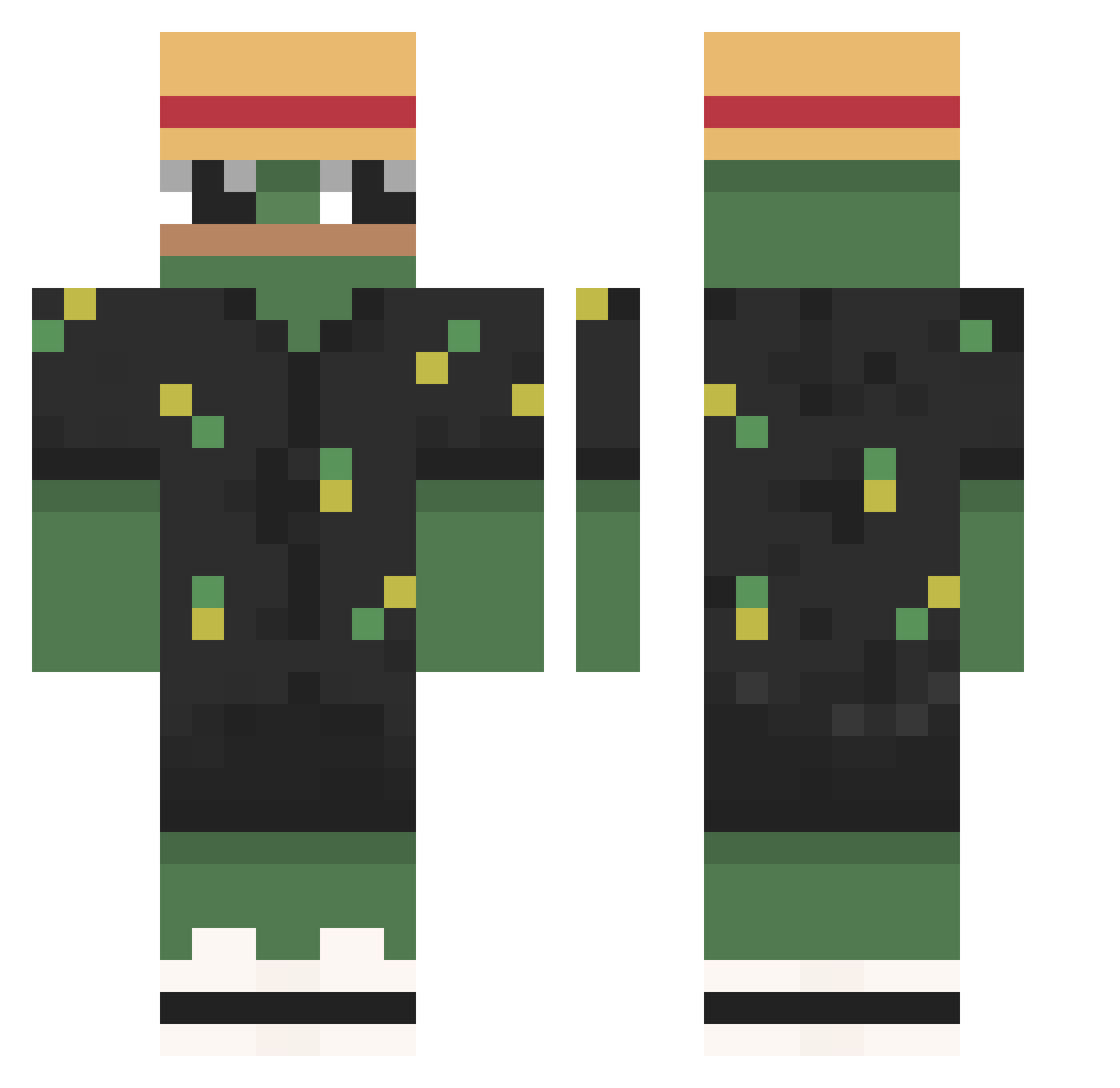
Current Minecraft skin of the player ___retr0_, loaded from the official Mojang API. Rotate the 3D model with your mouse or finger, then download the skin as a PNG file and use it in Minecraft: Bedrock Edition or Java Edition for free. When ___retr0_ changes their skin, this page updates automatically and the old skin stays in the history below.
Other players with this skin (790)
___retr0_ was the 348th player we have seen with this skin, first spotted on 10.09.2026. The same skin was seen on these players. Open a nickname to see their current skin and skin history.
 n2o_sparking yuisko Sloperider06 Bot22342 Tim_Buckanowski akalecius Irracjonalista NikNaks2115 Janieldo DEZY3 Prestooo23 Feekasyz
 OelKroete brunocee Ejonesy03 Pswavey JJ09_ Kub0h Hutch_MP3 byBoxeRHD qnl9438 Redester1 FutFrog MDAMOG_ ismael_crack9324 Med_Water Freskit0 Star2474 xszyki Petero8777 DeZiRel Gayelquienloleyo nick47m Perd0 walter_24 Daniel4509 ErPipio szczyczek SiMbAxD_ Mr_Fauxcon Dav11d_jc TRiiZZx Th3xFire Lee_Jae_myungKR Zoxim DavidFR01 soon1009 Tonicz COCO_POP xeduc shui2403 kuba677 Hibari200 BaoKID RoyMaytal TakuyaESa Diogaite BIBER0824 _blondasek_ alex_biondo10
More Pepe Minecraft skins
How to install the ___retr0_ skin
- Press the Download button above to save the skin as a PNG file.
- Minecraft: Bedrock Edition (PE): open the Dressing Room from the main menu (or tap your character → Edit Character), go to Classic Skins → Owned, press the + (new skin) button, choose the downloaded PNG and pick the Classic (Steve) model. Works on PC and mobile; consoles cannot import custom skins.
- Minecraft: Java Edition: open the Minecraft Launcher, go to the Skins tab, click New Skin, load the PNG, pick the Classic (Steve) model and press Save & Use. You can also upload it at minecraft.net → Profile → Change Skin.
The skin does not show up after import - what should I do?
Restart Minecraft and open the Dressing Room again - imported skins sometimes appear only after a restart. Also make sure you selected the imported skin and picked the Classic (Steve) model.
Which model should I choose, Classic or Slim?
This skin is designed for the Classic (Steve) model. If you pick the wrong model, the arms of the skin will look stretched or squeezed.
Is the skin of ___retr0_ free to download?
Yes. Press Download, save the PNG file and use it in Minecraft: Bedrock Edition or Java Edition - no payment or registration needed. The skin also works on multiplayer servers and Realms.
More skins
Looking for more? Go back to all Minecraft skins and check the top skins of the week, month and all time, or find any player's skin by nickname.