
____Rice____ - Minecraft Skins & Skin History
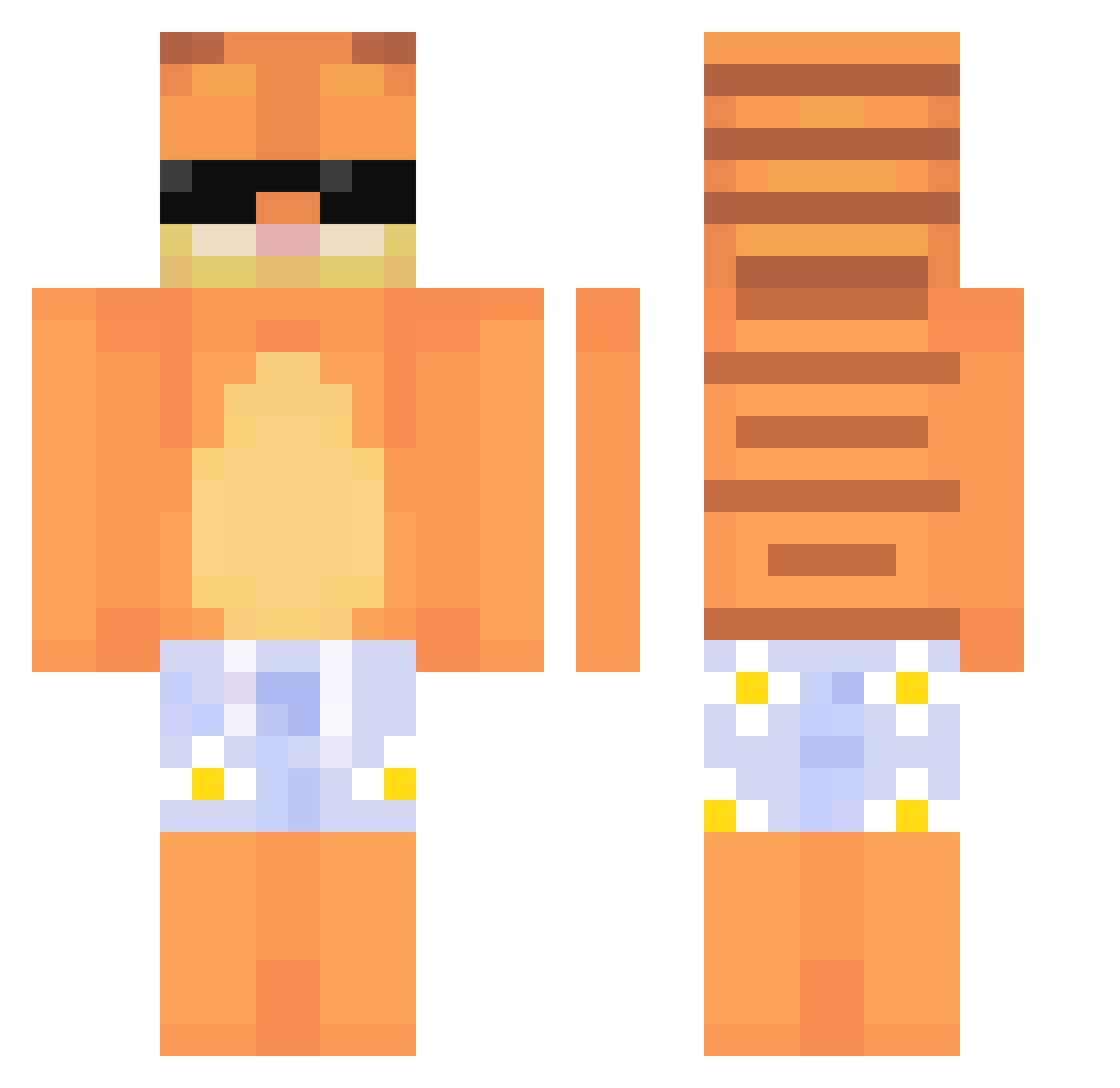
Current Minecraft skin of the player ____Rice____, loaded from the official Mojang API. Rotate the 3D model with your mouse or finger, then download the skin as a PNG file and use it in Minecraft: Bedrock Edition or Java Edition for free. When ____Rice____ changes their skin, this page updates automatically and the old skin stays in the history below.
Other players with this skin (539)
____Rice____ was the 360th player we have seen with this skin, first spotted on 25.09.2026. The same skin was seen on these players. Open a nickname to see their current skin and skin history.
 FastAndDelirious youreparanoid ReelBad JsDv_ KingSaiphon URAS2101 MadGunna CaydeenBiff marylarodowicz2 Matters_Tatters Chewy231 dildaqsque shokax KingBOB_1 typicalwalt Bbgod124 kksleep ElPapiChapo Jimmybob312 Hokeye shuaiyun123 TheGaymingSlayer youjihuaxue1 Ozzy2794 Louis66609 jzmora zhouyuxuan123 ElGatoTomm TylerS615 ButtSniffa907 lilknee12 ModoraxX hhhhhssaasaaa YoonHaeBin Illiteratebeef Akuma5293 sadluc1f SpeedHippo69 Mygxx SloppyJoe2345 zzzzzbx catascatalyst SkimSann xGammel xeno_01 Toffepeer21 SkibidiSlgma do_ham sharkyiyy Ashluvchicken Locus_Kry Kevnlw Ryansock gabinola DDFDZD ItzPablo0 DanishDelightx gummikei Lt_Obama daggerden
More Garfield Minecraft skins
How to install the ____Rice____ skin
- Press the Download button above to save the skin as a PNG file.
- Minecraft: Bedrock Edition (PE): open the Dressing Room from the main menu (or tap your character → Edit Character), go to Classic Skins → Owned, press the + (new skin) button, choose the downloaded PNG and pick the Classic (Steve) model. Works on PC and mobile; consoles cannot import custom skins.
- Minecraft: Java Edition: open the Minecraft Launcher, go to the Skins tab, click New Skin, load the PNG, pick the Classic (Steve) model and press Save & Use. You can also upload it at minecraft.net → Profile → Change Skin.
The skin does not show up after import - what should I do?
Restart Minecraft and open the Dressing Room again - imported skins sometimes appear only after a restart. Also make sure you selected the imported skin and picked the Classic (Steve) model.
Which model should I choose, Classic or Slim?
This skin is designed for the Classic (Steve) model. If you pick the wrong model, the arms of the skin will look stretched or squeezed.
Is the skin of ____Rice____ free to download?
Yes. Press Download, save the PNG file and use it in Minecraft: Bedrock Edition or Java Edition - no payment or registration needed. The skin also works on multiplayer servers and Realms.
More skins
Looking for more? Go back to all Minecraft skins and check the top skins of the week, month and all time, or find any player's skin by nickname.