
__Ruk - Minecraft Skins & Skin History
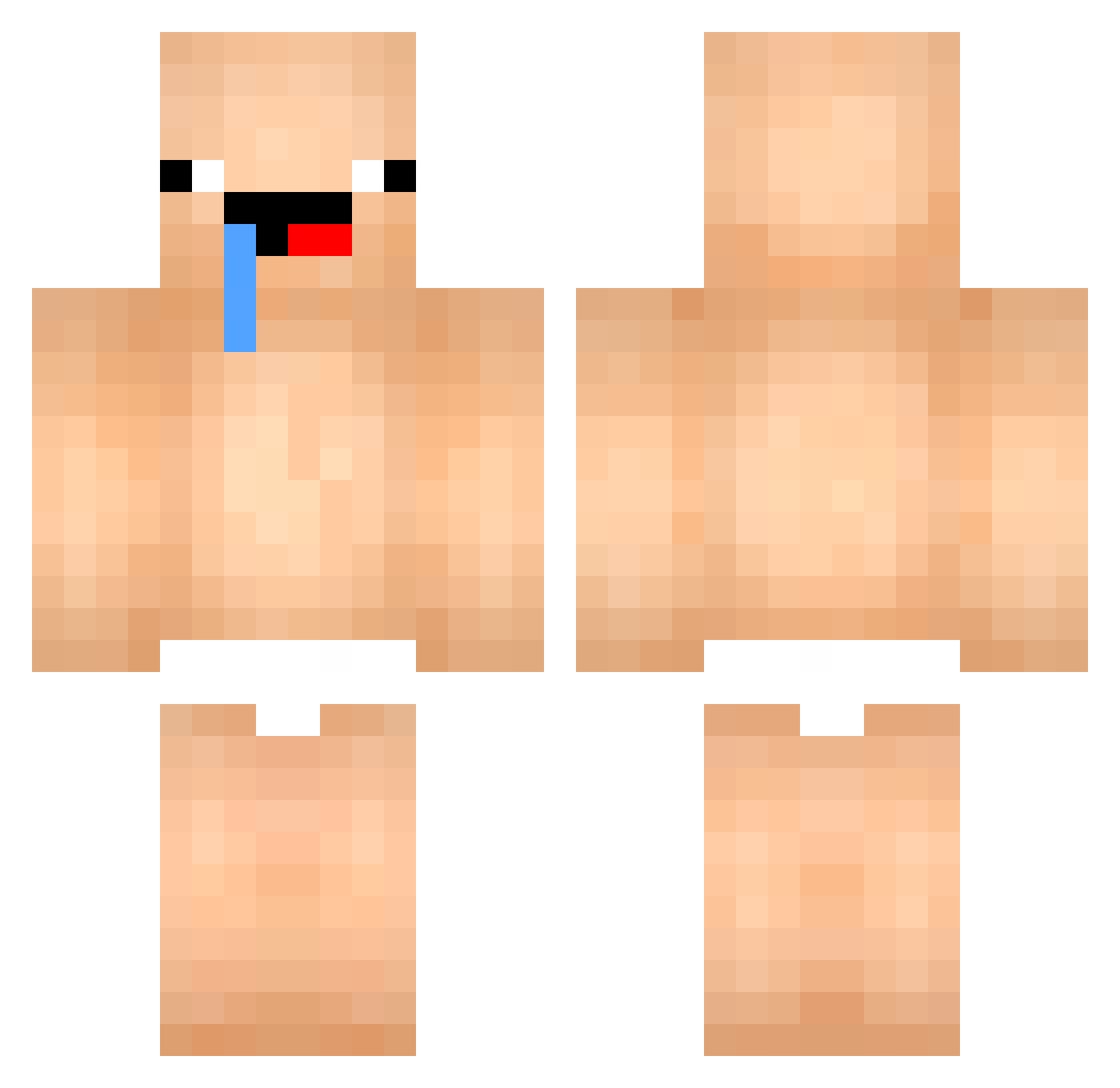
Current Minecraft skin of the player __Ruk, loaded from the official Mojang API. Rotate the 3D model with your mouse or finger, then download the skin as a PNG file and use it in Minecraft: Bedrock Edition or Java Edition for free. When __Ruk changes their skin, this page updates automatically and the old skin stays in the history below.
Other players with this skin (447)
__Ruk was the 341st player we have seen with this skin, first spotted on 07.10.2026. The same skin was seen on these players. Open a nickname to see their current skin and skin history.
 chaeun12 Mako_Mako09 LanevCav_KNG siwon_ABI_I PinePizza05 ZixOne_ Peakking kimjy0905 uniquelyher dongdongju3377 heart2551 nicses Karolo2018 Nexusium MALLE10 gyumin_0 brooa12 moonyul jimbo9877887 freakmoodz4000 DavudBush l1ghz tnsguqdlEhdRH Shenshen111 tuezin011 PhoChua Ashenic31 flameheihei mkooo22 swx111 MunitionMAX xodud061031 Jannyx_ SkumMark yuzunoki Astnt0 chaebung mat_sal S1mple_520 2456ubky653 BESTduck123 Yonuel Mateo78 gacooo powiss1 ydr3N PaoloBrosio34 Uberm6nsch PotatoKiller7756 LaBave2TC SpeedSugarEatter kaikyedu gn999911 Benane7 YinYuu_xu M1nls jaeha0725 Hurt_arm fuyao995 RoyaleDuck
More Baby Minecraft skins
How to install the __Ruk skin
- Press the Download button above to save the skin as a PNG file.
- Minecraft: Bedrock Edition (PE): open the Dressing Room from the main menu (or tap your character → Edit Character), go to Classic Skins → Owned, press the + (new skin) button, choose the downloaded PNG and pick the Classic (Steve) model. Works on PC and mobile; consoles cannot import custom skins.
- Minecraft: Java Edition: open the Minecraft Launcher, go to the Skins tab, click New Skin, load the PNG, pick the Classic (Steve) model and press Save & Use. You can also upload it at minecraft.net → Profile → Change Skin.
The skin does not show up after import - what should I do?
Restart Minecraft and open the Dressing Room again - imported skins sometimes appear only after a restart. Also make sure you selected the imported skin and picked the Classic (Steve) model.
Which model should I choose, Classic or Slim?
This skin is designed for the Classic (Steve) model. If you pick the wrong model, the arms of the skin will look stretched or squeezed.
Is the skin of __Ruk free to download?
Yes. Press Download, save the PNG file and use it in Minecraft: Bedrock Edition or Java Edition - no payment or registration needed. The skin also works on multiplayer servers and Realms.
More skins
Looking for more? Go back to all Minecraft skins and check the top skins of the week, month and all time, or find any player's skin by nickname.