
_Troll_Face_ - Minecraft Skins & Skin History
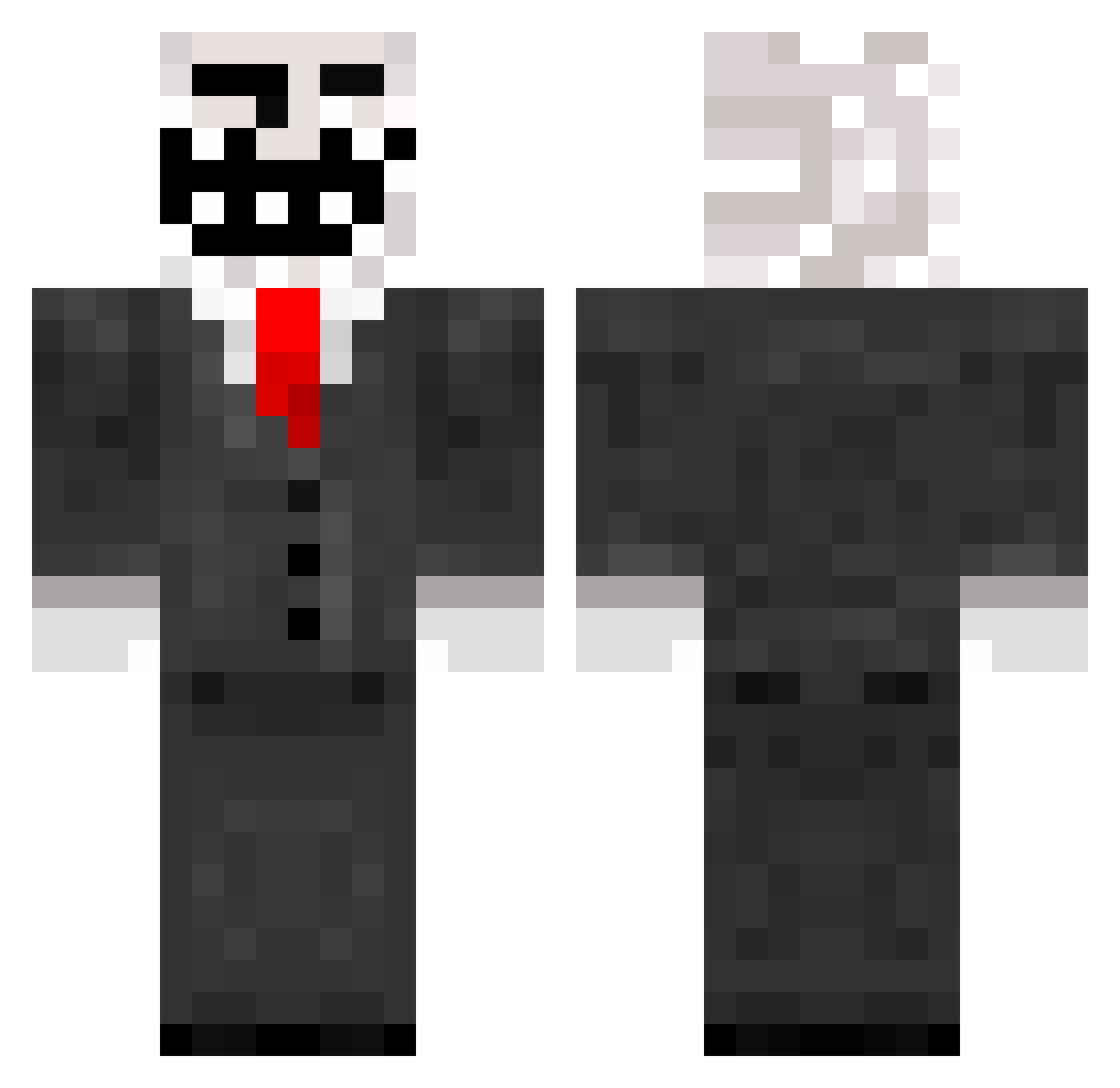
Current Minecraft skin of the player _Troll_Face_, loaded from the official Mojang API. Rotate the 3D model with your mouse or finger, then download the skin as a PNG file and use it in Minecraft: Bedrock Edition or Java Edition for free. When _Troll_Face_ changes their skin, this page updates automatically and the old skin stays in the history below.
Other players with this skin (965)
_Troll_Face_ was the 870th player we have seen with this skin, first spotted on 10.11.2026. The same skin was seen on these players. Open a nickname to see their current skin and skin history.
 fooda123 Peppone93 Golle100 michaeldj133 bessant1995 Sylphrit Cha0tic221 Tryfak0s shamonkey2 Catloff darkbanana68 DERPZILLA9001 Redstone_Torch MassimoDerBoss Bachang Barleyboy98 mamboman hopsin1337 trollman2610 jestermanz Complicated16 tietscho _MOMSY_ KnechtGmbH leo12116 joil CorruptFox lidog20 Joel_is_HD HomeRocked Vigin NATEDOG63 justindillen FlareisOG Party_machine Applebottom92 xFonziii DaneLuke98 ashfordla drake2500 CHIPPYKID AppleMODULE Villityst BeffKoning Airflame111 ItsJustAStormDk ninjaweenie02 enzi240620 blueeuro sepsten rexmaty MilitaryPeople Chickenwing71 XxTrollSk theassassinatorX Rastna hipster_9 purplnurpl meistroll ker_nax
More Trollface Minecraft skins
How to install the _Troll_Face_ skin
- Press the Download button above to save the skin as a PNG file.
- Minecraft: Bedrock Edition (PE): open the Dressing Room from the main menu (or tap your character → Edit Character), go to Classic Skins → Owned, press the + (new skin) button, choose the downloaded PNG and pick the Classic (Steve) model. Works on PC and mobile; consoles cannot import custom skins.
- Minecraft: Java Edition: open the Minecraft Launcher, go to the Skins tab, click New Skin, load the PNG, pick the Classic (Steve) model and press Save & Use. You can also upload it at minecraft.net → Profile → Change Skin.
The skin does not show up after import - what should I do?
Restart Minecraft and open the Dressing Room again - imported skins sometimes appear only after a restart. Also make sure you selected the imported skin and picked the Classic (Steve) model.
Which model should I choose, Classic or Slim?
This skin is designed for the Classic (Steve) model. If you pick the wrong model, the arms of the skin will look stretched or squeezed.
Is the skin of _Troll_Face_ free to download?
Yes. Press Download, save the PNG file and use it in Minecraft: Bedrock Edition or Java Edition - no payment or registration needed. The skin also works on multiplayer servers and Realms.
More skins
Looking for more? Go back to all Minecraft skins and check the top skins of the week, month and all time, or find any player's skin by nickname.