
_Timo__ - Minecraft Skins & Skin History
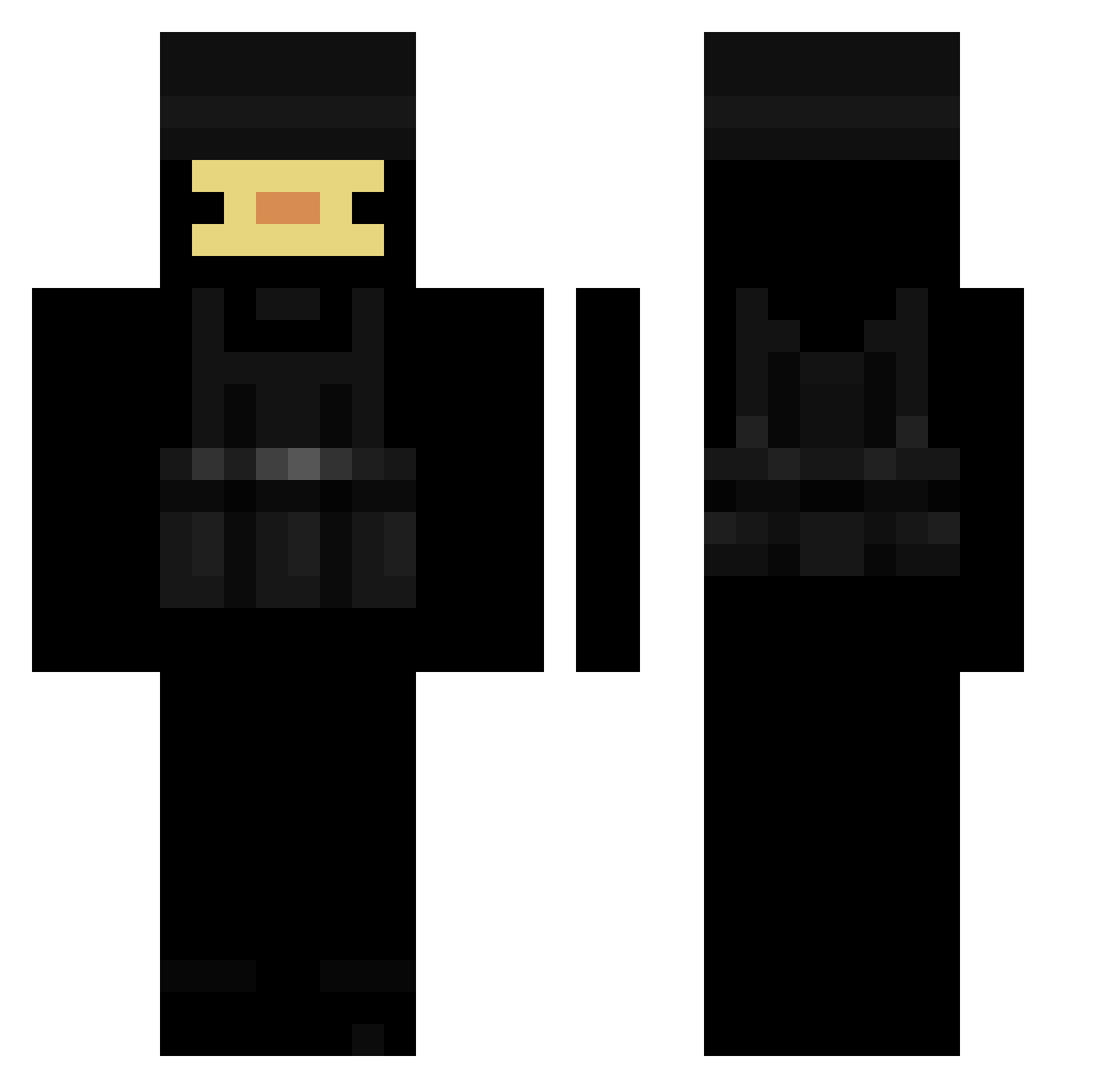
Current Minecraft skin of the player _Timo__, loaded from the official Mojang API. Rotate the 3D model with your mouse or finger, then download the skin as a PNG file and use it in Minecraft: Bedrock Edition or Java Edition for free. When _Timo__ changes their skin, this page updates automatically and the old skin stays in the history below.
Other players with this skin (214)
_Timo__ was the 186th player we have seen with this skin, first spotted on 23.10.2026. The same skin was seen on these players. Open a nickname to see their current skin and skin history.
 Elwarrior M37H STEPBROvuqaa tmdfo12 s888 AMcPurple Yokunin KimpieP Milan_Bandich Nova_Light T_king1010 LabolaDeBillar SeanBot33676 LordSpeedNase SayaGaming BlacEagl FerrusXD KaylaJ2441 _Sauce2004_ fisszi Top5Momentos SandwichPL Sixelaaa AAntekm dannwyaa Ducklinn alves4m RainbowturtIe FuSeyy Arthurobanana10 xXlIl_BeCo_lIlXx ProofFriend2644 Ferix34 jdepriest kiluzafxp_9 Rhompin_Rhino kjarlighet FredJeBad eviee3 seaty scoobert64 CypherDev_ Luvifed cowsww bakvs1_ Patrixon_2693 Pretty_G00d PyroNinja616 kira_173 BIGFATYWOMANS Atthene Fankuish BlurSweaty PoorlySkydiver Awesomeboi69469 Patataboy45 Se7ntHGoD ShokzTheDucky Kaczuszka90809 Idetify
More Swat Minecraft skins
How to install the _Timo__ skin
- Press the Download button above to save the skin as a PNG file.
- Minecraft: Bedrock Edition (PE): open the Dressing Room from the main menu (or tap your character → Edit Character), go to Classic Skins → Owned, press the + (new skin) button, choose the downloaded PNG and pick the Classic (Steve) model. Works on PC and mobile; consoles cannot import custom skins.
- Minecraft: Java Edition: open the Minecraft Launcher, go to the Skins tab, click New Skin, load the PNG, pick the Classic (Steve) model and press Save & Use. You can also upload it at minecraft.net → Profile → Change Skin.
The skin does not show up after import - what should I do?
Restart Minecraft and open the Dressing Room again - imported skins sometimes appear only after a restart. Also make sure you selected the imported skin and picked the Classic (Steve) model.
Which model should I choose, Classic or Slim?
This skin is designed for the Classic (Steve) model. If you pick the wrong model, the arms of the skin will look stretched or squeezed.
Is the skin of _Timo__ free to download?
Yes. Press Download, save the PNG file and use it in Minecraft: Bedrock Edition or Java Edition - no payment or registration needed. The skin also works on multiplayer servers and Realms.
More skins
Looking for more? Go back to all Minecraft skins and check the top skins of the week, month and all time, or find any player's skin by nickname.